




randstr21
Member
-
Joined
-
Last visited
-
I understand better now. Thanks. I hope there will be official statements about assessible income, deduction and etc (on oversea income bring into Thailand) within these 2 months. I will need to plan how much money that I will bring into Thailand in 2024 if I want to stay here for another year
-
Based on the calculation of the website, anyone can technically bring in 310k baht on any particular year tax free?
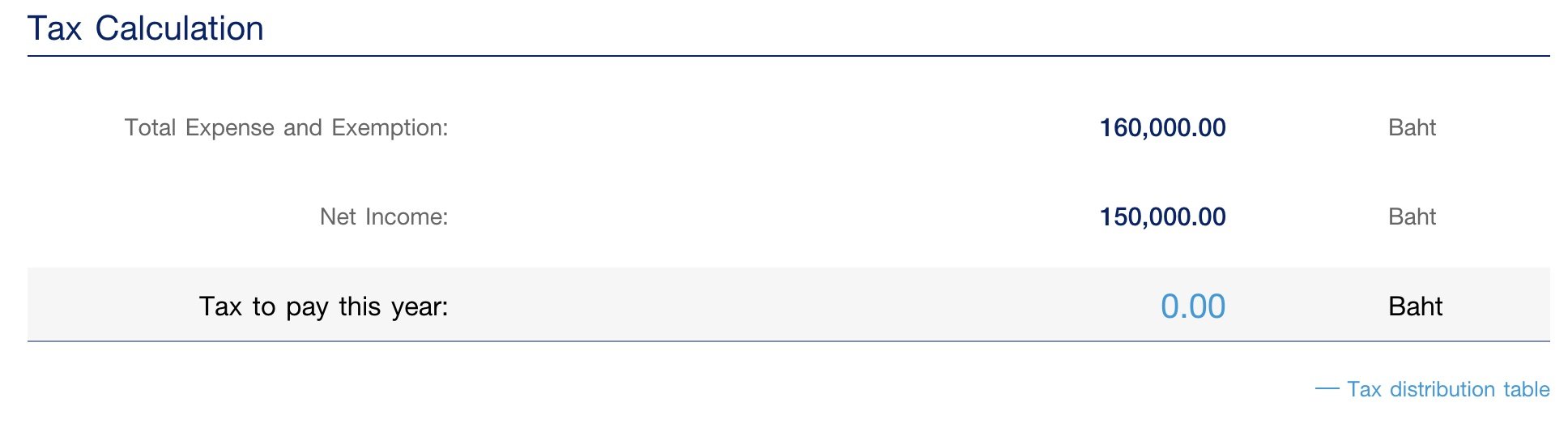
-
I am a digital nomad. Earning a decent income by freelancing for companies in USA and Canada. With this latest changes of the tax rules, I am almost certain that I will have to file income tax and pay tax to Thailand government. I am a Elite Visa holder (5 years plan). Weeks ago, I submitted the application to upgrade to 20 years plan before withdrawing the application (After they mentioned that I can still upgrade the plan 3 months before the expiry). I am NOT paying any income tax to Thai government. So, the Elite visa is not as beneficial to me anymore. As I could only stay in Thailand for less than 6 months of any year if I don't want to pay income tax. And, I will not upgrade the 20 yrs Elite Visa anymore. I would rather spend that 400k baht elsewhere. I have started to do research on moving to Malaysia, Vietnam or Philippines. Once my lease term expires in late January, I will move out of Thailand. So, I am removing 400k baht + 30-40k monthly (360-480k baht yearly) from Thailand economy.


