sjk65
Member
-
Joined
-
Last visited
-
But that means an extra investment. So ROI will not be reached by me, as I'm on my way to the stars 😉👍
-
I have a 5kwh 16panels, 340wp. Last year PEA took away my analogue meter and placed a digital one. On yearly base, I produced around 18kwh a day. Now I thinking of selling back to PEA, but I have to invest 15-25K to get this done. From the 18, probably I use 4 or 5 on the day, that means, selling back around 13. 13 x 365 x 2.2 = 10.400 baht a year So mony back in 2 years. BUT.... like one person wrote, other costs of PEA may increase. So what is wise: keep system like it is, put export meter on zero and use as much on the day from the solar. Or selling back to PEA 🤔
-
Yes that's true, find something on YouTube but talking is in Thai 😊.
-
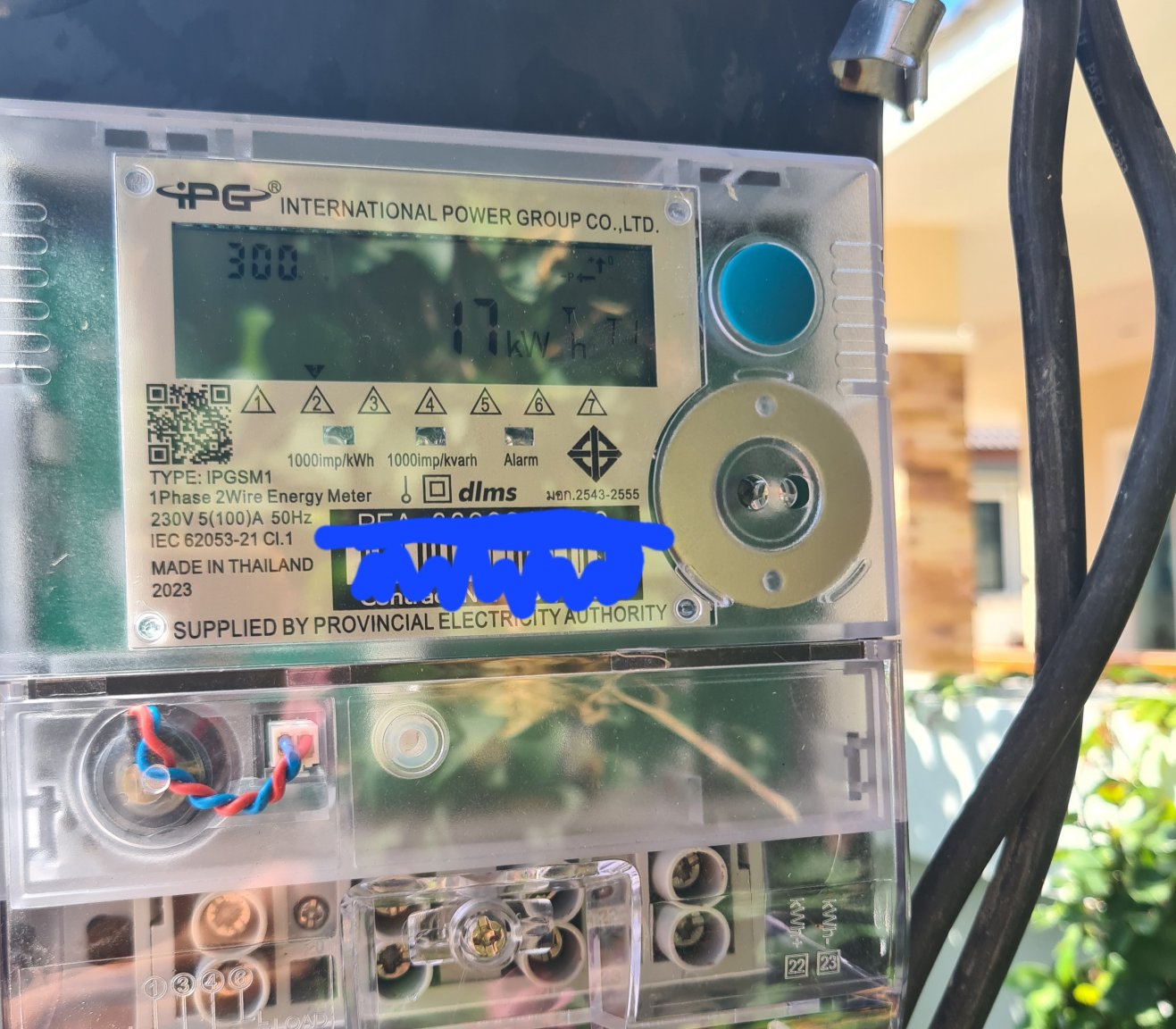
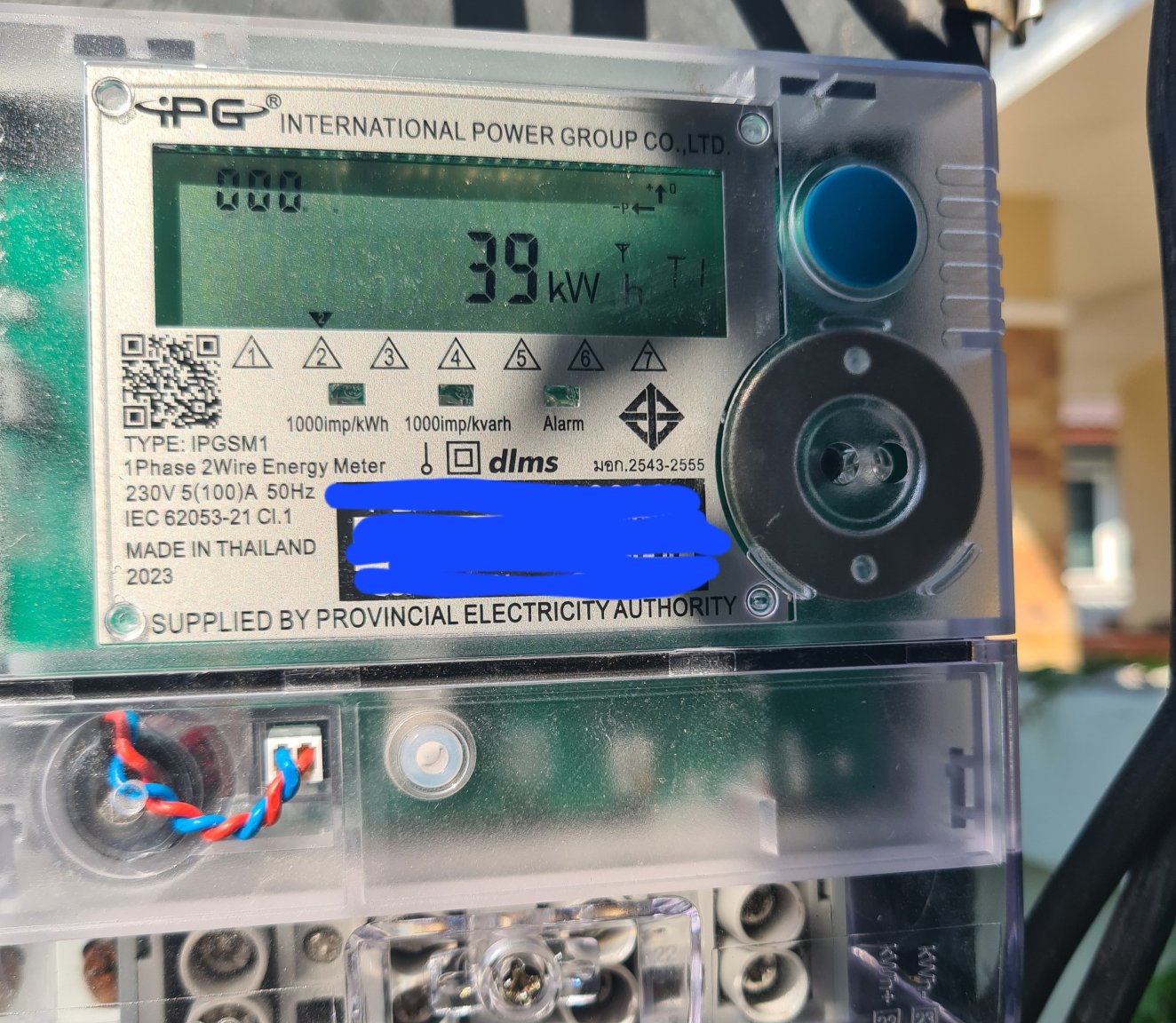
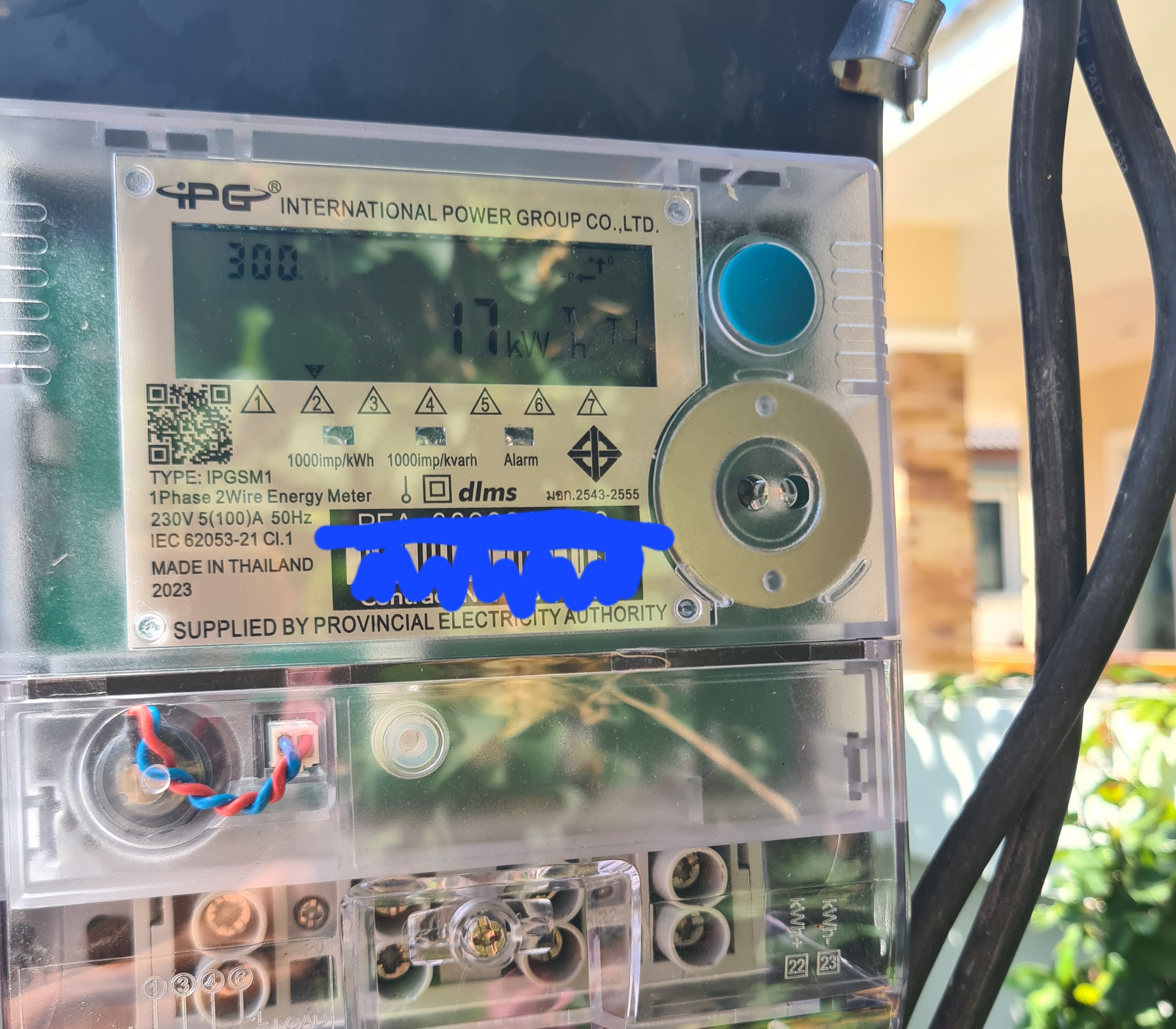
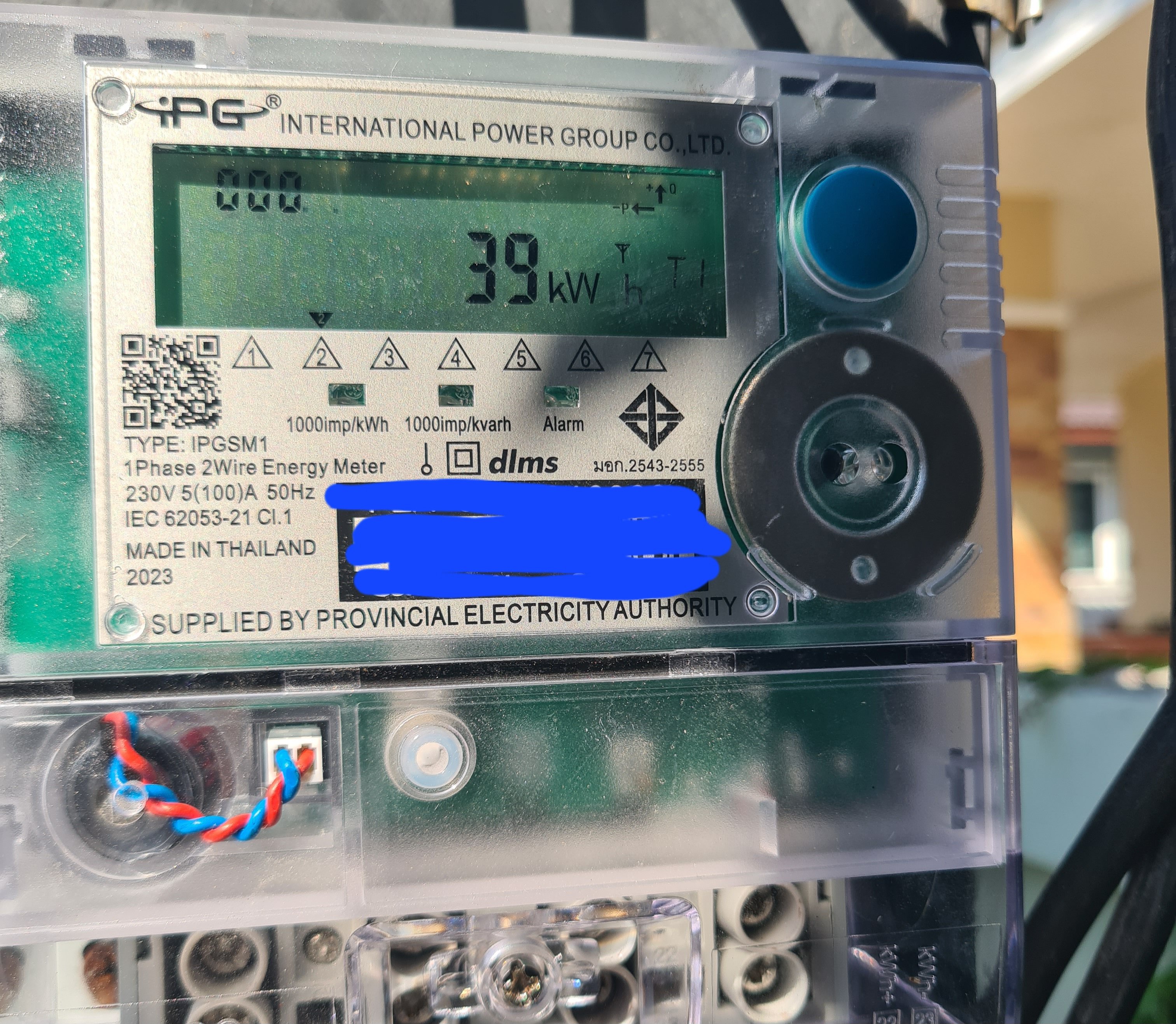
Pictures took today, I don't have the knowledge to change something on the meter. If you can....please explain and I make new
-
Ok guys, here's my experience. A guy took my spinning meter and changed it for a digital one. So after reading this topic, I switched my SOLAX in NO EXPORT, disabled it. Took a photo of the meter after 1 day, reading g 28Kwh. Took another picture this morning showing 39kwh. Yesterday I not used solar, system shut down. Today I was playing with the export settings and enabled the system maybe for 10 or 15 minutes. Took another photo.....WTF... the meter was showing 17kwh instead of 39 or more. So who can tell me or explain what T F happens. Seems that someone or something is playing with the figures. On the photo of 39kwh, the left figures were 000 and on the 2nd I see 300