
frozencloud
-
Posts
2 -
Joined
-
Last visited
Content Type
Events
Forums
Downloads
Quizzes
Gallery
Blogs
Everything posted by frozencloud
-

Apply for Thai Visa while traveling
frozencloud replied to frozencloud's topic in Thai Visas, Residency, and Work Permits
I do understand now that this is the best option to do so. Thank you everyone. -
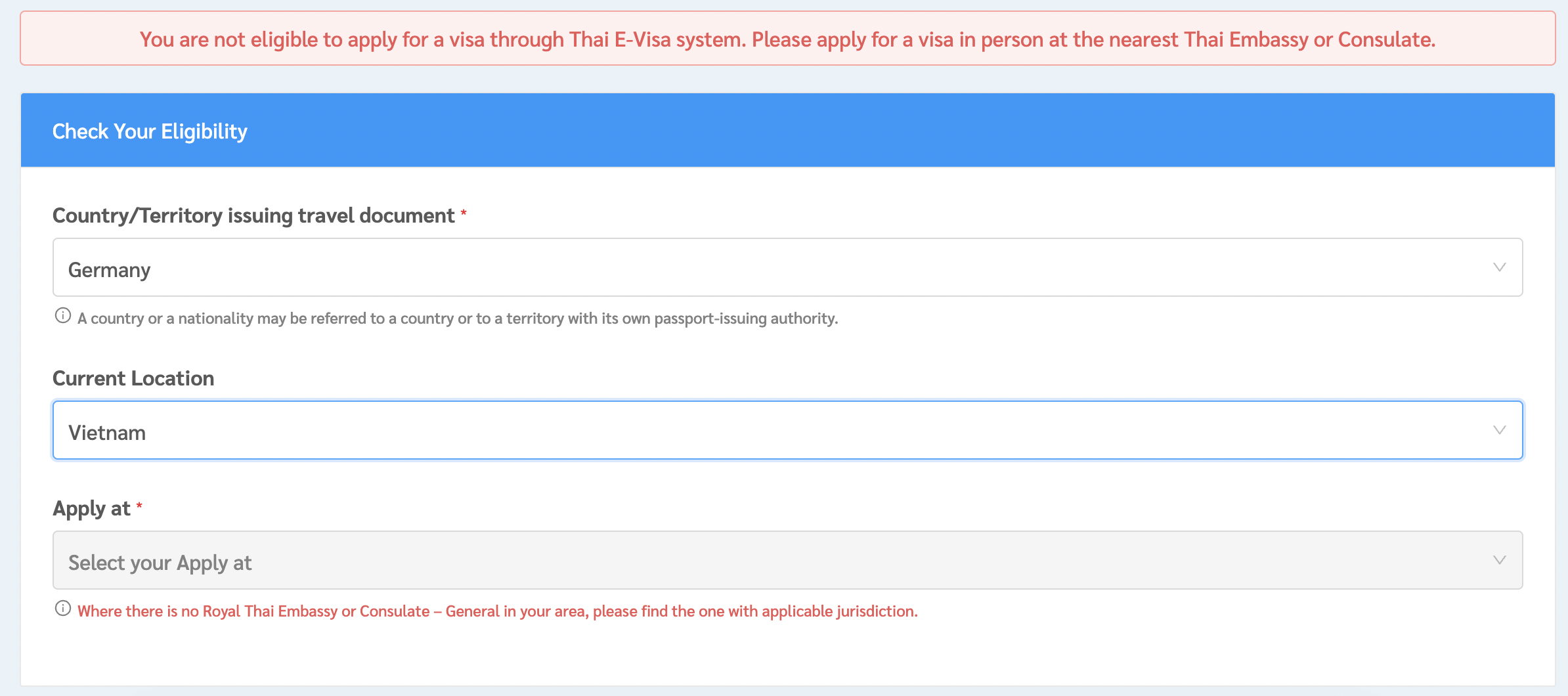
Hello friends and travelers, I'm curious about the visa process and rules to apply for a Thai tourist visa while traveling abroad. I was thinking about applying for a tourist visa in advance while I'm on my trip. Where do I have to apply for the visa? - In the country that I am currently traveling in? (e.g. Vietnam) - In the country that I will be just before flying to Thailand? (maybe Laos) - On the Thai E-Visa website I'm being asked to name my current location (I put in Vietnam for example) but the process then stops with "You are not eligible to apply for a visa through the Thai E-Visa system" If I enter my location is now Germany the process of entering all information starts as normal. But later it's necessary to enter your flight information for arrivals and departures. The ticket will definitely not be a flight from Germany to Thailand then. That's why I'm confused how to apply. I know the fact, that there's a 60-day stay permit on the way to be official soon (or is already) and a visa application needs some days in advance to be granted. I just like to know about the process to deal with this correctly. Do you have any experience or hints? Thank you so much in advance, Ben