




BNZ
Member
-
Joined
-
Last visited
-
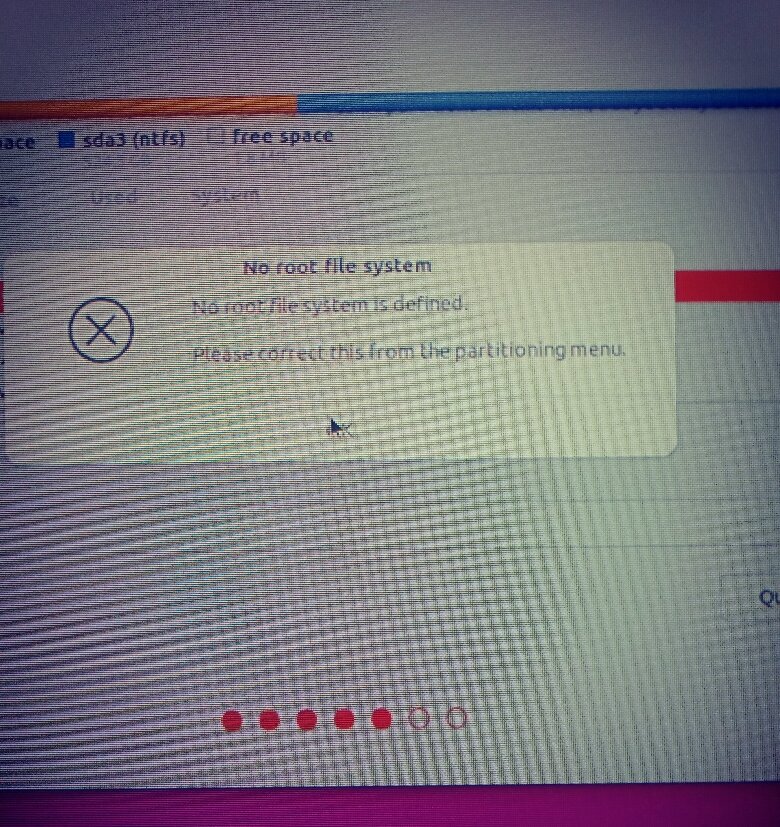
Thank you for your assistance. Please note the "No Root File" popped up during a 'Clean' erase it all install ..I don't know why. It is now resolved and boots up fine except I can't see the Windows HD anywhere but it doesn't matter and I will leave it for another day, if need be. Thanks again
-
This gave me a lot of info clearly ..& visually which I will now be able to check and adjust accordingly - if need be. I will re-install tomorrow following this info and BigStar's info and let you know. Thanks.
-
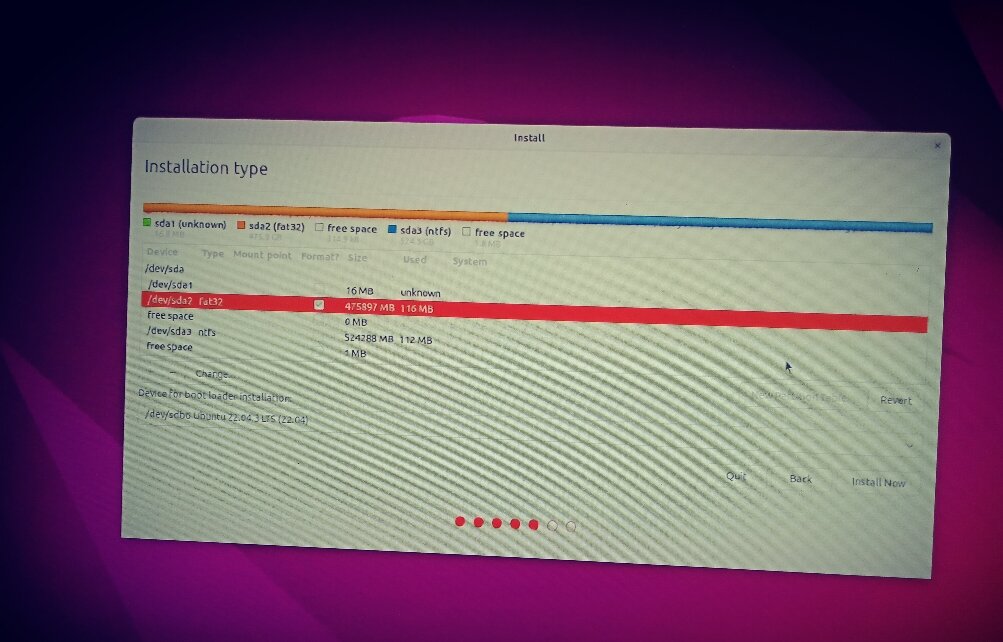
1. I've always used that 'Erase Disk and Install Ubuntu' method. 2. Yes you're correct a FAT32 / NTFS ... "usually both NTFS." Thanks that's what I need to know. 3. The Ubuntu installation runs fine but it's a roundabout way to boot it and I know the partitioning etc is not as it should be "usually both NTFS.". 4. " ..Boot the Ubuntu installation medium and run the included Gparted program" I'm familiar with and used GParted on Ubuntu but not aware of it being 'included' in the installation medium, please explain. I've just watched the 'Install & Partition video posted by 'freeworld' which explains 'swap' and partitioning more clearly - and visually - so with your valuable info and the video I will attack it and reinstall tomorrow. Thank you very much for your time.
-
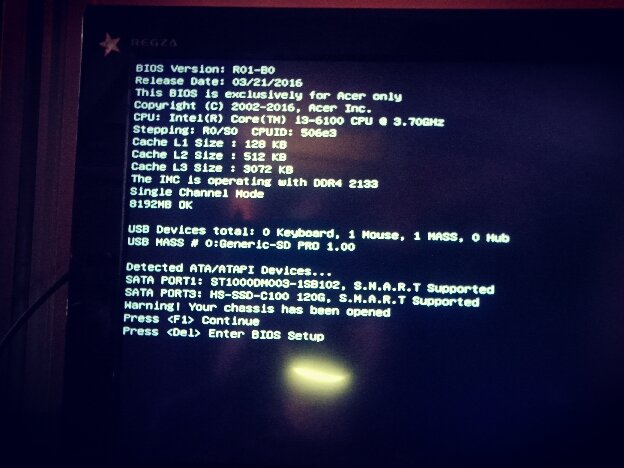
Thanks for your response. You're correct (see pics) but I don't have the 'Root' or Partitioning skills to get out of this. Also there is a small 124Gb SSD with Windows which was the main / only HD (now unseen), a new 1Tb HD was installed when I bought it - and it everything was running ok. When I went to install Ubuntu I got stuck with the Partition conundrum and F'd it up. When I Boot up it takes me to ...(see pic 4) and with F1 it will load up and operate normally. I also tried swapping the cables from the original Windows 124Gb SSD to the 1Tb HD but got nothing as I could happily dispense with the SSD.
-
1. Yes 2. Done this several times 3. Disabled 4. USB 5. The problem is my attempt at partitioning 6. Yes I've been installing Linux since 2008 or before with no difficulties but this time I screwed it up.
-
Certainly 'not easy to solve' which is why I'm seeking qualified assistance. Reinstalling the Linux OS does not solve the booting problem.
-
I recently screwed up an installation as partition / root problem appeared. I've been getting help from the Ubuntu Forum but it's getting beyond my skills. Can any members here recommend anyone in BKK who can fix it ?
