TwentyBaht
Member
-
Joined
-
Last visited
Everything posted by TwentyBaht
-
Just as information, I accessed the Manila FBU website and used the Inquiry Form to make an address change. From the dropdown menu on top I selected change of address and once I entered my name and birthdate and last four digits of SS my old address information was already preloaded when the mouse hovered over it. I entered my new address in the additional information box. After completion and submitting a notice showed to allow 15 days for response. And today, just two days later, I got an email that my records had been updated with the new address. I was pleasantly surprised. Quite easy to do.
-
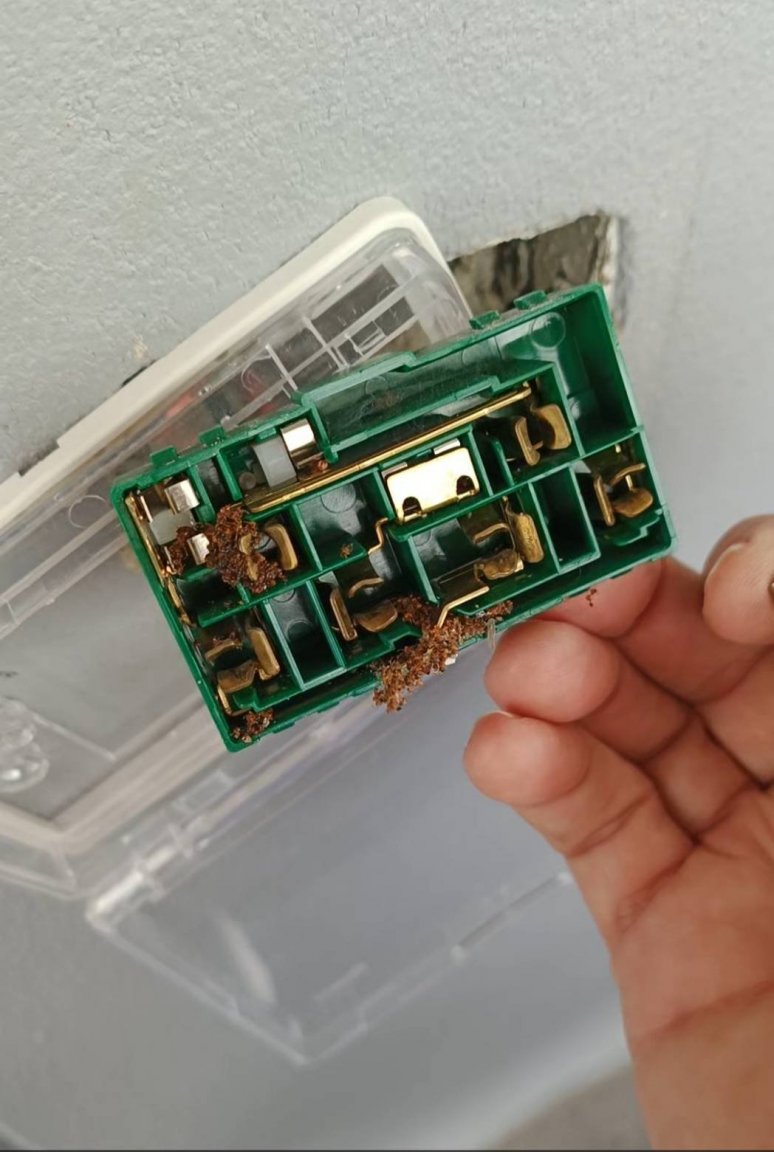
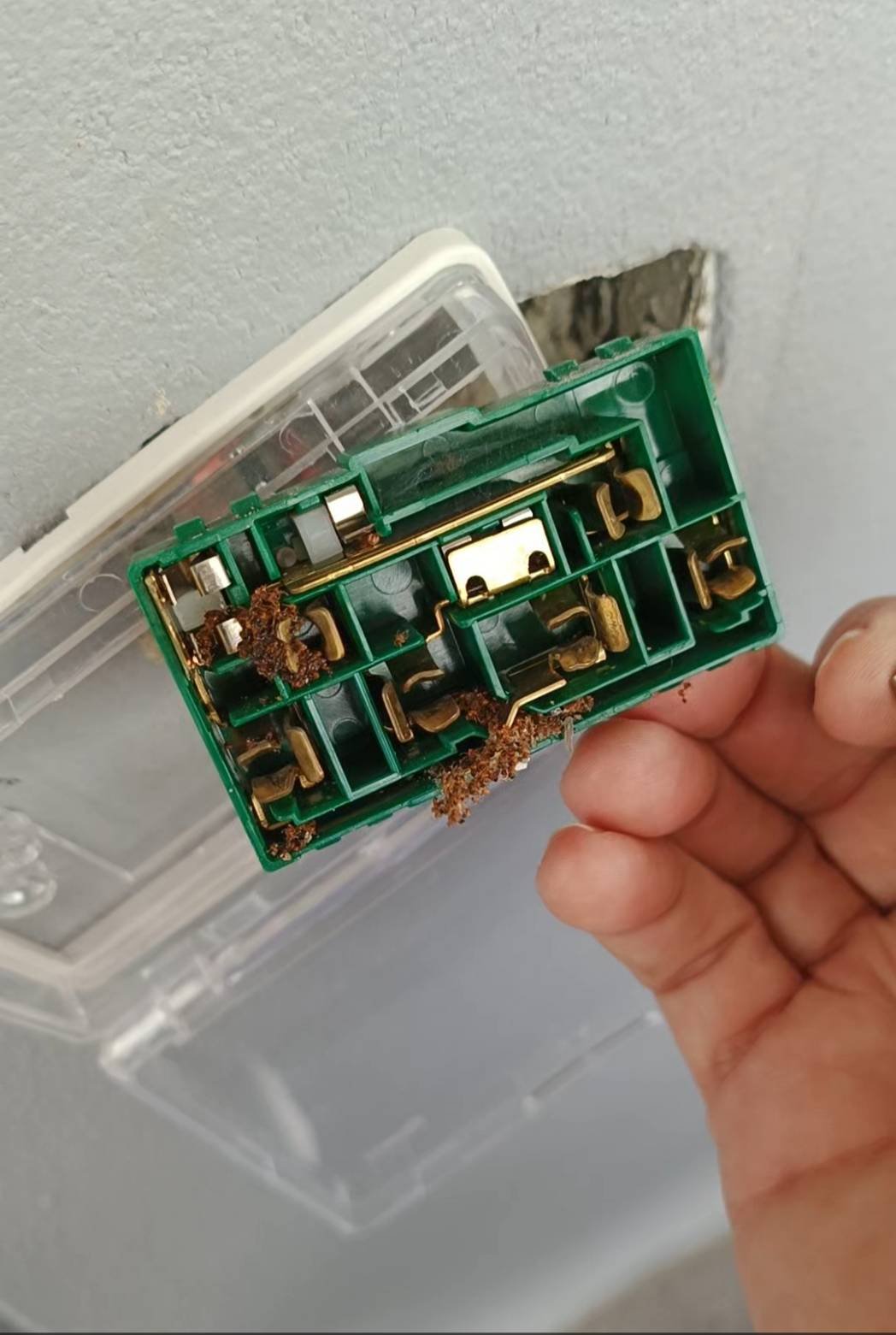
Would just like to mention, ants nesting in electrical components and devouring the plastic a common problem in Thailand. I've experienced this with a computer component, a router circuit board, a television, and a hot shower unit. And recently in my new house after an all day rain the RCBO tripped twice within about 30 minutes and then wouldn't stay in. Caused by an outside plug receptacle which was under roof but enough dead ants had collected inside the receptacle and a few hours of near 100% humidity provided enough sensitivity to trip the RCBO. Will add, it was the next day before I could start looking for the problem and the RCBO was still tripping on this circuit, so it would appear dead ants hold their moisture well.