




Wanderer555
Member
-
Joined
-
Last visited
Everything posted by Wanderer555
-
Are you familiar with the route from Udon city to Kalasin via Kumphawaphi as provided by Google? Not the easiest route when traveling the first time, with many motorbikes, Etans, tractors and poorly marked turns. Also the route from Nong Bua city to Ubol Rattana is not the clearest path… I have taken both of the above and they are doable but also at the end of a long journey ….. Good luck ????
-
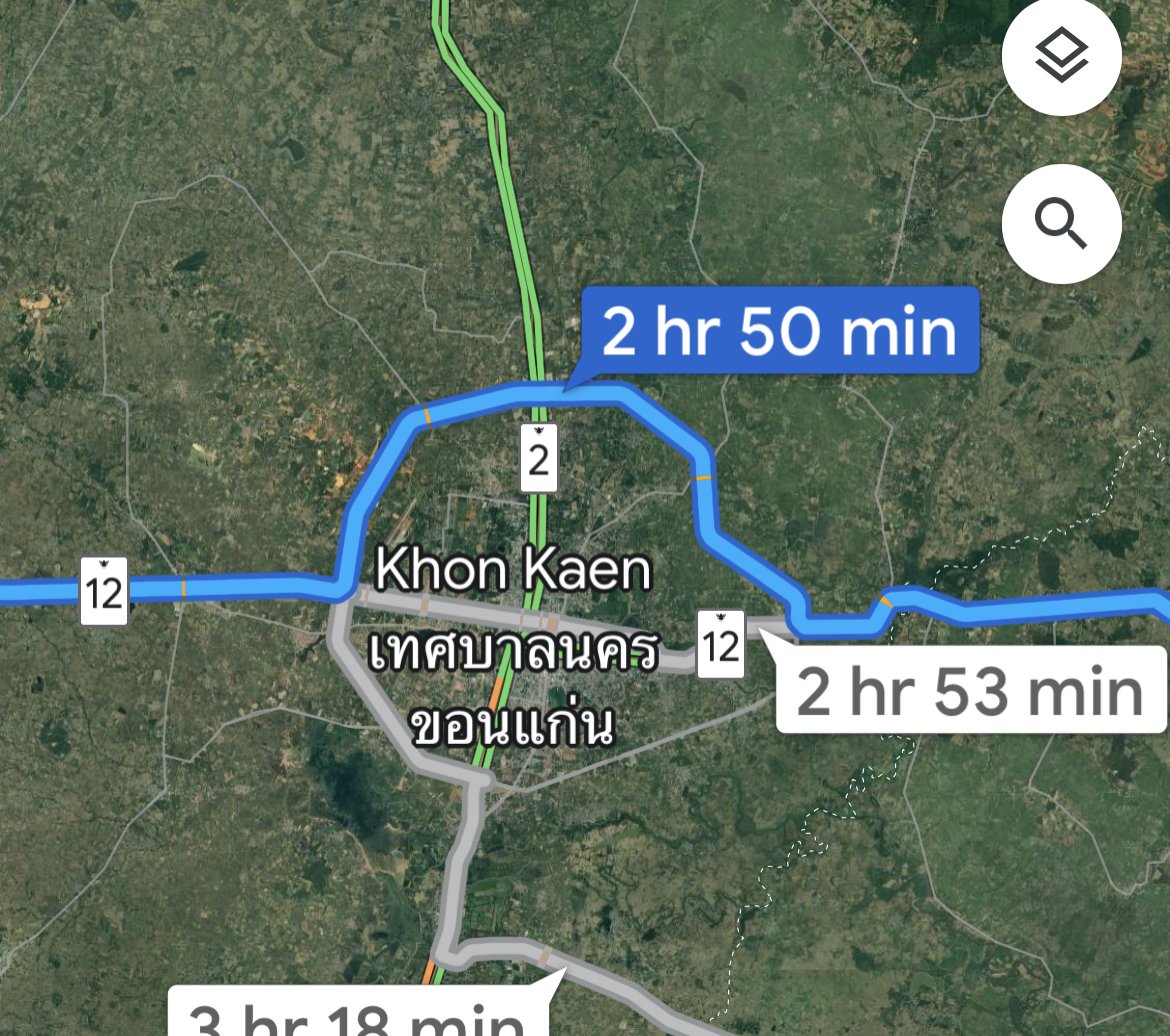
Having done this trip about 20 times each way, I can confirm as a A-B route, the Phitsanulok-Khon Kaen route is the most direct with better roads. From Chiang Mai, stay on Hwy 11 all the way to P-Lok and avoid any Google suggested alternative routes. Also watch for traffic cameras, they have added some and moved others. If entering Khon Kaen city during the daytime, taking the Northern ring road is usually best. KK city can be quite congested in the daytime. Cheers, Troy
-
Good day, Looking to purchase a medium duty Multi-Process welder, looking at Lazada etc, there are a plethora of options, and would appreciate some recommendations on brand, model etc. The majority of the work would be MIG for 4mm thick mild steel or less (gas and/or gasless) , TIG for bronze sculpture castings and similar. For MMA I will use the Welpro box I currently own. Amperage rating around 200 or better, medium duty with a decent build quality. Thanks, T


