Sambora
Member
-
Joined
-
Last visited
Everything posted by Sambora
-
Hello everybody, I'm looking for small wine bottles, the ones you often get served on planes. I drink very rarely and if at all then I do not want to open a normal-sized bottle. Sometimes I'd like to have just one glass of wine, that's it. I have never found those smaller bottles in WinePro or any other shop? Any idea where to get them?
-
same issue here. e-Mail not being recognized when trying to reset the password even though I am receiving the bills through said mail address. Phone number does not work too. I cannot even register a new account despite agreeing to terms. Very frustrating.
-
Hello, I consider subscribing to BeinSports primarily for watching Formula 1 and following various Tennis tournaments this year but I am not sure if I will be able to stream both live events and replays through a VPN connection when traveling abroad. Can anyone confirm if a VPN connection to a Thailand server allows me to watch live & replays when being abroad?
-
I am finding very little information about this PerfectTV online... what's their price and do they offer a tvOS (AppleTV) app? Is there a channel list available somewhere? Do they offer HD or even Full HD and potentially 50fps for sports streams?
-
We did install something similar: 2-AV (savetronics.co.th) It's a SafeGuard power line conditioner & noise filter device. We installed this for the two kitchen downlights, however, the flickering remained. I assume the EMI filter here wouldn't solve it either?
-
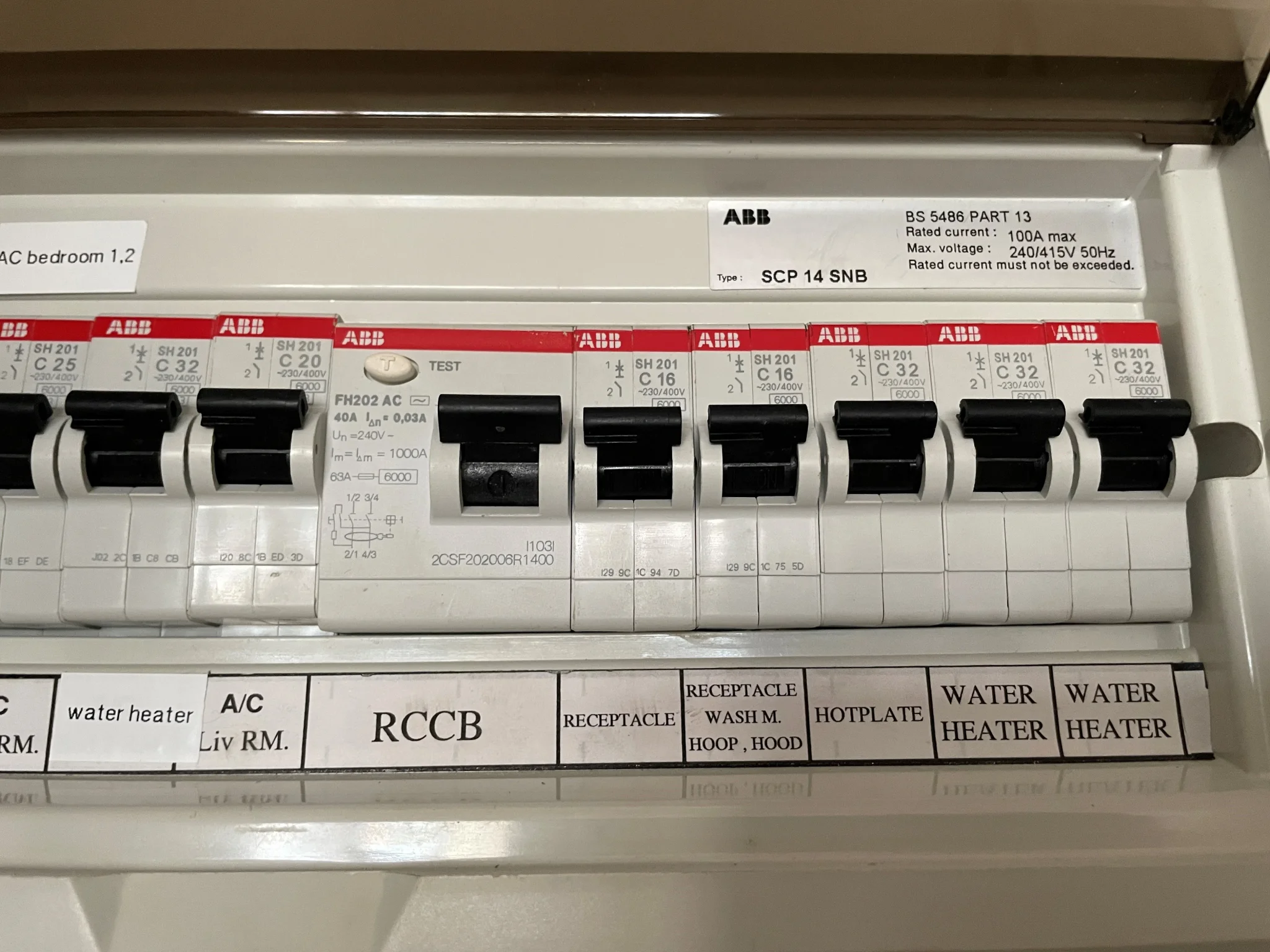
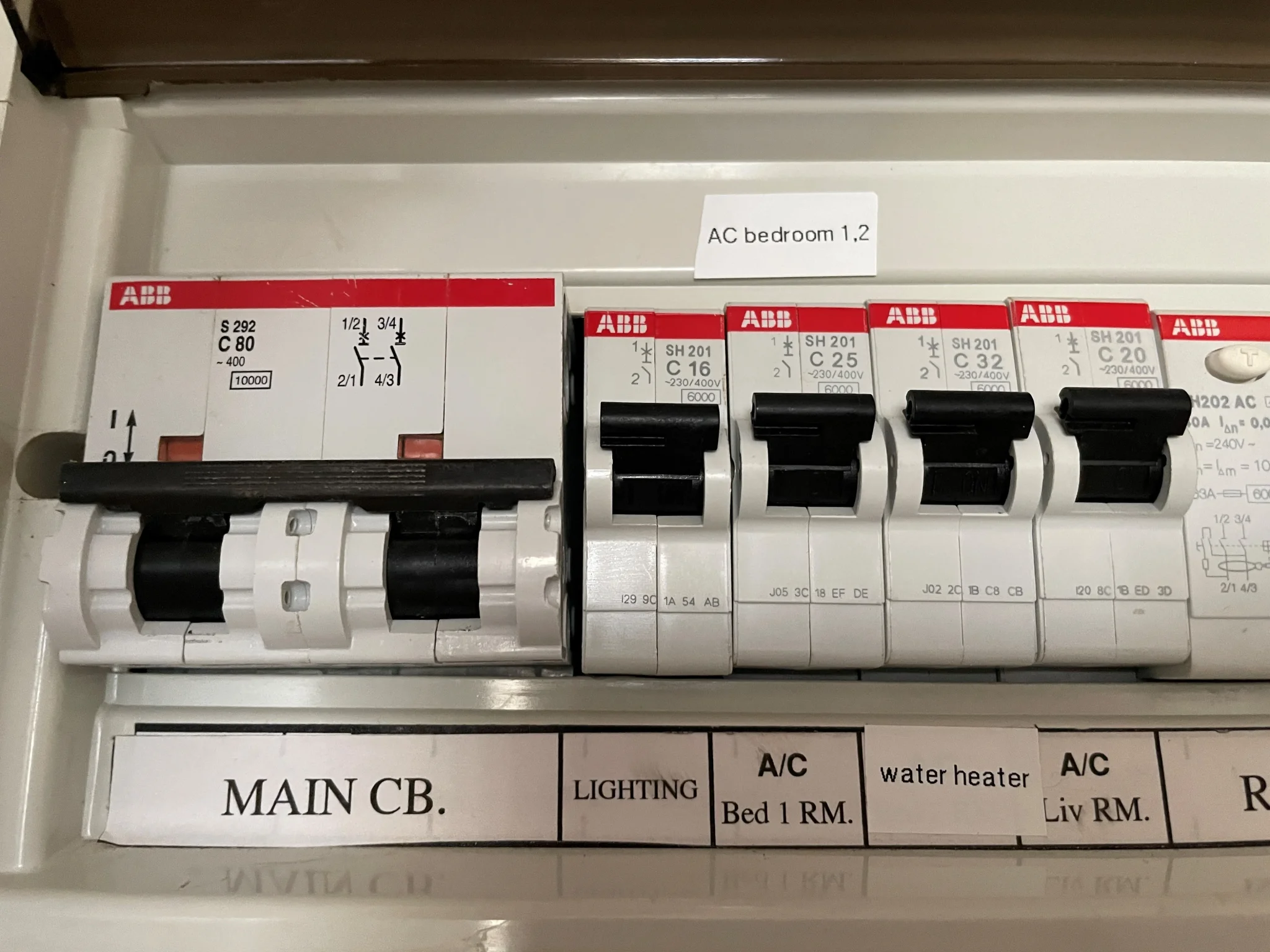
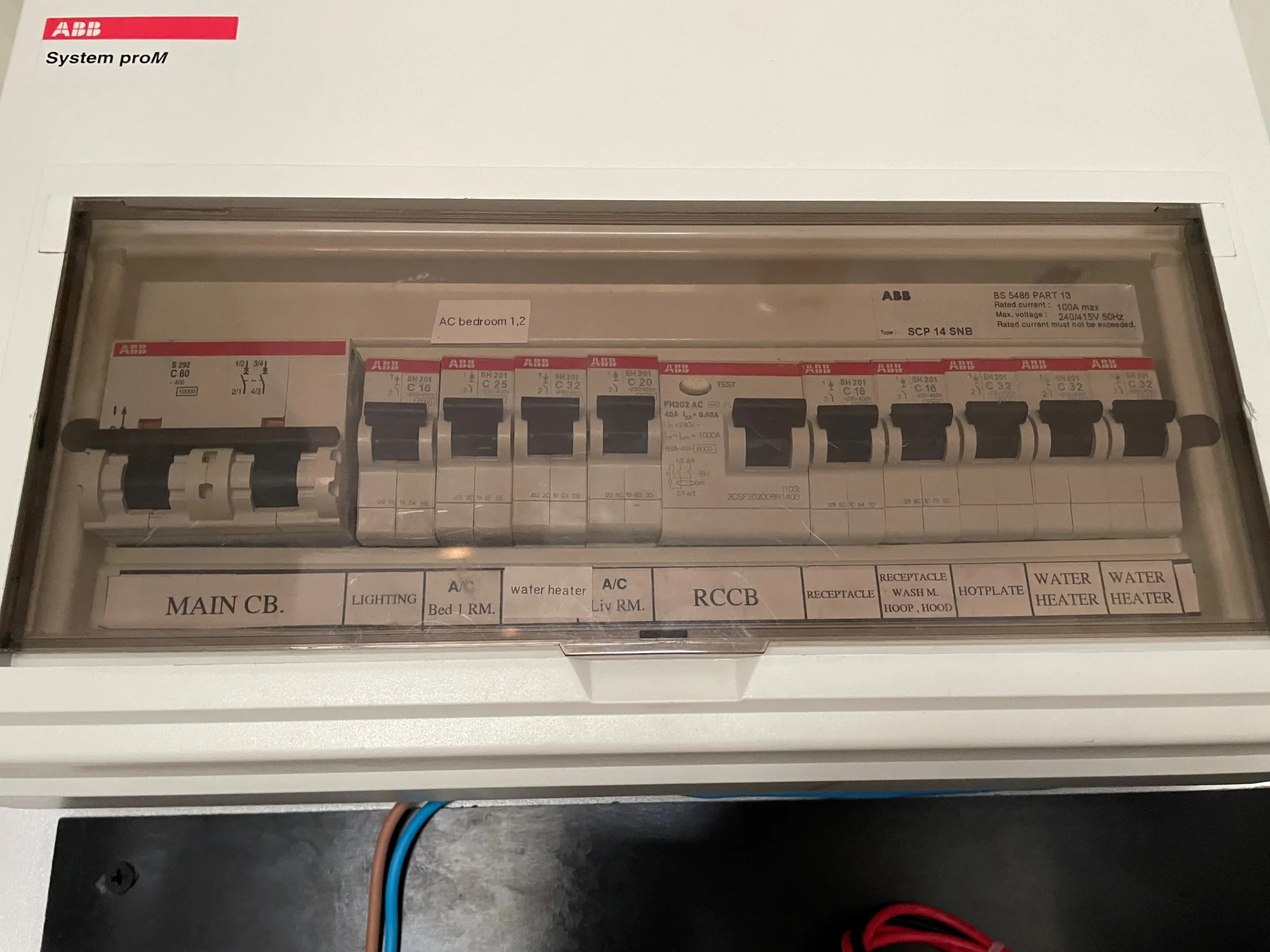
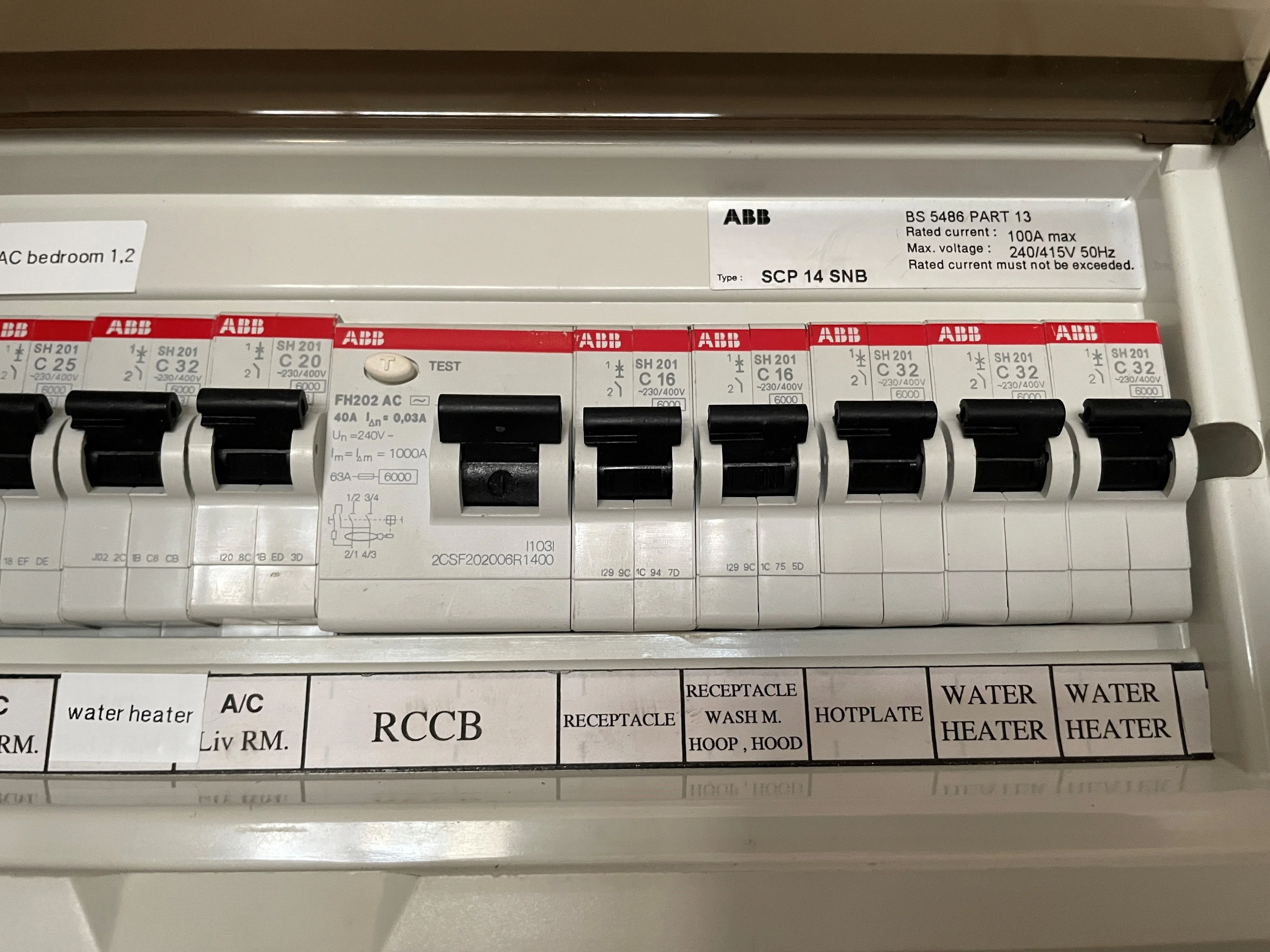
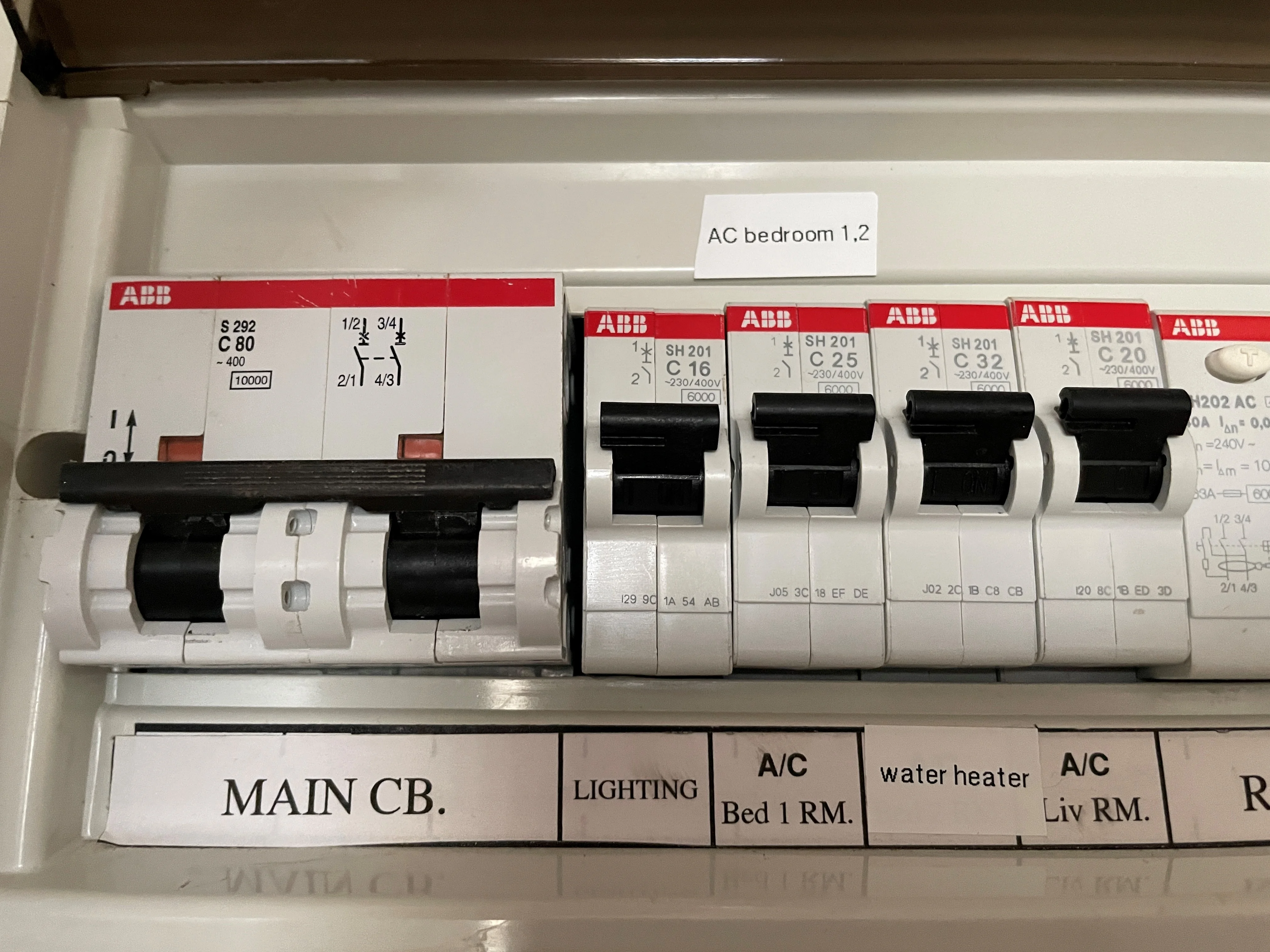
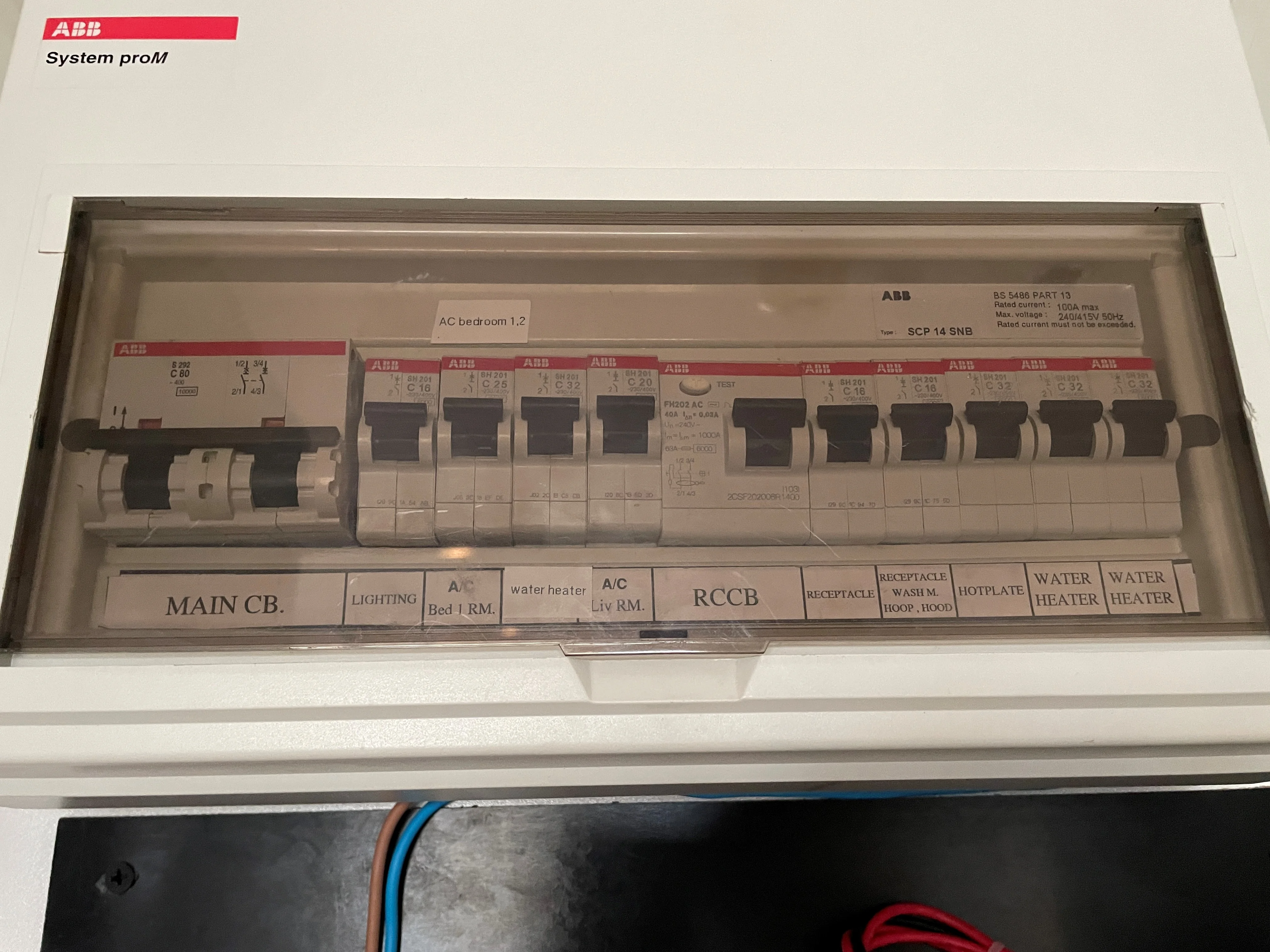
Thank you everybody for your feedback. Couple of updates: As my condo is located right on Sukhumvit Road, I was informed that the electricity cables are coming into the building underground; I seem to remember that this happened back in 2017. There has been no flickering since Sunday morning. Since then, the voltage is stable. The only thing I have changed is that since Sunday morning, I no longer have my Air Conditions running in the 'Cool' mode but use the 'Dry' mode instead. I am far from saying that this is the root cause because I have previously gone for weeks without flickering even when using the ACs in the normal cooling mode. The ACs are on their own breaker as you can see in the pictures of my original post. Could this be somehow power-related where all my appliances draw too much power? But then again, often times it flickers in the morning right when I switch on the lights.. at that time I haven't even switched on the AC in the living room and only the bedroom AC is running, nothing else. The condo technicians are checking every 20 minutes between 5-7AM if there is an unstable voltage on the electric distribution panel on my floor (I am sure I am not using the correct terminologies here, not an expert 😄) Lastly, we also had a AVR supplier visiting and proposing a voltage stabilizer. This would be quite an expensive investment though (THB40k) which I ideally want to avoid. This may only put a plaster on the issue but does not address the root cause I guess as this is within MEA's responsibility? The device could be installed in the main electric cabinet in the hallway so it would not waste any space inside my unit which is a positive.
-
Great, thank you so much for these information. Here too I will relay these information to the building manager & technicians. Thank you so much
-
Interesting. Will suggest this to my building manager and her technicians, thanks 🙂
-
What was done to solve the problem in your case? Did MEA come and check the connections?
-
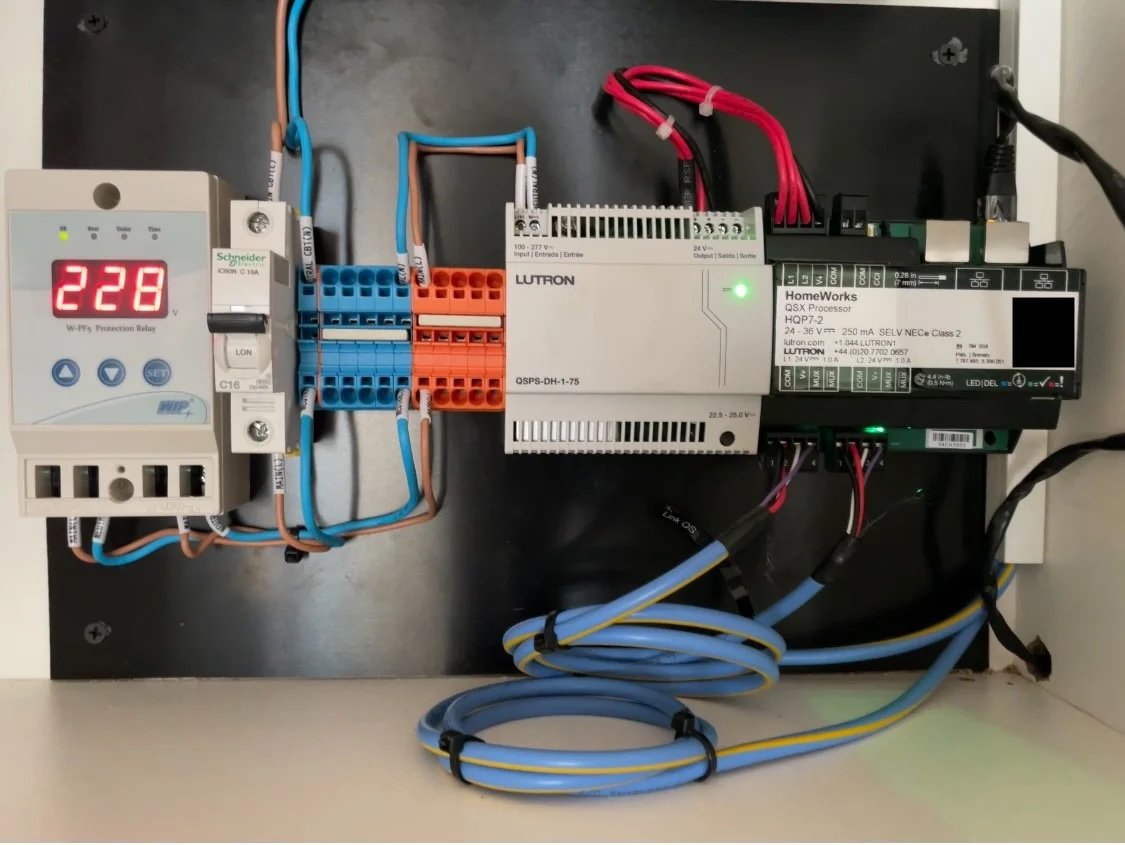
Hello everybody, I am reaching out to you here in hope of getting some additional input about an issue with flickering lights that I have been having for almost 2 years. I try to keep it concise where possible: In May 2022 I decided to undergo a major renovation of my 2BR 75sqm apartment including rewiring of all lights and the installation of a new, dimmable lighting system from BTICINO and their ‘Living Now’ series (wireless connection of the switches/dimmers to the central gateway). All built-in lighting fixtures (ceiling lights and LED strips for ambient light) are connected to the ‘lighting’ breaker. I have one table lamp in my living room that connects directly to the power outlet that in turn is connected to the ‘receptacle’ breaker. I am using compatible dimmable GU10 LEDs in the ceilings and a E27 LED lamp in the table lamp. I have ambient LED strips underneath the floating TV cabinet, in the bed headboard and behind the mirrors in the bathrooms. The LED strips are hooked up to a separate LED driver to lower the voltage. Shortly after the installation was completed, the flickering started. The flickering is erratic and follows no pattern. Sometimes it’s every day in the morning, or evening, or both… sometimes it’s not happening for 2-3 weeks at all. I ALWAYS have the same load on the circuits, meaning I use the same lighting scene in the mornings after waking up. Sometimes it flickers right after switching on the lights, sometimes it only starts after one hour. Sometimes it flickers continuously for hours, sometimes it stops after 30 seconds, then no flickering, then it starts again. There is zero predictability. It also does not matter what brightness level the lamps are set to… there’s noticeable flickering at 10, 20, 50 and 70%. There’s even a tiny little bit of flickering noticeable at 100%. Only the ceiling & table lamp flicker. If it flickers, ALL these lights flicker. It’s never only one room. It’s always ALL rooms. EXCEPT for the LED strips which use a designated driver Also, when it flickers, I kill all breakers except the lighting breaker and the flickering continues on the table lamp. Also, if I kill all breakers, including lighting breaker, but leave the ‘receptacle’ breaker on, the table lamp still flickers. Strange! Table lamp is connected to the power outlet and has never been rewired. At that time, my apartment technicians as well as the lighting company believed that this flickering was caused by interferences or faulty/bad wiring. Eventually I decided to rewire everything (to eliminate the potential root cause of wireless interferences which, in hindsight, was a mistake as the table lamp was not rewired in the first place anyway) and to install a state-of-the-art Lutron Homeworks QSX lighting system. The Lutron dealer I worked with is very experienced and does both large-scale commercial and residential projects - the support I've been receiving is exceptional! Guess what? The flickering continues to this day. We tried all kinds of GU10 and MR16 dimmable lamps available, we also connected a non-dimmable common E27 lamp directly to the lighting breaker which does NOT flicker despite all other lights flickering. We wanted to prove that the circuit breaker board is working and the incoming voltage is within normal range. When it flickers, the voltage fluctuates between 225 and 232 quite quickly up and down. I can see on the installed voltmeter that there is definitely instability existing at times. Even when the light works fine, I never have a constant 230V. I usually have 227 or 228V. We had the technicians, lighting specialists, even the service provider who looks after the entire building power in my unit, they measures everything and nothing points to a faulty cable or situation that may affect the entire building. I firmly believe this is a temporary power surge/drop by our energy provider who, of course, is unwilling to investigate. We recently installed a power surge protector but this did not bring any change. We are now considering to install a power stabilizer. We also installed COB (chip-on-board) LEDs with a designated driver but these also flicker! For the last 2 years we have this major construction site right next to my condominium, it’s a 28 story building. We spoke to their Head of Technician if their machines could cause the flickering, however, they are running on a different meter and the flickering occurs at times very early or late in the day when there is no activity at the construction site at all. I wonder what else I could do or try to identify or even mitigate this problem? I have attached a picture of my kitchen cabinet that contains the circuit breaker box and the Lutron Homeworks core components. Also I have attached an excel file that shows when I switched on the lights, when the flicker started or stopped, and when I switched off the lights - just to give you a rough idea when the flickering occurs. Also a video that shows the flickering and the voltage fluctuations. Flickering Video Thanks in advance for all the input. Light Flickering Tracking Sheet.pdf