sputnik22k
Member
-
Joined
-
Last visited
Everything posted by sputnik22k
-
Hi all, so I'm picking up model Y in 2 weeks and was wondering if anyone had managed to get a TOU meter installed in Bangkok? I see a lot of people posted about it on PEA but not on MEA. Any experience would be highly appreciated.
-
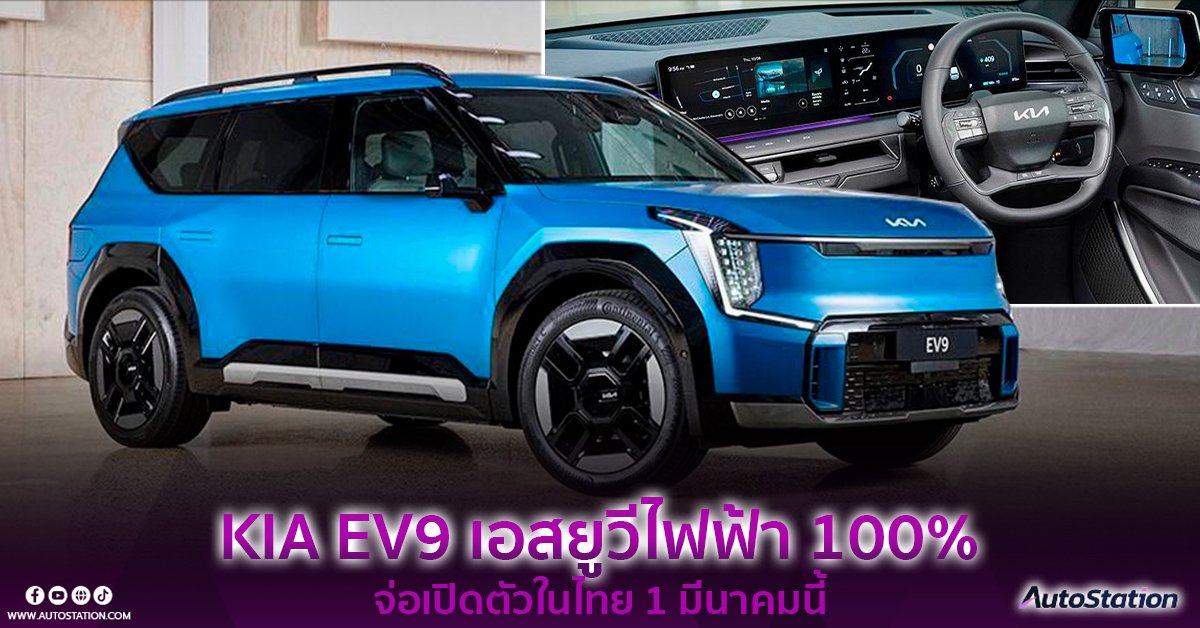
Another option in the pipeline, Kia will launch the (massive) EV9 SUV here next month. Press event on 1st March. https://autostation.com/cars/kia-ev9-2024-coming-in-thailand/ <Translated from link> The Standard model is equipped with a single electric motor that produces 215 horsepower and 350 Newton meters of torque, providing acceleration from 0-100 km/hr in 8.2 seconds with a 76.1kWh battery. Fully charged, can run 480 km. ( WLTP ) The RWD Long Range model will have a larger battery size, with a capacity of 99.8kWh. A single full charge can run a distance of 541 km ( WLTP ). As for the size of the electric motor, it will have less power and will give Power is 201 horsepower, torque is the same as in the Standard version at 350 Newton meters, while acceleration is 9.4 seconds. Performance Dual Motor AWD model that comes with 2 electric motors, 4-wheel drive AWD that produces up to 380 horsepower and 600 Newton meters of torque, providing acceleration of 0-100 km/hr within 6.0 seconds. Comes with a battery size of 99.8 kWh, fully charged can run up to 516 km ( WLTP ) Wonder what the price tag will be like...?