




Tom Vanderlay
Member
-
Joined
-
Last visited
-
Has it begun? All borders and airports? Let me know if possible. Many thanks!
-
Hi, has anyone gotten an E Visa while in the US and how many days did it take? Many thanks.
-
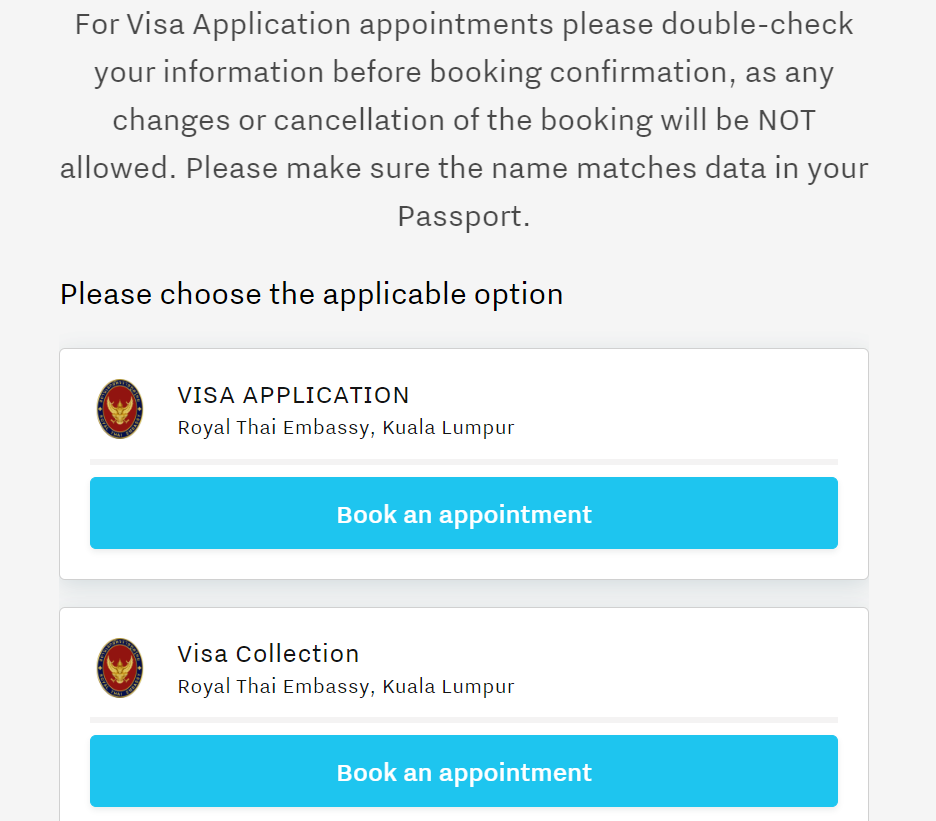
Another question, Must I also book a visa collection appointment, I thought that was given to you when you apply for the visa? Thanks.
-
Yes, of course. It is on this page: https://my.linistry.com/Customer/ServiceMenu?b=127&parentId=1186 Here is a screenshot:
-
Hi, I noticed on the KL Visa page that it says "any changes or cancellation of the booking will be NOT allowed." For anyone who knows, is it possible to cancel the appointment on the website? Or has anyone just no showed? What is / are the penalties, if there are any? Many thanks.
-
HI, Just a couple of questions if you wouldn't mind answering. 1) Is the FBAR unnecessary (for you, or other Americans with overseas bank accounts)? I've been doing them for the last 5 years. Didn't know about them before that. 2) You mention getting a dollar for dollar reduction in taxes for taxes paid to another country. How/ what forms or procedure(s) are necessary for this (if you know)? Many thanks.
-
Hi, Just wondering if anyone knows whether money already in a bank account here in Thailand is subject to this tax? And will all money transfered into Thailand, regardless of source (even savings from overseas) be subject to this tax? Does having a double tax treaty have any effect on this (I am a tax resident of Thailand - staying here more than 180 days per year. I am required to file income taxes in my home country but always pay nothing as my income is below the threshold)? Also, does anyone have a link to the law in English? Thanks
-
I've not received a confirmation email from the Thai Post. So I can't "includes" it in my application package. I've tried to get in touch with the Thai post office to no avail. Does anyone have any suggestions? Many thanks.

-
Thank you all for your responses. I figured out and confirmed (by email from US embassy) what you all have said. Yes, it is referring to a personally obtained prepaid envelope not being accepted. Wow, It's like they are trying to make it more difficult than it has to be. Oh wait....., forgot who I was dealing with for a second ......yep, makes sense. I am about to pay. Please confirm if you can. They DO NOT accept Thai debit cards (for the 130$ passport renewal fee), is that correct? Thanks
-
Yes, it reads as follows:Thailand Post Courier Pass Back envelope fee 100THB here. But then it says: "Note: Prepaid envelope cannot be accepted if you are applying for a U.S. passport in Thailand". It is contradicting itself. Mind boggling.
-
HI, I am about to attempt to get a renewal passport but came across this perplexing statement. It appears after the instructions on how to prepay for an return envelope. It states, "Note: Prepaid envelope cannot be accepted if you are applying for a U.S. passport in Thailand" I don't get it. Isn't that what everyone is doing? If anyone has applied and gotten a passport through the mail via the US embassy in Bangkok, please let me how it went. And if anyone knows what the above statement is referring to I would greatly appreciate it. Many thanks.
-
It's everywhere on Phuket now.
-
Hi, does anyone know if schools are closed? Thanks.
-
I think they really have more holidays than actual working days. No exaggeration.



