


Skip to content
View in the app

A better way to browse. Learn more.

Thailand News and Discussion Forum | ASEANNOW

A full-screen app on your home screen with push notifications, badges and more.

To install this app on iOS and iPadOS
  1. Tap the Share icon in Safari
  2. Scroll the menu and tap Add to Home Screen.
  3. Tap Add in the top-right corner.
To install this app on Android
  1. Tap the 3-dot menu (⋮) in the top-right corner of the browser.
  2. Tap Add to Home screen or Install app.
  3. Confirm by tapping Install.

Lt Frank Bullitt

Member
  • Joined

  • Last visited

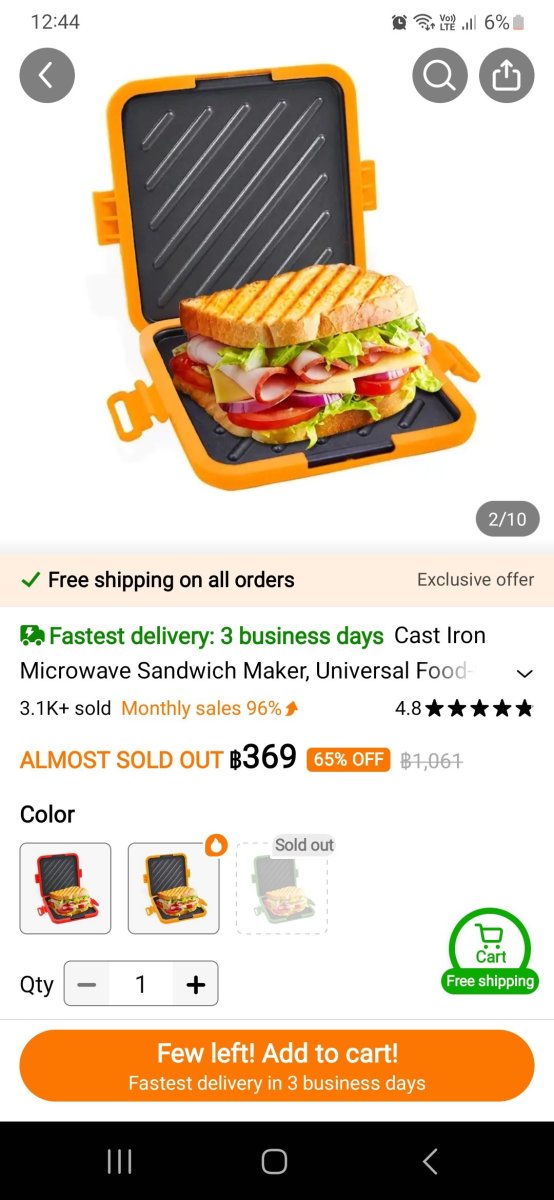
  1. Like this, and it works, sandwich comes out crispy every time.
  2. Just saw a clip about this scam, apparently the money is deposited into an account from a stolen card, then you get the calls etc, don't do anything as if you pay back you think all is ok but once the card is reported stolen the transaction will get reversed and you lose.
  3. Download and use Duckduckgo stops google doing what google does
Account

Navigation

Search

Search

Configure browser push notifications

Chrome (Android)
  1. Tap the lock icon next to the address bar.
  2. Tap Permissions → Notifications.
  3. Adjust your preference.
Chrome (Desktop)
  1. Click the padlock icon in the address bar.
  2. Select Site settings.
  3. Find Notifications and adjust your preference.

