alesaldana
Member
-
Joined
-
Last visited
-
Same here! I applied for the TIN, around 3 years before I got my PID, and the numbers are not the same
-
Sorry, wrong quotation and I can not delete the post
-
Me too, since I tried it a couple of months ago, very rich aroma, not too sweet…
-
I have been using the Yokohama in my 2017 Ford Ranger since last year. As it is in your case I also have about 500 meters of “gravel” terrain from the main road to our house, during the rainy season, they have been performing well, and they are very silent and have a good grip on paved roads, even when it is raining. Right now they have around 40000 kilometers and they look perfect. Good air pressure and rotation every 10000 kilometers, may have helped to keep them in good condition. I don't have any experience with BF, but I don't think it is worth it to buy them at that big price difference.
-
Here you have a lot of information about it https://aseannow.com/topic/1323924-driving-license-5-year-renewal-prakanong-bangkok/
-
It's exactly same as mine, pink id number, name in Thai and in English As mentioned before, using the pink ID, the DL number will be your pink ID number, which in my opinion is the best for different reasons: 1. Your pink ID number will never change. (your passport number changes every time it is renewed) 2. If you have motorbike and car driver license like me, if one of them is still valid (with the passport number) you can’t have both DL on the DLT app under the same username, they are not linked, and you will need to register again every time you get your passport renewed, whereas using the pink ID will remain the same. At the time of the DL renewal, you still have to show your passport for the visa and personal details, but after that everything will be done using the pink ID. To watch the videos for the DL renewal, you can still able to register with your passport so you can watch the subtitled version.
-
This topic has been discussed here https://aseannow.com/topic/1323924-driving-license-5-year-renewal-prakanong-bangkok/ I believe you can find all the information at least regarding to the DL there.
-
Again I think that is something that depends on each office because I used my yellow book and my pink ID and there is no restrictions on the back of my DL. (This is Bueng Sam Phan, Phetchabun office)
-
I could be wrong, if someone knows something different, please update. I remember that you can renew the DL within 1 year since it expired, without the hassle of exams. After 1 year I think you have to do everything new all over again.
-
And? Did it work?
-
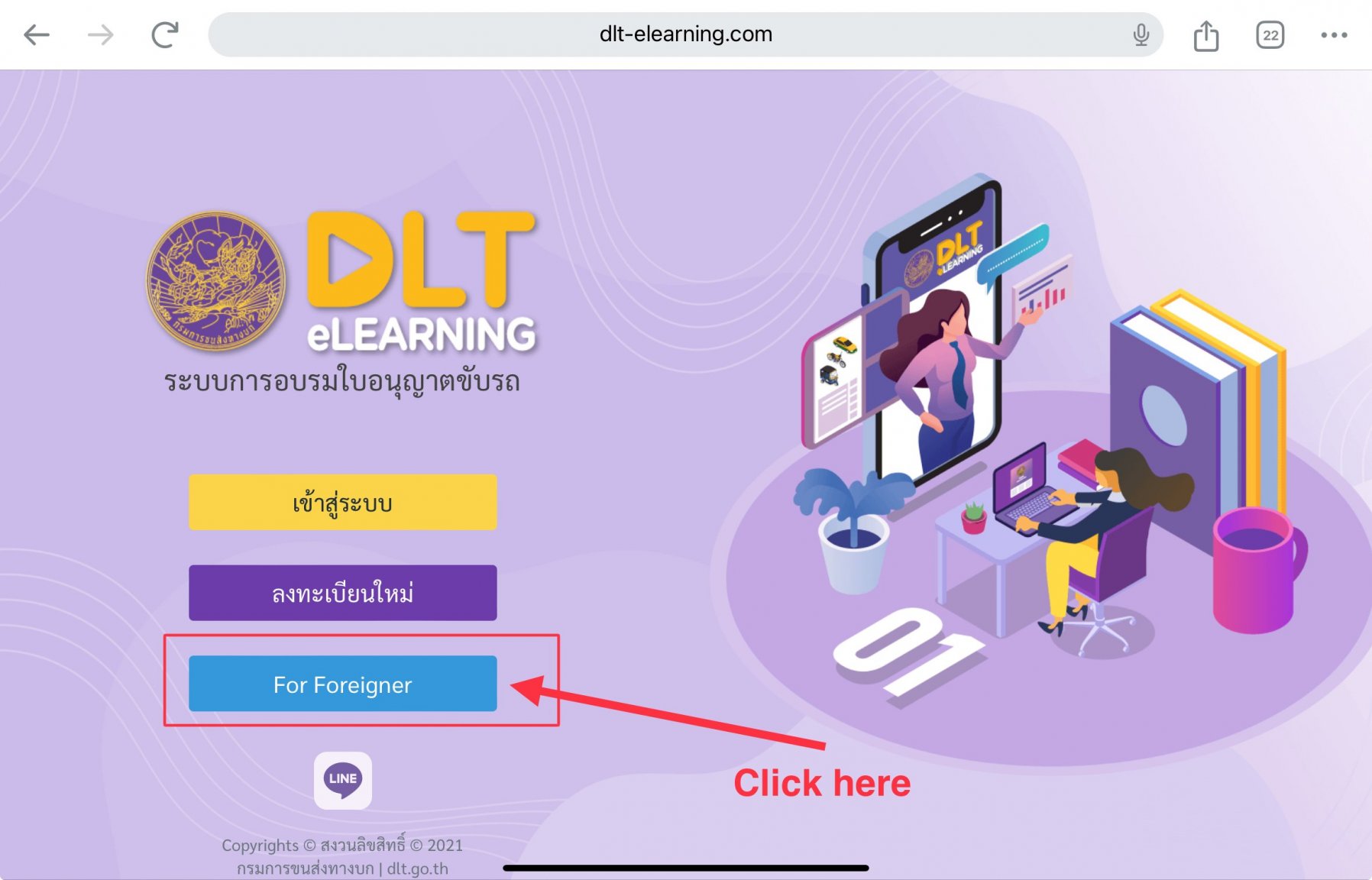
With your ni, this should be easy for you: I hope it helps you.
-
Yes, I am sure. My wife’s driving license was due to expire at the end of October, and it was renewed at the beginning of May. We did it at the Bueng Sam Phan office in Phetchabun, I am not sure if all the offices apply the same criteria.
-
30 days entering by land on visa exemption.
-
IMHO The problem is that a “big bike license” doesn’t exist in Thailand yet, so even if you were asking for that, you should have written “motorcycle driver license” because it is what you were getting
-
The driver's license can be renewed up to 6 months prior it expiration date. I can not help you about the certificate of residence.