




ArcticFox
Advanced Member
-
Joined
-
Last visited
Everything posted by ArcticFox
-
all vaccines r safe and all kids need them to be safe. u antivaxers are killing these kids.
-
What's a good 7/11 to go to where I'm most likely to find some kid who speaks English who will know what I want and can apply this package.
-
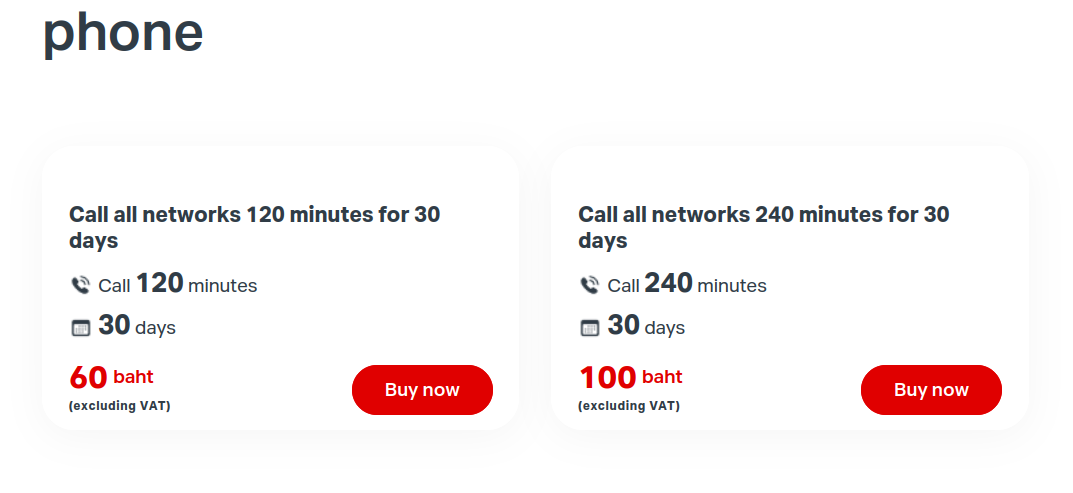
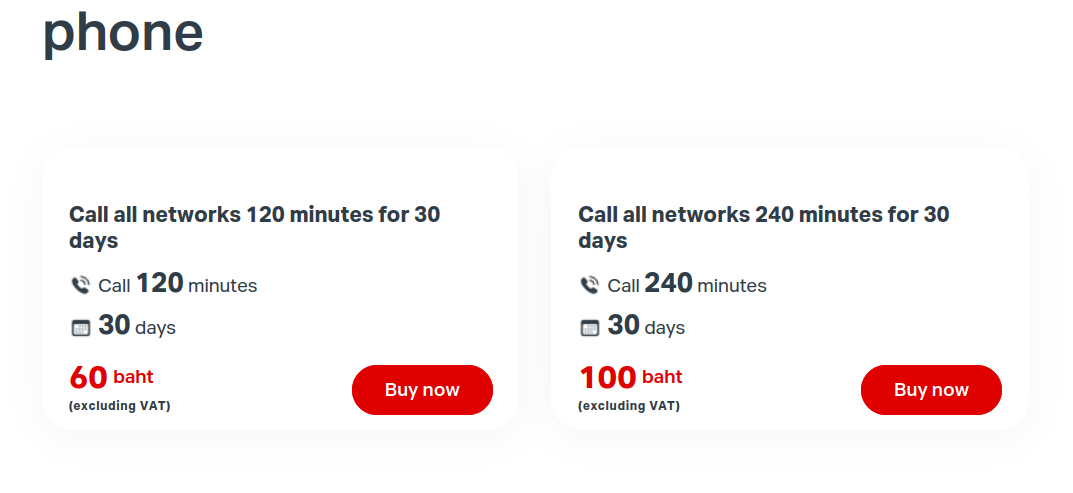
I have a question about packages. Just need a phone package but also need to be able to receive SMS. I don't see SMS on any of these packages. I always had access to SMS with phone packages in the past. Too many choices which has me confused. Do ya think these phone packages come with inbound SMS? I don't need internet on the phone. Just phone calls and SMS. Think one of these will work? Also, I'm going to need the SIM for a few months. Correct me if I'm wrong but if I buy a 30 day phone package I'll need to top it up every 30 days to keep the number? Looks that way.
-
If you buy a SIM what do you need to do to apply the package and activate the SIM. Are the instructions in English? A 7/11 True Sim would be fine.
-
I'll be flying back to Chiang Mai soon and need a need one of those SIM cards you can top-up and add funds to. Where can I get one of those and how much do they cost and is there a minimum amount that you have to put on the SIM to start. And how do you add money as you go? I assume they'll want ID, so will a passport do?



