




chickenslegs
-
Joined
-
Last visited
Posts posted by chickenslegs
-
-
On 3/26/2026 at 11:17 AM, webfact said: The Jacqueline Kennedy Garden, established in 1965, was dismantled during the project.
Later to be reconstructed and named "The Donald Trump and Jacqueline Kennedy Garden".

-
 1
1
-
-
-
-
Not in central Pattaya, but Bang Saray/Sattahip - Missus tops up the tank with diesel every few days during the school run (4 stations to choose from en route). No problems and hardly any queues.
In normal circumstances we usually try not to go below half a tank, but now we try to stay above 75% full - that should give us about 600km if the worst happened.
-
 1
1
-
-
My wife opened her own Wise account using our address in Thailand. I can send money to her from my Wise account, or from my UK credit union account (in GBP). She can choose to keep GBP in her Wise account or convert it to THB and send it to her Thai bank (or pay direct for school fees, and other bills). The amount she receives will keep her below the tax threshold.
Unfortunately, our Wise accounts are based on our Thai address, so the upcoming changes in May could scupper our arrangement.
-
-
-
2 minutes ago, CallumWK said: Well, you still shouldn't have believed him, because he died 2 years ago, not just yesterday
Dammit, you are right. Thanks for the correction.
-
 2
2
-
1
-
 1
1
-
-
Normally, I don't believe a word that Georgie utters. But this one could be true (from 1 week ago) ...
https://www.facebook.com/groups/Canterburytalesguesthouse/posts/7103563926429895/
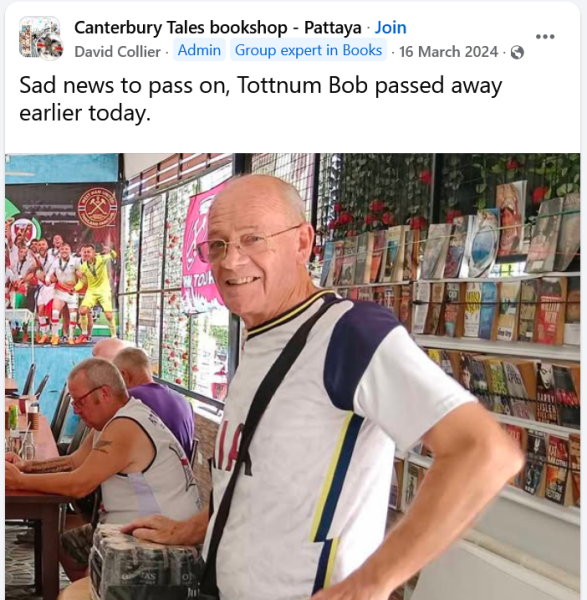
RIP Bob. I never knew him but, from the facebook comments, he was obviously well liked.
-
1
-
 1
1
-
1
-
-
-
2 hours ago, ballpoint said: My gay friend just called to tell me he accidentally mixed up his Grindr app with his Pizza Hut app...
Now there's a 10" vegetarian on the way to his house, and he's not sure what to expect.
A midget with bad breath?
-
1
-
-
- Popular Post
I've had the same thing twice - only with Flash.
Delivered to the security guard at the village entrance, but shown as fully delivered.
Shown as fully delivered at 23:59hrs, but was delivered the next day.
I guess that they have their target delivery times and try these tricks to stay within those targets - maybe there are penalties if they don't.
TBH I didn't complain. These guys get paid a pittance.
-
3
-
-
- Popular Post
4 minutes ago, CallumWK said: This topic is about Trump claiming the US has been in talks with Iran, which Iran strongly denies.
Who should we believe: The President Of the United States of America, or the mad Mullah of Iran?
That would have been an easy decision in any other era - now it's 50/50 at best (IMO).
-
1
-
 1
1
-
 1
1
-
- Popular Post
5 hours ago, snoop1130 said: A foreign man named Abel is searching for his Thai wife, Mali Chumvangwaphee, and their son, after receiving a letter and photos sent nearly 60 years ago.
Thai post can be pretty slow, but this is ridiculous.
-
1
-
4
-
- Popular Post
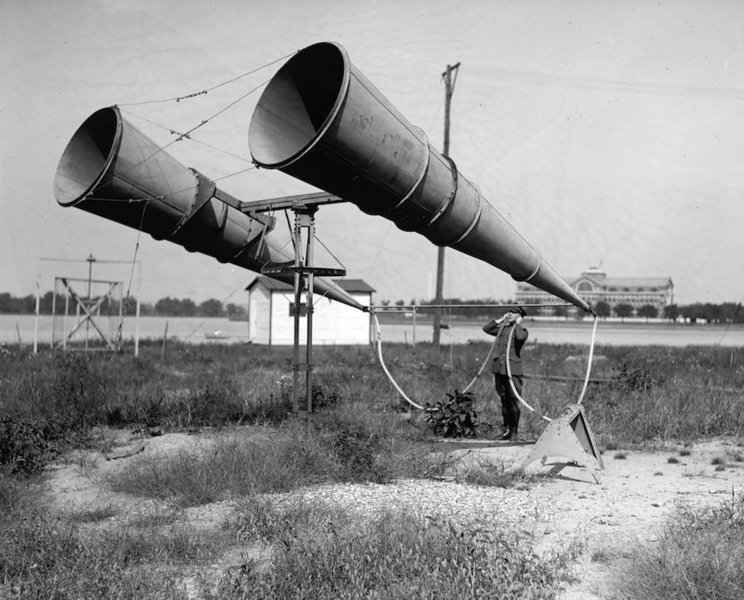
I think this early warning system was seized from Germany, but it could be easily be be re-installed on the white cliffs of Dover.
-
4
-
-
1
-
1
-
-
- Popular Post
5 minutes ago, TimBKK said: And now she doesn’t have a pot to piss in
This is what life is like in the flailing, unaffordable Trump economy.
Why bring Trump into this?
There's absolutely no connection between the President and porn peeing ... erm ...
-
3
-
18 minutes ago, Packer said: 
That this looks like my bathroom mirror when I go for a 3am pee is a bit of a wake up call.
I wanted to give this a +1, a laugh, and a broken heart - but I had to choose just one. 555
-
 1
1
-
1
-
-
-
-
-
-

Possible to add an stop valve outside the water tank?
in DIY Forum
Sounds like you need a non-return valve (check valve) on the line which supplies your tank. So that the water can't return to the supply.