




chris26be
Member
-
Joined
-
Last visited
-
When is the best moment in the year to buy a new car in Thailand?
-
Years ago, I got my Thai driver's license using my passport. Its number is on my driver's license. Two years ago, I got my motorcycle license, this time using my Yellow Book and pink ID card. My Thai ID number is on that license. I recently renewed both licenses. And it turned out that the car license could NOT be renewed using my Yellow Book. I think that's a shame, because if the Yellow Book is used, your name is also printed in Thai on your license, which I find useful. Is there a way to change/convert that car license so that it also shows my Thai ID number (from the pink ID card)?
-
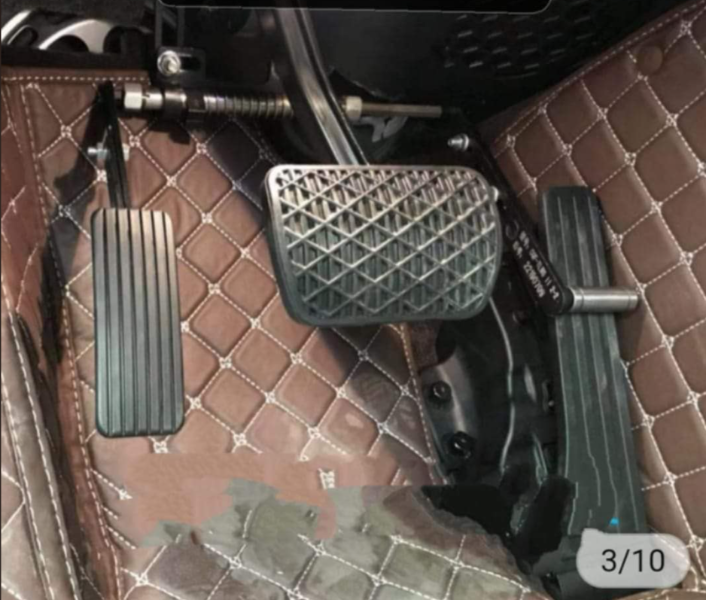
This is what it looks like in his Belgian car
-
He has a prosthetic leg and needs an extra gas pedal to the left of the brake pedal. In Belgium he drives such a car.
-
A friend of mine who lives in Sisaket has a physical disability. He wants to buy a new car and have it modified to his disability (extra gas pedal). He got a blank stare from his car dealer. Anyone know what to do?
-
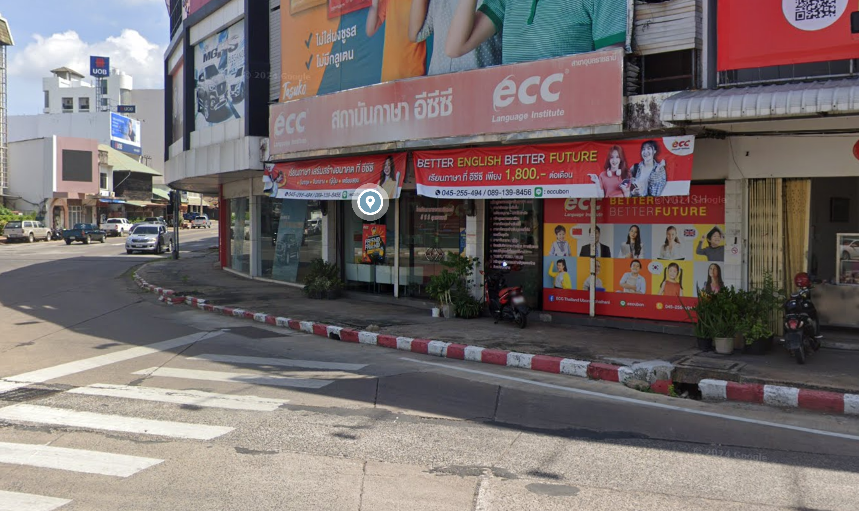
Phalonrangit Road (next to Thung Sri Muang Park) https://maps.app.goo.gl/WSNScVVr227Xu891A
-
So when a Thai citizen shoots someone, the tourists have to pay the costs?




