ravip
Advanced Member
-
Joined
-
Last visited
Everything posted by ravip
-
Maybe smoked?
-
What are these ?
 Which brand?You should have said it like this...
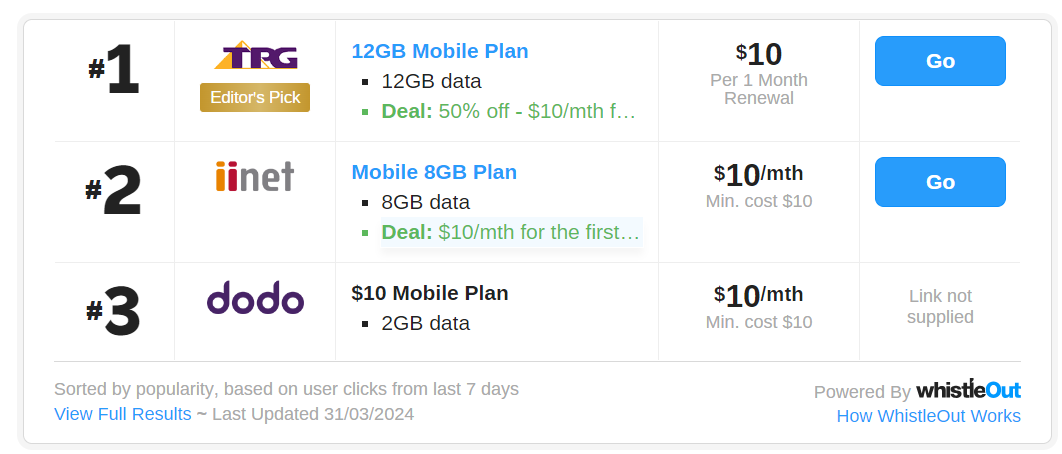
 Whatever said and done, now the Chinese & Indians are losing their place - the International community are giving them tough competition! Just proves, these morons are amongst us where ever we go - no escape at all!I will be visiting Australia next week, for 1 month. Can someone recommend a SIM for a tourist? Data 6Gb would be fine, and some local calls. I will mostly be around Melbourne. Thank you in advance.He doesn’t know the difference between the track and the bed.
 Any day for a hatchbackAfter reading the thread with the title "Kitchen sink tap, washer replaceable?" I thought of writing this about my experience, today. My kitchen faucet started to go drip, drip, drip... (It is very similar to the photo @giddyup has posted (made of metal). The inside part too looks the same, as what @johng has posted. I dismantled the thing and saw a lot of whitish lime formation in its innards. I sprinkled some Bicarbonate of Soda and added a little vinegar - it starts foaming. Kept it for a couple of minutes, scraped lightly with a thin scraper (or a screwdriver would do), and rinsed it. Repeated this procedure twice, and reassembled - (maybe if I kept it soaked in that solution for a couple of hours, it would have been better). So far no drips and seems perfect! Convenient, simple and cheap procedure, anyone could try.
Account
Navigation
Search
Configure browser push notifications
Chrome (Android)
- Tap the lock icon next to the address bar.
- Tap Permissions → Notifications.
- Adjust your preference.
Chrome (Desktop)
- Click the padlock icon in the address bar.
- Select Site settings.
- Find Notifications and adjust your preference.
Safari (iOS 16.4+)
- Ensure the site is installed via Add to Home Screen.
- Open Settings App → Notifications.
- Find your app name and adjust your preference.
Safari (macOS)
- Go to Safari → Preferences.
- Click the Websites tab.
- Select Notifications in the sidebar.
- Find this website and adjust your preference.
Edge (Android)
- Tap the lock icon next to the address bar.
- Tap Permissions.
- Find Notifications and adjust your preference.
Edge (Desktop)
- Click the padlock icon in the address bar.
- Click Permissions for this site.
- Find Notifications and adjust your preference.
Firefox (Android)
- Go to Settings → Site permissions.
- Tap Notifications.
- Find this site in the list and adjust your preference.
Firefox (Desktop)
- Open Firefox Settings.
- Search for Notifications.
- Find this site in the list and adjust your preference.