
Skip to content
View in the app

A better way to browse. Learn more.

ASEAN NOW

A full-screen app on your home screen with push notifications, badges and more.

To install this app on iOS and iPadOS
  1. Tap the Share icon in Safari
  2. Scroll the menu and tap Add to Home Screen.
  3. Tap Add in the top-right corner.
To install this app on Android
  1. Tap the 3-dot menu (⋮) in the top-right corner of the browser.
  2. Tap Add to Home screen or Install app.
  3. Confirm by tapping Install.

Nan officials step in over room that did not match booking

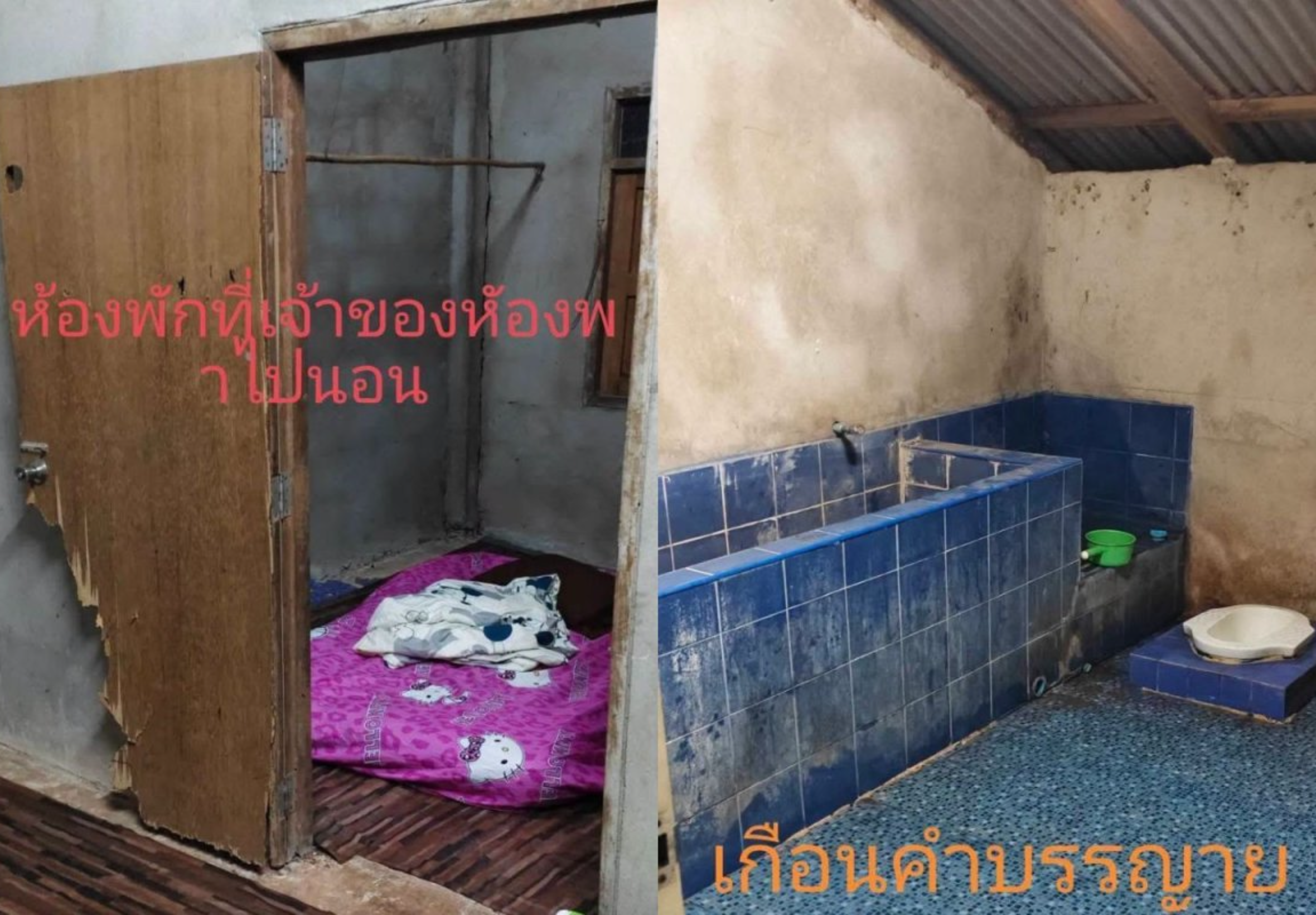
Tourism officials and tourist police in Nan met a father and son after they arrived at accommodation in Bo Kluea district and found a room and bathroom that did not resemble what they believed they had booked.

The visitors, including a man identified as Mr Ko, were on a three-day, two-night break in Nan. Their first night was planned in tambon Sa Pan, with the second night due to be spent in the town centre.

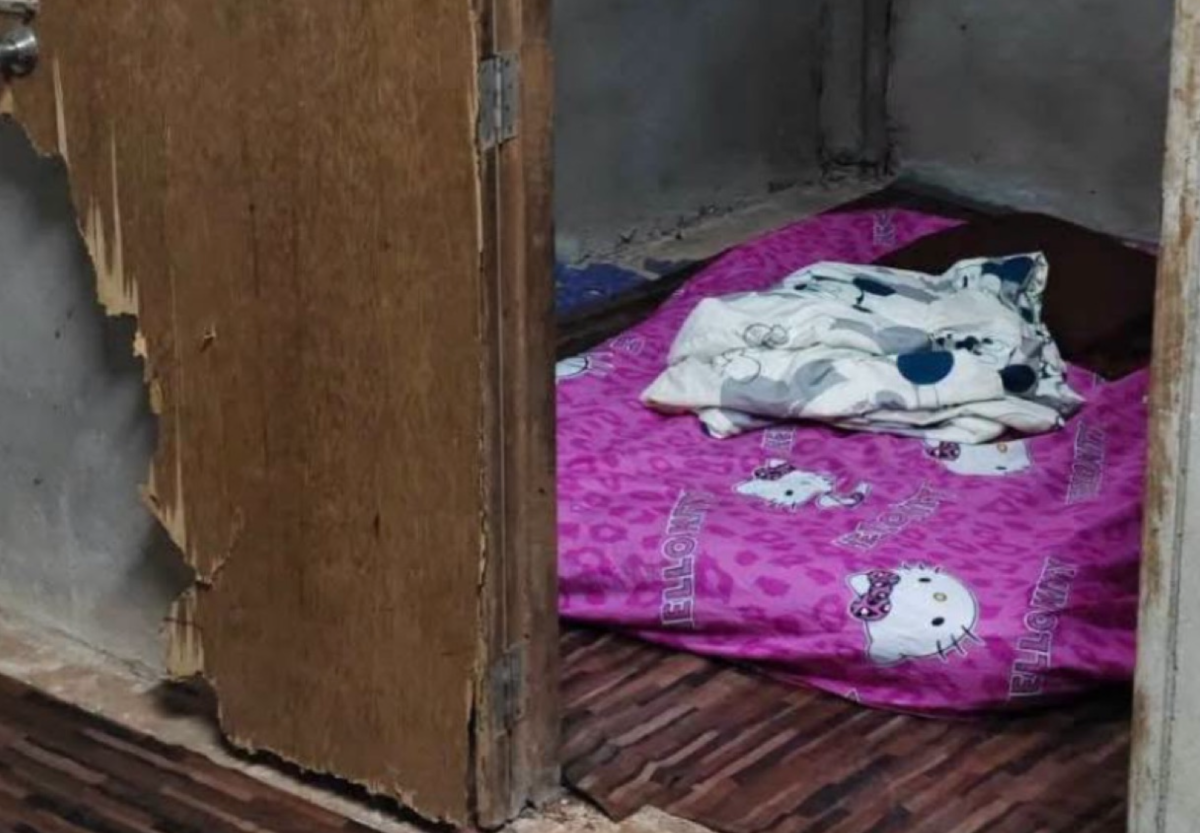
On reaching the Sa Pan property, Mr Ko and his son found a run-down room and bathroom in a disorderly condition. The accommodation fell well short of their expectations and prompted officials to intervene.

Tourism officials meet father and son

Anan Seedaeng, director of the Tourism Authority of Thailand's Nan office, and Pol Lt Col Nathip Kaewpradit of the tourist police met the pair after becoming aware of the complaint.

Mr Anan apologised for the inconvenience. He said the meeting had helped resolve the misunderstanding.

The case was reported as resolved after the intervention, allowing the father and son to continue their planned stay in Nan.

What visitors should take from the case

For foreign visitors and expats travelling within Thailand, the episode is a reminder that property images and descriptions on booking sites can sometimes differ sharply from the room supplied on arrival.

Travellers who encounter a serious mismatch should keep their booking confirmation, screenshots of the listing and photographs of the room. These can be useful when raising the matter first with the accommodation and booking platform, and if necessary with local tourism authorities or tourist police.

Nan, particularly its rural districts such as Bo Kluea, is popular with travellers seeking mountain scenery and quieter stays. However, smaller and remote properties can vary considerably in standards and facilities, so visitors may wish to check recent guest reviews and confirm room details directly before travelling.
IMG_8691.png

Picture courtesy of Bangkok Post

Join the discussion? Create account. orange.png


image.png

30 July 2026

User Feedback

Recommended Comments

jacko45k Star Member

jacko45k

Advanced Member
10 hours ago, flaming dragon said:

I'm curious which booking site it was on and what the nightly rate was.

Looking for a bargain?

khunjeff Gold Member

khunjeff

Advanced Member

So we don't know the name of the property, the name of the owner, the site used for booking, or how the issue was resolved. Perfect!

But I must say - Nan is a beautiful place, but up in the mountains most of the accommodation is both expensive and of mediocre quality. I stayed at several places that cost quite a bit, but where the rooms looked like they had been thrown together out of plywood to cash in on all the Bangkok tourists wanting to see the views.

scorecard Star Member

scorecard

Advanced Member
14 hours ago, Gottfrid said:

That´s an awesome room! Not a clue why someone can get the idea to complain about that.

And not a clue how the owner believed the room (with a room rate) was acceptable to anybody / any customer?

chuang Platinum Member

chuang

Advanced Member

Pay peanuts get peanuts 🥜

John Drake Diamond Member

John Drake

Advanced Member

This is what real adventure tourism looks like.

Ctkong Silver Member

Ctkong

Advanced Member

Book from reputable platforms and read the reviews religiously …

Create an account or sign in to comment

Account

Navigation

Search

Search

Configure browser push notifications

Chrome (Android)
  1. Tap the lock icon next to the address bar.
  2. Tap Permissions → Notifications.
  3. Adjust your preference.
Chrome (Desktop)
  1. Click the padlock icon in the address bar.
  2. Select Site settings.
  3. Find Notifications and adjust your preference.