



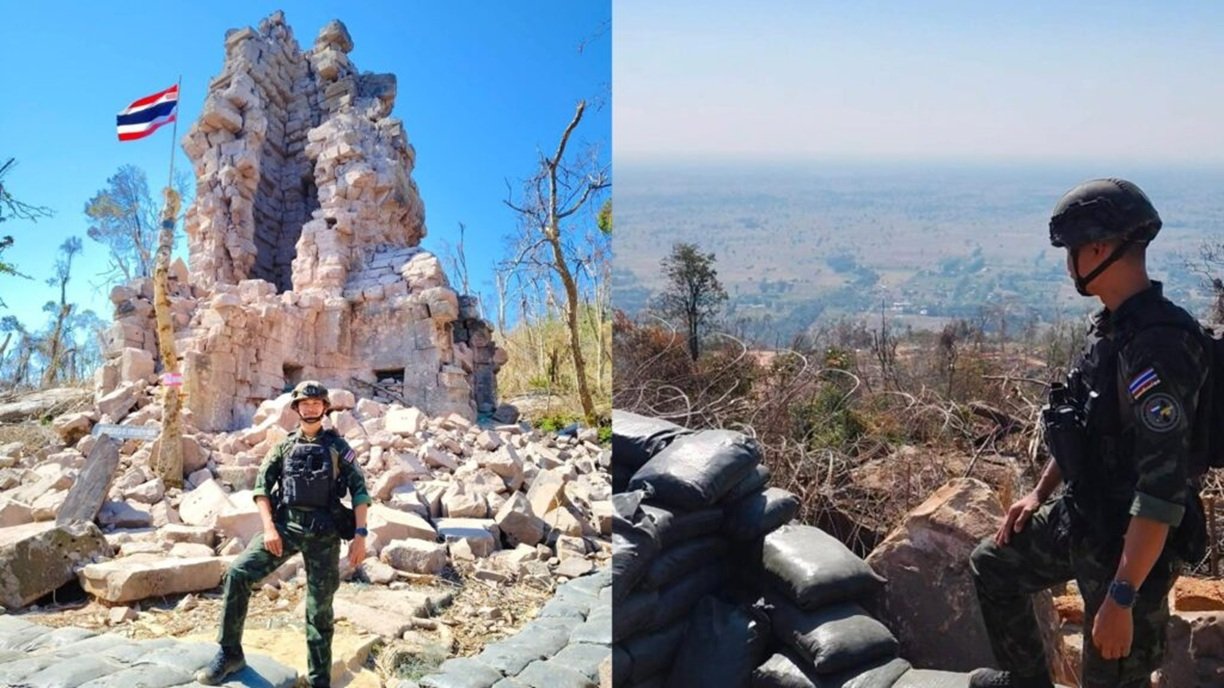

Ta Kwai Temple and Hill 350 have been opened to the public by the 2nd Army Region for the first time since past border clashes forced their closure. The site will be accessible from April 13–16, 2026, with visitation hours between 09:00 and 15:00. Authorities emphasize adherence to rules, requiring visitors to stay on designated routes, avoid crossing barriers, and refrain from live-streaming on social media.
Get today's headlines by email 
Located in Ban Thai Niyom Phatthana, Surin province, Ta Kwai Temple is a historical laterite stone sanctuary. Historians trace its origins to the late Angkor Wat to early Bayon period around the 11th century. The temple, originally a Hindu sanctuary dedicated to Shiva, is a significant site near the Thai–Cambodian border and has grown in tourism popularity.
Experts believe the reopening can foster cultural appreciation but stress the importance of preservation. Misconduct such as removing artifacts, climbing structures, or littering is strictly prohibited to safeguard the temple's integrity. These measures aim to ensure visitors respect the site's cultural and historical value.
Future access to the temple will depend on the conduct observed during this trial period and its impact on the preservation of the site. Authorities may consider further openings if the current visits proceed smoothly without incidents, ensuring site protection and enjoyment for future visitors.
Join the discussion? 
Already a member? 
 Adapted by ASEAN Now · Khaosod · 13 Apr 2026
Recommended Comments
Create an account or sign in to comment