.jpg.8727108792c8cdee7e98b8b03c639ef6.jpg)
Will Iam Not
Advanced Member
-
Joined
-
Last visited
Everything posted by Will Iam Not
-
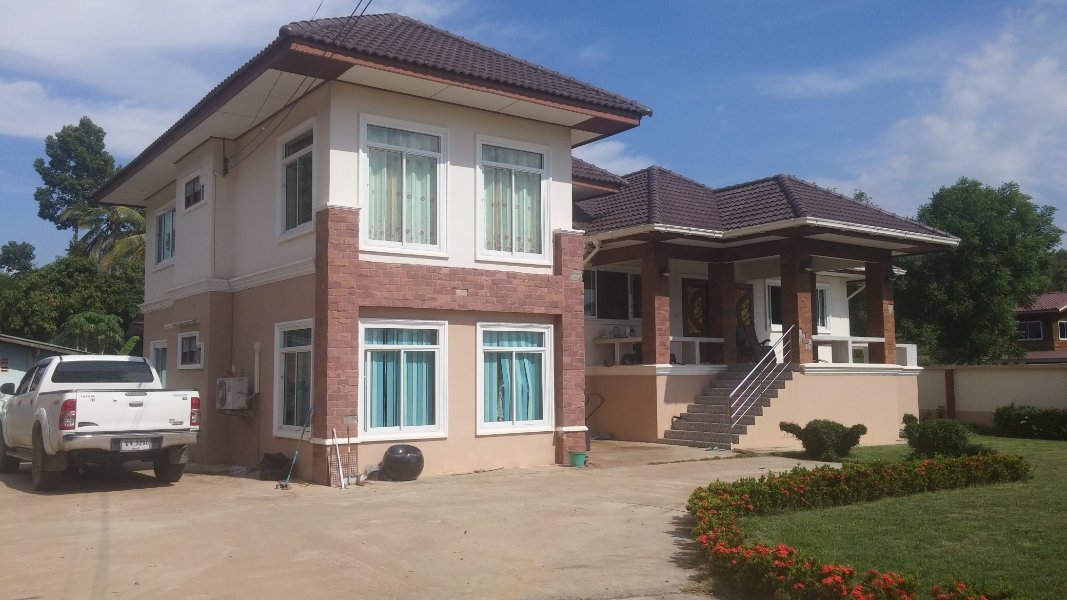
Just outside Phitsanulok. Where I get uninterrupted 1000/500 3BB internet, no expats, wonderful food, and my lovely home, wife, step-daughter and grandson. Now you've heard of it.
-
Luckily, I now live in't Jungle up P'lok way so meet very few expats. But when I was working in Pattaya, my two favourite words began with F or P followed by off!
-
Oooh those racism accusers won't like that.
-
Does that not apply to almost most Thai girls? ( I do not have dinner with GUYS!)
-
Then I forget my political affinities. 555
-
I usually start on my left, then onto my right, then a short time on my back, then......I can't remember, I am asleep.
-
Kinnell, having marital relations on one of those and she would be gone onto the floor when doing Cowboy.
-
Yes, that's what I read. But I forget when I started taking it! 555
-
It is not supposed to be a long term medication, only when needed, and symptoms start OK, you needed it for 6 weeks.
-
Omeprazole works wonders for me
-
Does Barratts oesophagus not come from eating too many liquorice allsorts? 555
-
And spells MATHS correctly. Hey USAers, it is short for MathematicS! Wonder why, in King's English, it hasn't got an apostrophe to replace the missing letters. .......Math's.
-
Not so much at swimming though.
-
Ant & Dec fan then?
-
I wouldn't want to try tying a sunflower to the end of an aggressive dog's todger.Better than Phillips !What are you on about? You tell them it is YOUR Bangkok Bank you want the money to go to. The list of banks are the ones YOU have already told WISE you have, and you click the desired recipient, be it my own in THB or to my sons in Dubai Dirhams. You didn't tell us how to tag our Thai accounts, M8 ! Of course, the exchange rate is set by WISE and not by the Thai bank, If you transfer say GBP to Bangkok Bank, WISE will first convert it to THB and then send it. Please cancel the capitalisation on your typing, thanks. I use it for emphasis when I want to, or when proper English dictates that it should be.Please tell us all how, so none of these problems will occur, thanks.That is why you need to ask WISE to TAG your Kasikorn account.As far as I know, tagging means that the money should ALWAYS go to that Thai account. But apparently, not always. Set that up years ago when I first started using WISE and it has only failed once in the past, and twice last week. Luckily, those transfers were not for Mr Immigration. I do not know whether it is better to convert your home currency to THB in your WISE account and then send THB to your Thai bank. Will try next month, cost is about the same.You must be using a different WISE than I do. See my post above, both 4000 and 500 Bht transfers took until 14.05 the next day, BECAUSE I ticked Long Stay option. They still went through Kasikorn so arrived at my Bkk as Deposit/Transfer thru e Channels. Today's 20,000 was FTT. For years up to this, my monthly transfer for Immigration were coded. FTT or International. If I initiate the transfer before 6 in the morning, and tick Personal or Family expenses, it arrives at 14.05 the same day, if not, 14.05 the following day. I get a message or email from my WISE to tell me this.Have WISE tagged your accounts?Anyone else got evidence like this please. My big one is on 1st October, which MUST show as International for Mr IO.So you believe those on Facebook more than ME, who has just had an International Transfer? I said last week that the two earlier ones were not, and went via Kasikorn.

.thumb.jpg.b2b4abaf9da630abc11cda7dc8d87eb2.jpg)