

ballpoint
Advanced Member
-
Joined
-
Last visited
-
Currently
Viewing Topic: The Dangerous Appeasement of a regime with 60% enriched Uranium,News
Everything posted by ballpoint
-
I think those replies are brushing it on a little thick. I'll get my second coat.Some are doing their bit...
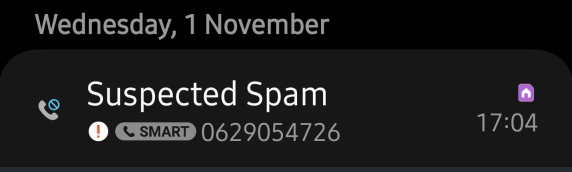
 TTB allows 30k at a time - it's on the quick withdrawals list on the first screen that comes up after entering your PIN, and don't charge any extra, besides the B220 fee. They ask if you want to use their exchange rate, which is a poor one, or not. Always choose "not".Not only can you block the number, you can also report it as spam, so that others will get the "suspected spam" message when it tries to call them. I reject all numbers where this comes up. If they really want to talk to me they'll call back, which they don't.
 A single malt intravenous drip.
Account
Navigation
Search
Configure browser push notifications
Chrome (Android)
- Tap the lock icon next to the address bar.
- Tap Permissions → Notifications.
- Adjust your preference.
Chrome (Desktop)
- Click the padlock icon in the address bar.
- Select Site settings.
- Find Notifications and adjust your preference.
Safari (iOS 16.4+)
- Ensure the site is installed via Add to Home Screen.
- Open Settings App → Notifications.
- Find your app name and adjust your preference.
Safari (macOS)
- Go to Safari → Preferences.
- Click the Websites tab.
- Select Notifications in the sidebar.
- Find this website and adjust your preference.
Edge (Android)
- Tap the lock icon next to the address bar.
- Tap Permissions.
- Find Notifications and adjust your preference.
Edge (Desktop)
- Click the padlock icon in the address bar.
- Click Permissions for this site.
- Find Notifications and adjust your preference.
Firefox (Android)
- Go to Settings → Site permissions.
- Tap Notifications.
- Find this site in the list and adjust your preference.
Firefox (Desktop)
- Open Firefox Settings.
- Search for Notifications.
- Find this site in the list and adjust your preference.