
ballpoint
Advanced Member
-
Joined
-
Last visited
Everything posted by ballpoint
-
Ukraine just launched a successful missile attack on the headquarters of Russia's Black Sea Fleet, in Sevastopol. The Russians are claiming one soldier dead and debris scattered over "hundreds" of metres. Looks like the Ukrainians are making a full on attack on all Russian naval shipping and command centres in Crimea. The Sun reports a Storm Shadow missile was used. If true, wait for the inevitable nuclear threats against the UK by Russia's televisual talking heads.
-
I'm in. I love the sound of swearing from the kitchen.
-
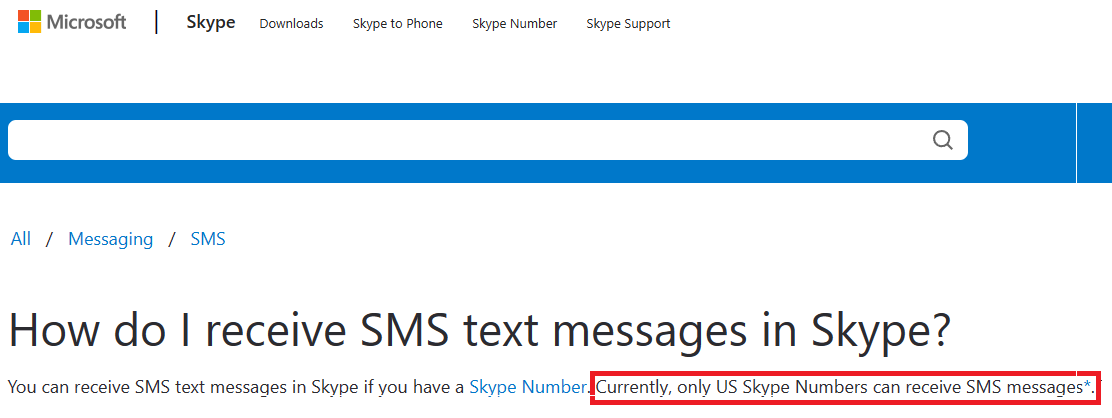
Here's something for the "manipulated baht" conspiracists to chew over: Thaksin out of the country = wants to move money out = strong baht. Thaksin back in the country = wants to move money in = weak baht.I realise this is over a month old, but I'm in the same position as the OP, and looking for a solution to the receiving SMS quandary. Skype would seem to be ideal, but everything I've seen on the Microsoft site, and various forums, says that you can only receive SMS's on a US number. Can you confirm that you are able to receive SMS's sent from Australia on your Australian Skype number? Otherwise, I'll be getting an Aldi sim on my next visit later this year.
 That's handy. I might need something to grit the path with if it snows.I wonder what their user names are on here? Must be nice for them seeing that and remembering back when they were in the prime of their lives.
Account
Navigation
Search
Configure browser push notifications
Chrome (Android)
- Tap the lock icon next to the address bar.
- Tap Permissions → Notifications.
- Adjust your preference.
Chrome (Desktop)
- Click the padlock icon in the address bar.
- Select Site settings.
- Find Notifications and adjust your preference.
Safari (iOS 16.4+)
- Ensure the site is installed via Add to Home Screen.
- Open Settings App → Notifications.
- Find your app name and adjust your preference.
Safari (macOS)
- Go to Safari → Preferences.
- Click the Websites tab.
- Select Notifications in the sidebar.
- Find this website and adjust your preference.
Edge (Android)
- Tap the lock icon next to the address bar.
- Tap Permissions.
- Find Notifications and adjust your preference.
Edge (Desktop)
- Click the padlock icon in the address bar.
- Click Permissions for this site.
- Find Notifications and adjust your preference.
Firefox (Android)
- Go to Settings → Site permissions.
- Tap Notifications.
- Find this site in the list and adjust your preference.
Firefox (Desktop)
- Open Firefox Settings.
- Search for Notifications.
- Find this site in the list and adjust your preference.