




Harrisfan
Advanced Member
-
Joined
-
Last visited
Everything posted by Harrisfan
-
A crowd of what?
-
Strange life he is.
-
Projecting a lot
-
I think 90% are hermits. Abusing people here is a daily highlight.
-
Pretty small in Rai.
-
What dishes do you eat?
-
He ran away. Typical.
-
I'm well educated and well travelled. Love walking around Bangkok, CM, Udon and Nong Khai. What do you do? Any chance of acting like an adult for once?
-
As if he can't even answer a question like an adult.
-
What do you do in Ubon?
-
Connecting flights suck.
-
Book direct is best or use a company like Agoda that has existed for 15 years. New companies are risky. I wouldnt trust a company less than 5 years old.
-
User reviews seem to be unreliable like google reviews. Any numpty can write one. Skyscanner gets bad reviews too
-
Looks real to me
-
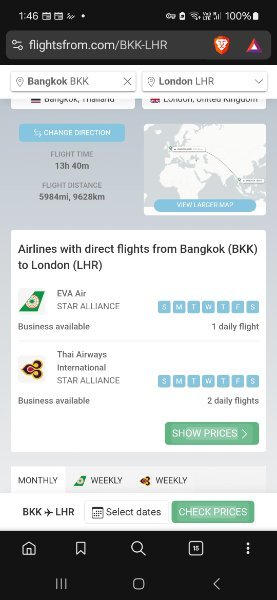
flightsfrom.com looks handy
-
Lots of muslims live there.
-
So you don't have a wife. What do you do in Ubon?
-
Its AI generated. I don't know how the program works.
-
I go direct to airline sites. Anything can be wrong. Nothing is perfect except you.
-
Skycanner.com has flight searches
-
Children also have more fun in their lives as do animals. Studying them rather than reading the daily news will make you more happy. A study found 85% of the things you worry about never happen.
-
People who worry about wars are always miserable. Case in point. What a waste of time.
-
Google automated
-
Lefties are pathetic.
-
AI is wrong then lol






