



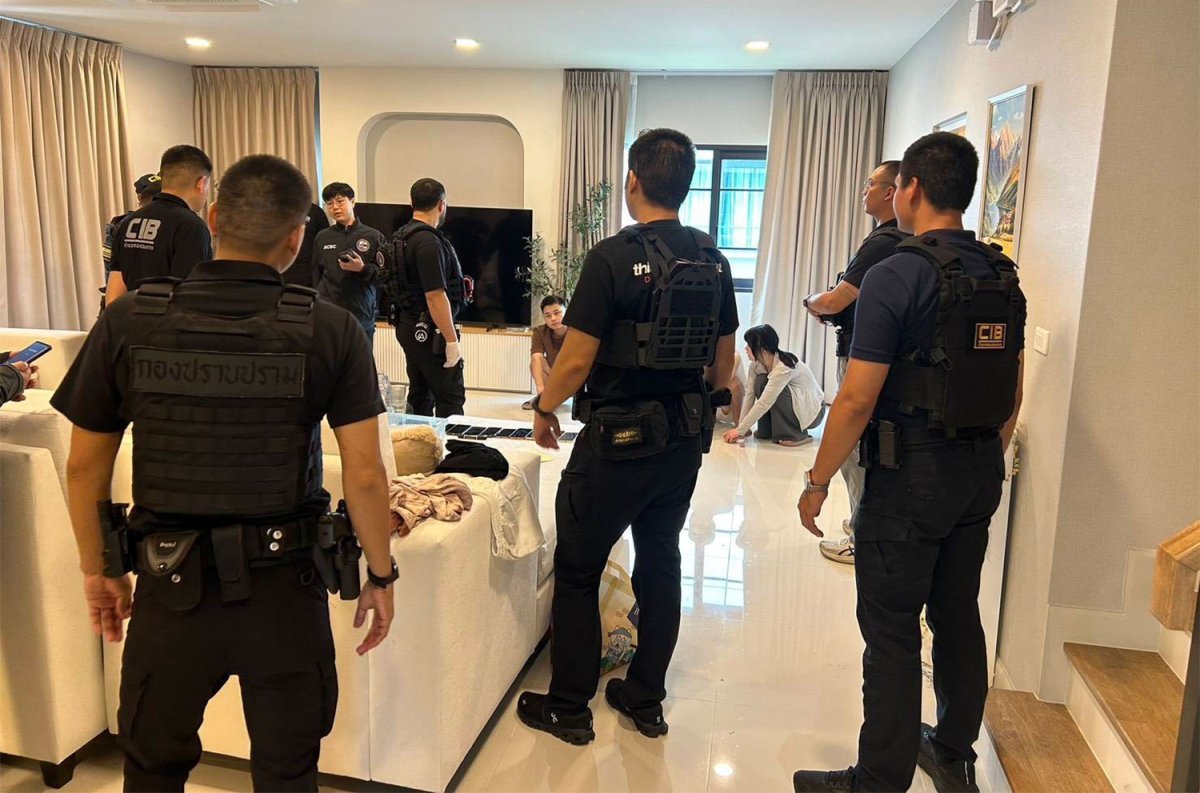

Police in Thailand have dismantled a Chinese gang accused of staging a fake kidnapping to extort money. Four suspects, including the victim's boyfriend, were arrested in Samut Prakan. They face charges of illegal entry and potential deportation.
Get today's headlines by email 
The arrests followed an investigation by the Crime Suppression Division and the Immigration Bureau. The suspects were found in a rented house in Bang Phli district. The group allegedly faked the kidnapping of a 19-year-old woman, Ms Tong, to extract a ransom from her father in China.
Ms Tong's father reported receiving ransom demands after video clips showed her being assaulted. He transferred 110,000 yuan (about 550,000 baht) believing she was in Myanmar. Police traced the videos to Ms Tong's location in Huai Khwang, Bangkok.
Investigations revealed Ms Tong stayed in Bangkok before moving with the group to Samut Prakan. Authorities discovered six Chinese nationals in the house and questioned them. Mr You, Ms Tong’s boyfriend, admitted to orchestrating the fake kidnapping scam.
The suspects confessed to the scheme aimed at deceiving Ms Tong's father. They have been handed over to local police and are set for deportation proceedings. Two other Chinese nationals found at the scene were not detained as they entered Thailand legally.
Join the discussion? 
Already a member? 
 Adapted by ASEAN Now · Bangkok Post · 16 Apr 2026
Recommended Comments
Create an account or sign in to comment