





A Saudi transgender visitor, has been reported missing in Bangkok after friends lost contact with them on July 29.
The Bangkok Community Help Foundation issued an appeal on Facebook on August 5, asking the public to share the notice and provide information that could help locate the missing person.
Nasser Alzahrani is the name shown on their passport and other government identification documents. They arrived in Thailand on May 29 and have been staying in Bangkok on a tourist visa for more than two months.
Last contact in Khlong Toei
According to the foundation, Alzahrani had moved between Airbnb accommodation during their stay, changing properties about every five days.
Their last known location was in Bangkok's Khlong Toei district. The foundation said Alzahrani's last contact with friends was at 2.19pm on July 29.
Since then, all communication has stopped. Both mobile phones have reportedly been switched off, and all WhatsApp numbers connected to Alzahrani have become unreachable.
Friends have tried unsuccessfully to make contact since that date, the foundation said. Their friends and family are deeply concerned about their welfare.
No further details about the circumstances of the disappearance were included in the foundation's appeal.
Public asked to share information
Anyone who has seen Alzahrani, knows their whereabouts, or has been in touch with them recently is urged to contact the Bangkok Community Help Foundation.
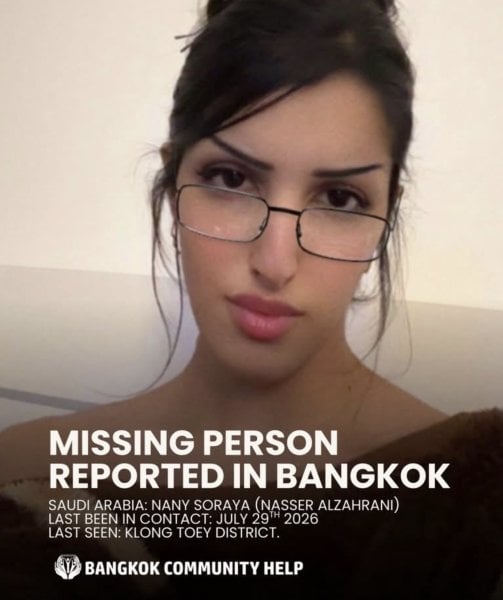
Picture courtesy of Bangkok Community Help Foundation
Join the discussion? 

6 August 2026
Recommended Comments
Create an account or sign in to comment