





A Thai army explosives disposal specialist lost a leg after stepping on a landmine while clearing explosives near Chong An Ma in Ubon Ratchathani on 17 August.
Sergeant Major Channarong Wongchana was taken urgently to hospital after the blast at about 11.50am, according to reports from the Royal Thai Army's official Army Trending page.
Blast during clearance operation
The accident happened in an area near the border under the responsibility of the 2nd Army Region.
Channarong, who serves with the 2nd Infantry Battalion, 2nd Infantry Regiment, was working with an explosive ordnance disposal team from the National Mine Action Centre, under the Royal Thai Armed Forces Headquarters.
The team was conducting an operation to remove explosive devices in the Chong An Ma area when he stepped on a mine. He suffered severe injuries, including the loss of a leg.
Personnel at the scene and local emergency workers provided initial first aid before carrying him from the area and transferring him to hospital as quickly as possible.
Officials checking the cause
The Army Trending page initially reported that the injured soldier had reached hospital, adding that further official information was awaited.
Authorities are still examining the full circumstances and cause of the incident. No further details about the type of mine or Channarong's condition have been released.
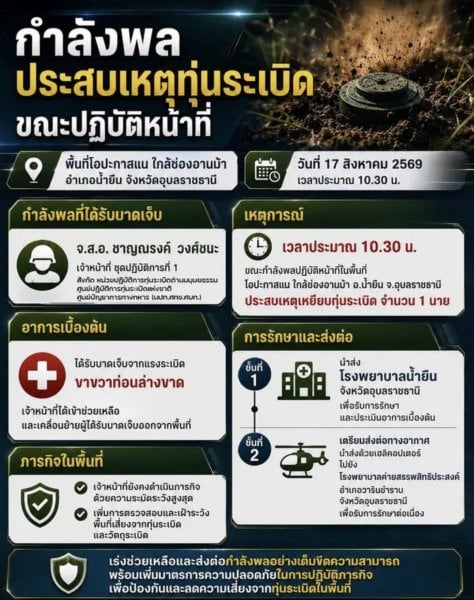
Picture courtesy of Royal Thai Army
Join the discussion? 

17 August 2026
-
 1
1
Recommended Comments
Create an account or sign in to comment