




MJCM
Advanced Member
-
Joined
-
Last visited
-
They most certainly go to Korat from and to Pattaya as that bus I will take this coming Tuesday. Their end stop is Rayong. [email protected] Their phone number is 1624 and they have I believe English speakers Booking is very simple over the phone, they send you a link to your phone via SMS then you click on it, fill in the captcha, it shows a QR code which you scan with your phone and pay via Mobile Banking. After payment, you click the same link in the sms and there is your ticket, make screen captures of it and that when you board the bus show it to the attendant. Ps: Bring warm clothes as NCA loves to set the aircon in their buses rather cold ;😉
-
I understand but he clearly is confused which account to use, so the leniency would apply that he could still post on his 27ish post account in case of problems
-
May I ask for some leniency please @CharlieH ? He is 80 so let it be just in case he has other problems with his account?
-
👍 good one @Ralf001
-
Thanks @Ralf001 for checking as I don't use that function It becomes stranger every minute. Sorry to say
-
Why didn't you say that before? You should contact support and ask why your 1000 posts have been deleted because from your profile there are only 27 posts visible. Do you by any chance use any other account then this one?
-
@mason 45 to prevent these kinds of deletions, please bookmark those pages in your browser from now on, as that will not be depended on forum software upgrades
-
So what that I think it could mean is that because of the upgrade all followed content has been erased for everyone and NOT because your downgrade from Gold to apprentice member, but that said...... As I don't use that function, I hope again that @CharlieH or another member who uses that "Followed Content" which is available under "Clicking your Username in the upper left corner and then scrolling down" if they see content from before the upgrade and can confirm this.
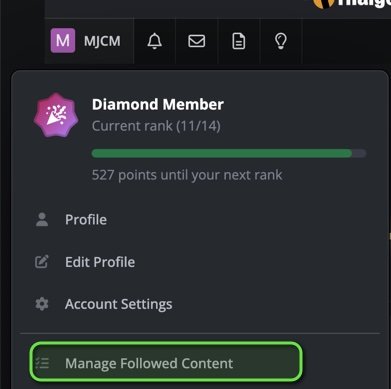
-
I am a bit confused sorry, but how does resetting you from being a gold member to an apprentice member causes to lose data. For my clarification where did you store this data? Or how did you access it?
-
I haven't changed anything in my profile (since the new software) so i must have set that previously but I think that solves @still kicking problem. Well done @KhunLA
-
If you ask me, but I am just guessing here, that the new software doesn't take into account the years you are a member but how many posts you got. I could be wrong of course, so let's wait what @CharlieH or another Admin says about it.
-
Does pressing Control and DOWN ARROW help? Although that sends you all the way down the screen
-
I have all Bob Dylan albums so yes I can say I have listened to that song before, but what is your point asking me that, as the topic is about changes to the forum software and not general music knowledge If you zoom out completely the pictures are obscenely big compared to the text (this is a screenshot when I zoom out completely)
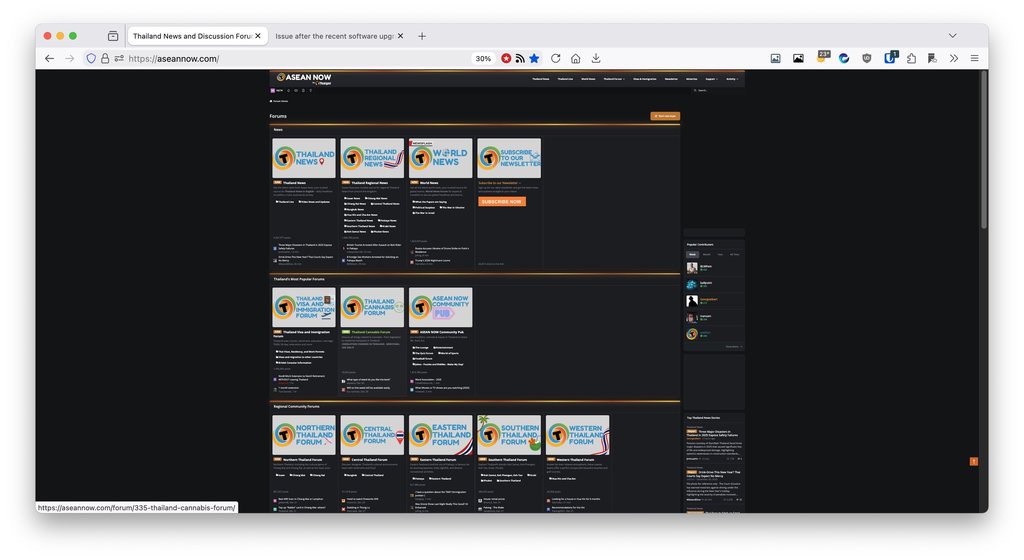
-
Why are those images so big? Yes I can zoom out, but my eye sight is not as it used to be Ps: Not running an ad-blocker
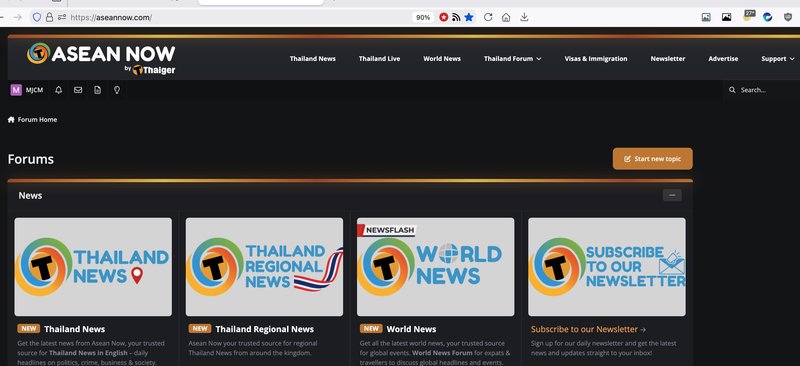
-
Another example of Arbitrariness by the different IO's in the country. Our IO also required the pictures on the bed when applying for the Marriage extension. But that said, it's not your local IO that dictates the documents for the Marriage extension as it's NOT a local IO decision, but the documents gets send to the Regional HQ and there they decide it if you are granted an extension or not, and that is why (AFAIK) you have the under consideration period for Marriage extensions.



