brewsterbudgen
Advanced Member
-
Joined
-
Last visited
Everything posted by brewsterbudgen
-
The whole system is ridiculous. It doesn't matter if the Approval email comes after your due date. Just relax and wait.
-
Obviously no one in their right mind would want to see Trump elected again and De Santis is scary. But Biden is also obviously a spent force and incapable of being President. Time for Gavin Newsom or Michelle Obama.
-
I changed to a Macbook Pro for the first time a year or so ago. Would NEVER go back to Windows!
-
Just be patient. If it shows pending, it will either be approved or rejected. I had to wait over 10 days last time.
-
I'm pleased for you. Wish I was unaffected too.
-
I was referring to how it affects me (and my family).
-
The ability to travel freely throughout the EU without border restrictions. Not to mention the right to live and work in the EU.
-
I completely agree. I'm not even sure why it was brought up in this thread, let alone why the UK government made such a big deal over it!
-
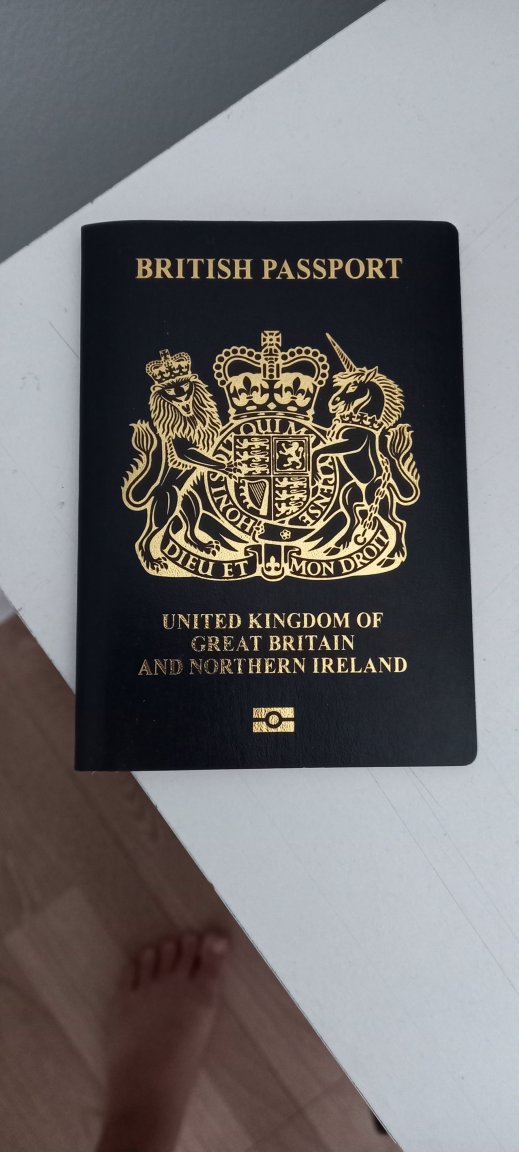
It makes no difference whatsoever, except, apparently, to the UK government who seem think we should be delighted at getting a "blue" (black) passport instead of a burgundy one. What does make a difference is that the new passport is considerably more restrictive than the previous EU one.
-
The fact that this ridiculous government call it "blue" makes it even more obvious that it's actually black.
-
Yes.
-
True. But then she'd have to leave or extend after 30 days, or overstay. She's half-Thai, she should get a Thai passport.
-
See my photo above. It's as black as it can be.
-
My very black UK passport...
-
You're in trouble! I would always allow around 3-4 months (maybe longer). Your Extension of Stay only runs until the expiry of your passport, so you'd be on overstay.
-
We certainly have high standards!
-
Your new black passport will be valid for 10 years from the date it is issued, irrespective of when your current burgundy passport expires. Renewing is easy via HMPO/VFS in Bangkok or Chiang Mai. How long it takes depends on the efficient of HMPO in Liverpool! You retain your old passport while the renewal processing is taking place, but only for ID purposes.
-
Or 10,000 for a year. You get what you pay for! Plenty of cheaper but often unreliable options out there.
-
Thanks - sorry for posting the wrong link (missing hyphen).
-
Make sure you get her Thai passport so she can return to Thailand with it. Otherwise she'll need a Thai visa.
-
If she's a US citizen why would she need a US visa to go to the US? Am I missing something?
-
www.pulsetv.net
-
Personally, I think it's the opposite. As a Brit I find I have plenty to moan and complain about my country of origin. Having now lived in Thailand for 18+ years, I also find plenty to moan and complain about my adopted country (not just the ridiculous fixation with masks!).
-
https://www.theguardian.com/politics/2023/jun/17/norwegian-roxy-music-album-cover-star-kari-ann-moller-fights-to-stay-in-uk-post-brexit
-
The Link is correct. Getting a UK Marriage certificate legalised and then certified for use in Thailand, requires the document being sent to the UK Legalisation Office in Milton Keynes. They can then forward it to the Thai Embassy in London for certification (as long as you include a postage-paid envelope). It took me about 14 days, and it helps if you are physically in the UK.