




bravo19
Member
-
Joined
-
Last visited
Everything posted by bravo19
-
I made a transfer from Germany to my Bangkok Bank account with Wise on Tuesday afternoon and the money arrived in my account on Wednesday 2pm Thai time. So everything as usual.
-
Deemoney is the choice
-
Exactly the same experience for me. I went today in a True shop in Central world and they changed my main package from a tourist prepaid to a regular prepaid. It tooks only 2 min. Passport was needed. Thanks for sharing your experience.
-
No surprise because without visa you don't need a bank account and for a retirement visa no thai bank account is needed.
-
Wrong! The minimum of 200 THB is valid for all credit cards!
-
You are wrong, only with an advanced KYC, for example Thai Driving license, can pay by qr code with Truemoney. And you can't use Truemoney for the Thai QR code payment at a streetfood shop. This is my experience in Bangkok in september this year. Wanted to use Truemoney at a streetfood shop but didn't work. With my Kasikorn App it wasn't a problem at all.
-
I haven't received this SMS!
-
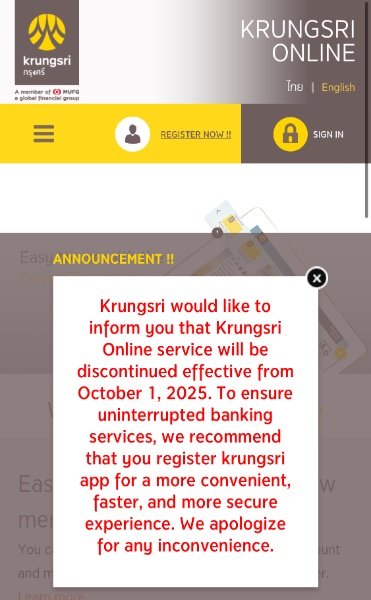
Krungsri will discontinue it from 1.10.2025.
-
Yes, the possibility is very high that they close your account.
-
In 7/11 stores only for purchases from 200 THB.
-
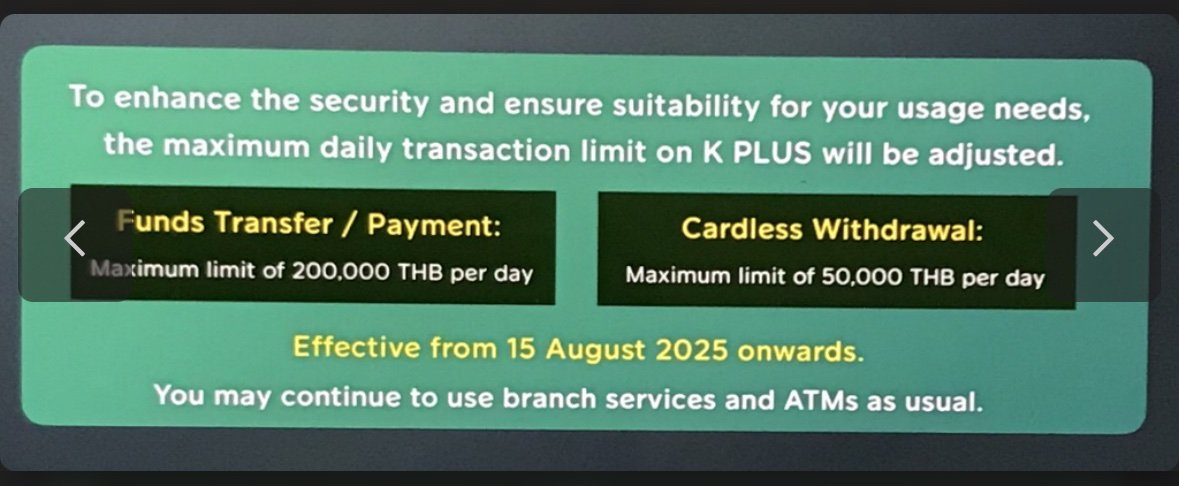
I don't know why so many people complain about Bangkok Bank. I have my savings account since 2016 with them, since 2017 a fixed account and since 2018 a secured credit card as well. And up to know everything works fine. I have also a savings account with Kasikorn and everything is going well. But Kasikorn reduced the daily transactions limit this month. Since 15.08. the daily transfer limit was reduced to maximum 200,000 THB even with face scan.
-
Effective from 15.08. onwards.
-
Transactions from Wise to Kasikorn take only a few seconds.
-
So that means the facial scan for foreigner at Kasikorn Bank is absolutely useless?
-
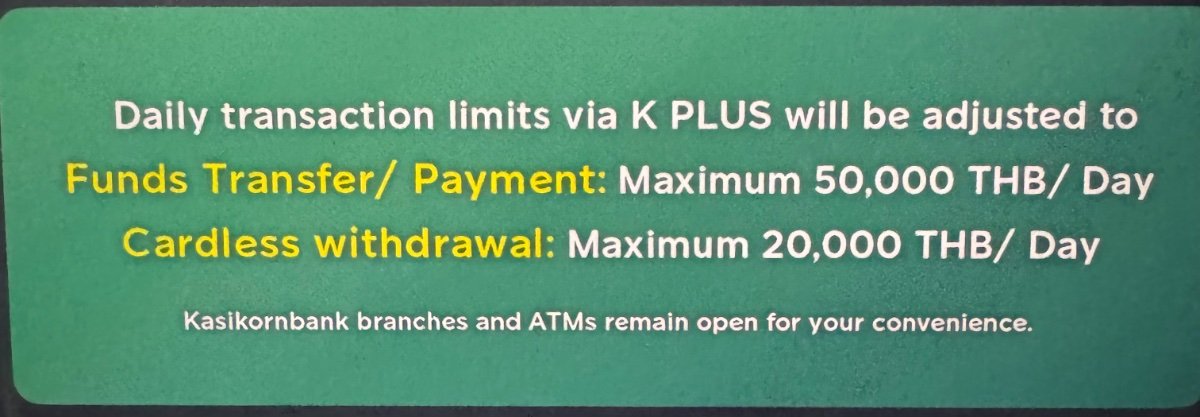
Thanks for your reply. When i open my K+ app the following message appears. Does it mean i can increase these limits when i will go to the branch for facial recognition? Or are these limits also valid even in the case with facial recognition?
-
One question, I have a Kasikorn savings account but I haven't done the facial recognition yet. When I am back in Thailand in September again, should I go to a Kasikorn branch for the facial recognition? Does this have any advantage in terms of transaction limits?
-
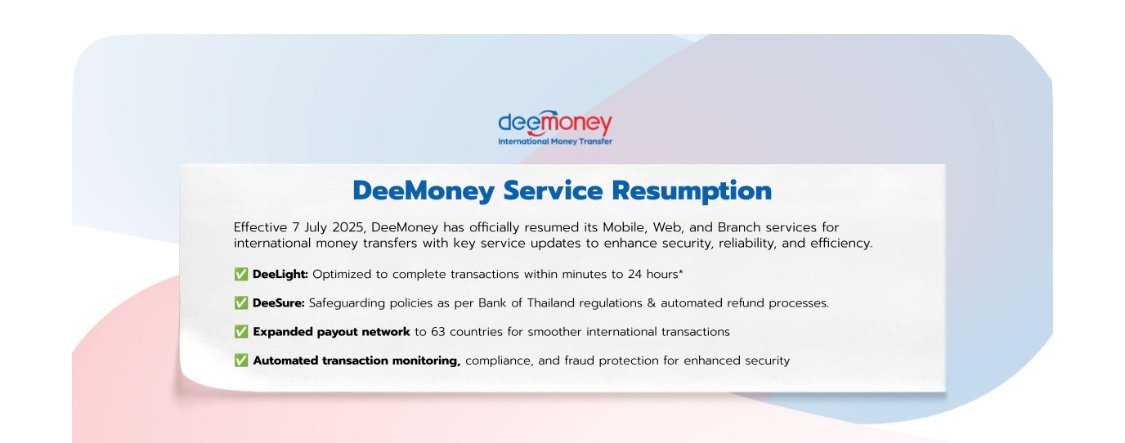
It seems DeeMoney is back. There is a new update of the phone application.
-
I have a savings account with Kasikorn and use the K+ app, additional I register also for KBiz to have an additional access via website for the same account. On website is mentioned that my account is a business account. But anyway I don't have any business in Thailand and use this account only for private.
-
Cash is king and no fees have to pay.
-
Very good question! I don't understand why so many people have no money in their Thaibank account and need a last minute transfer. I have enough money in Thailand to can live there for 2-3 years without any further transfers.
-
😆😆Do you live in the stone age? I use often thai credit or debit cards, truemoney or line pay and haven't had any problems.
-
You can also go in a SuperRich branch. They offer international money transfer as well. https://www.superrich1965.com/en/our-services/spr-money-transfer
-
Do you have experience to open a bank account in singapore as a tourist? Is that possible like in Thailand?
-
20 years ago i would agree. But not today anymore! I have been using WISE regularly since 2016 without any problems and saved a lot of money.
-
BTC!





