




Mutt Daeng
Advanced Member
-
Joined
-
Last visited
Everything posted by Mutt Daeng
-
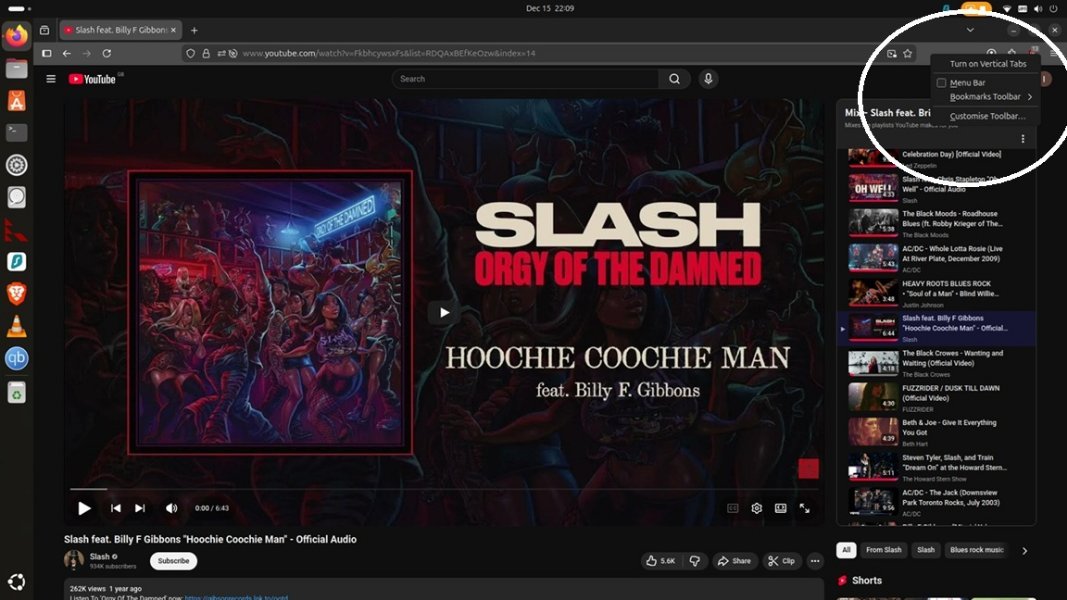
WholeRight click on the top Firefox bar to display the context menu. Select Bookmarks Toolbar and set it to Always show the toolbar.
.jpg.adb89a7b7a6ae433db424b7c5882d5a8.jpg) A scalper got scalped!BeatlesPelotonValhallaLogKangarooSicario:Day of the Soldado is equally excellent. Mainly focused around Del Toro's character. I agree. I enjoyed watching both of them.I know this place. It's on Soi Honey.mucilageAddamsiPhoneThanks for the heads-up @Bacon1. Looks like it may be interesting.HalibutNumber21 You're confused. @newbee2022 was asking for your age which is highly relevant, not your IQ. Troll on........................
A scalper got scalped!BeatlesPelotonValhallaLogKangarooSicario:Day of the Soldado is equally excellent. Mainly focused around Del Toro's character. I agree. I enjoyed watching both of them.I know this place. It's on Soi Honey.mucilageAddamsiPhoneThanks for the heads-up @Bacon1. Looks like it may be interesting.HalibutNumber21 You're confused. @newbee2022 was asking for your age which is highly relevant, not your IQ. Troll on........................














Account
Navigation
Search
Configure browser push notifications
Chrome (Android)
- Tap the lock icon next to the address bar.
- Tap Permissions → Notifications.
- Adjust your preference.
Chrome (Desktop)
- Click the padlock icon in the address bar.
- Select Site settings.
- Find Notifications and adjust your preference.
Safari (iOS 16.4+)
- Ensure the site is installed via Add to Home Screen.
- Open Settings App → Notifications.
- Find your app name and adjust your preference.
Safari (macOS)
- Go to Safari → Preferences.
- Click the Websites tab.
- Select Notifications in the sidebar.
- Find this website and adjust your preference.
Edge (Android)
- Tap the lock icon next to the address bar.
- Tap Permissions.
- Find Notifications and adjust your preference.
Edge (Desktop)
- Click the padlock icon in the address bar.
- Click Permissions for this site.
- Find Notifications and adjust your preference.
Firefox (Android)
- Go to Settings → Site permissions.
- Tap Notifications.
- Find this site in the list and adjust your preference.
Firefox (Desktop)
- Open Firefox Settings.
- Search for Notifications.
- Find this site in the list and adjust your preference.