shdmn
Advanced Member
-
Joined
-
Last visited
-
There are zero fees. No long distance fees. No roaming fees. It works exactly the same as if you were connected to the telco tower back home. The only difference is that it connects directly to your telco through the internet instead of through their towers. Nobody calling you or sending SMS messages will know the difference either, so no possiblity that it won't pass bank fraud checks either.
-
Get a plan with your telco (or some other telco) back home that includes international WiFi Calling. You can often get that feature even with a basic plan that does not include international roaming. I get SMS message verifications from my bank and make/receive local calls as if I was connected to my Telco's cell towers back home, no matter where I am in the world. If they say it includes WiFi Calling MAKE SURE it allows international WiFi calling. Sometimes it doesn't because they don't want to lose those sweet international roaming fees. If it doesn't include international WiFi Calling you will have to go through a VPN to get it to work.
-
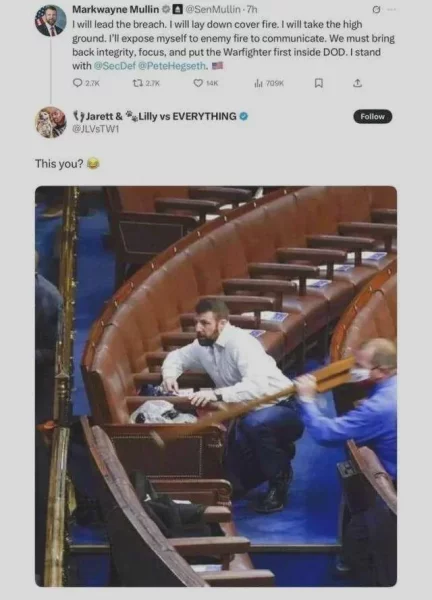
The new head of DHS, pt 2. 🤣
-
The new head of DHS. 🤣

-
I avoid Buakhao like the plague. Making it one way can't come soon enough. It will still be a mess but that should improve things somewhat.
-
The federal gov't doesn't have the power to do a lot of things. None of which have stopped the orange king from doing it anyways. Often with the help of the now completely partisan Supreme Court.
-
She's a failed business person who finally found financial success by becoming a political grifter. Sound familiar?
-
That's just because she's no longer getting any more of their grifter money. She was quite happy to ride the MAGA train before that. Stop trying to pretend she's one of the good guys now.
-
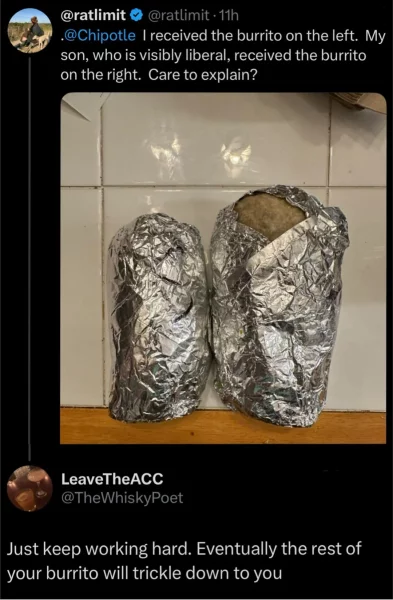
Here, have a burrito.
-
My guess is that these geniuses think that starting another pointless war is going to help them in the mid-terms. Or maybe give them an excuse for declaring a state of emergency to cancel the election or whatever when someone inevitably does something on US soil.
-
Former immigrant sex workers are taking our jobs!So pretty much normal then. As they build more and more condos it will only continue to get worse. I don't even bother trying to go anywhere on a scooter after around noon unless I have to. Especially weekends.Don't worry, everything is under control.
 "Smart people don't like me" --Convicted felon con man actually telling the truth for a change.