ravip
Advanced Member
-
Joined
-
Last visited
Everything posted by ravip
-
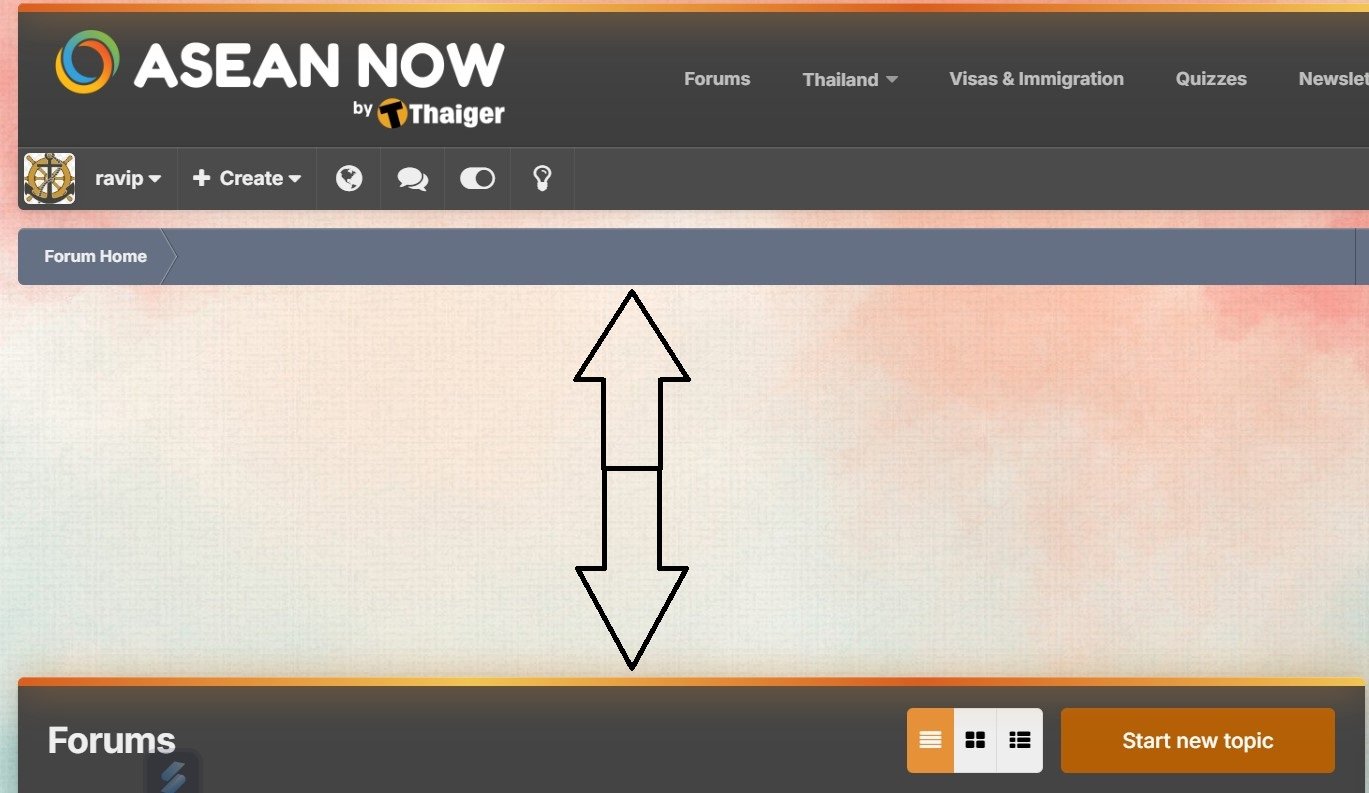
Is this large blank area normal in the New Look? - indicated by up/down arrows.
 Try the suggestion at 17:21 - How to improve audio. Anyway, this gives some good tips.On the A55 5G try the following (available by default) 80s Phone Single Tone Neptune Outer BellIt works for me. I chose Dark and hit the Save button. That's it!robo.mp4Gentlemen...just an idea for Christmas gifts for the wifeyI wonder how these these bizarre thoughts race across your mind. Definitely, I agree with you that the ultimate goal is to get down there, but the face is generally what unlocks that desire. Browsing through your Navel to the Knees pictures without a face would be more of a put-off than an attraction IMHO. Imagine, on your Sinder, someone is attracted to what's shown there, but ultimately finds that the upper part resembles something like a Frankenstein...I would like to add another question to the above list. Is your license still valid? (if you ever had one)You describe yourself so well... I guess you forgot to add arrogance.
Account
Navigation
Search
Configure browser push notifications
Chrome (Android)
- Tap the lock icon next to the address bar.
- Tap Permissions → Notifications.
- Adjust your preference.
Chrome (Desktop)
- Click the padlock icon in the address bar.
- Select Site settings.
- Find Notifications and adjust your preference.
Safari (iOS 16.4+)
- Ensure the site is installed via Add to Home Screen.
- Open Settings App → Notifications.
- Find your app name and adjust your preference.
Safari (macOS)
- Go to Safari → Preferences.
- Click the Websites tab.
- Select Notifications in the sidebar.
- Find this website and adjust your preference.
Edge (Android)
- Tap the lock icon next to the address bar.
- Tap Permissions.
- Find Notifications and adjust your preference.
Edge (Desktop)
- Click the padlock icon in the address bar.
- Click Permissions for this site.
- Find Notifications and adjust your preference.
Firefox (Android)
- Go to Settings → Site permissions.
- Tap Notifications.
- Find this site in the list and adjust your preference.
Firefox (Desktop)
- Open Firefox Settings.
- Search for Notifications.
- Find this site in the list and adjust your preference.