



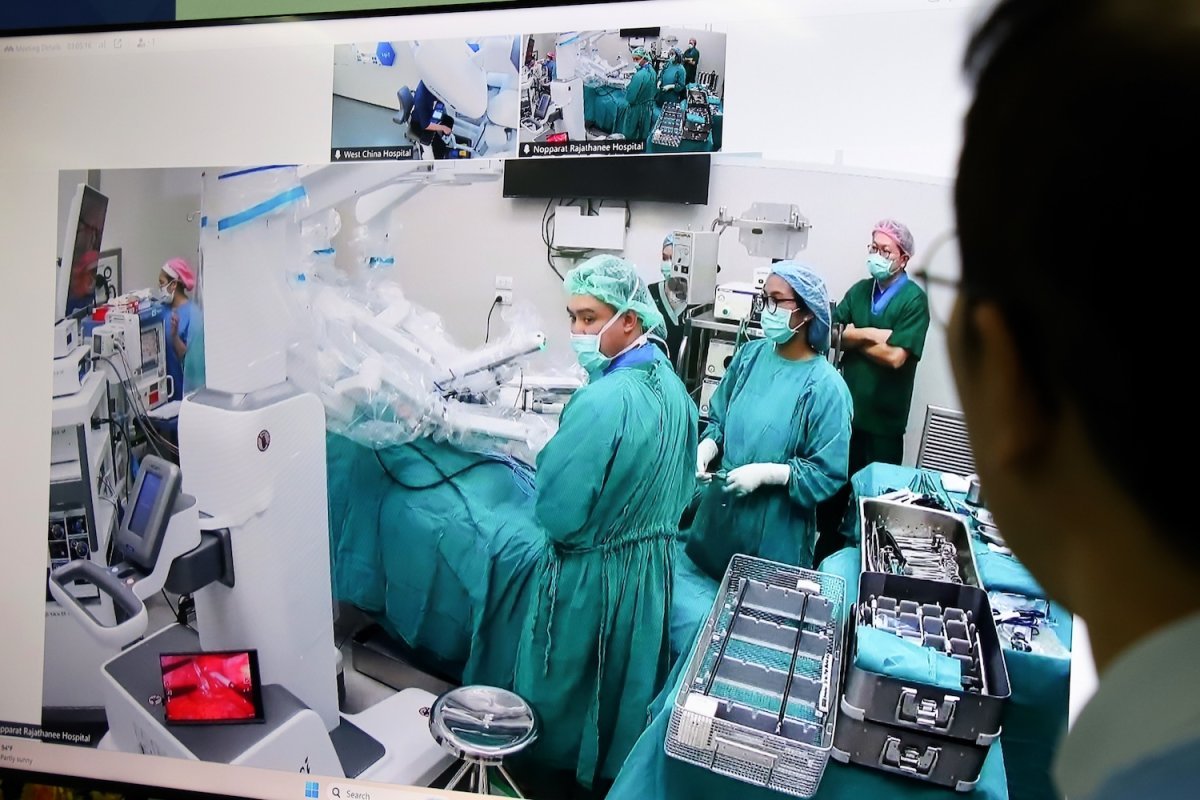

Thailand has achieved a groundbreaking milestone with its first successful cross-border tele-robotic surgery. The procedure linked Nopparat Rajathanee Hospital in Bangkok to West China Hospital in Chengdu, over 2,000 kilometers away. During the surgery, Dr. Pattharaporn Phetphosri remotely performed a robotic-assisted gallbladder removal from Chengdu, utilizing a high-speed, real-time communications network.
Get today's headlines by email 
This advancement highlights Thailand's efforts to incorporate cutting-edge technology into its healthcare system, as stated by Public Health Minister Pattana Promphat. The tele-robotic surgery is expected to enhance efficiency and reduce waiting times while offering patients access to specialized care from top-tier experts without the need to travel internationally. The Ministry of Public Health believes this could significantly alleviate access disparities, particularly for those in remote or underserved regions.
The successful surgery was facilitated by the Department of Medical Services with local teams in Bangkok assisting the remote operation. Gallbladder stone disease, prevalent in Thailand, could see improved treatment outcomes with the implementation of robotic-assisted cholecystectomy, addressing the gap in specialist access.
Join the discussion? 
Already a member? 
 Adapted by ASEAN Now · Bangkok Post · 22 Apr 2026
Recommended Comments
Create an account or sign in to comment