





A 21-year-old Chinese student, from Hong Kong, was safely rescued by Thai police after falling victim to a cross-border “virtual kidnapping” scam in Thailand, where international fraudsters allegedly manipulated the student into staging an abduction and demanded a ransom of HK$3 million (12.5 million baht) from the family.
Get today's headlines by email 
The case was announced on 3 June 2026 by Pol Gen Thatchai Pitaneelaboot, Deputy Commissioner-General of the Royal Thai Police and Director of the Anti-Human Trafficking Centre, alongside senior officers from the Central Investigation Bureau. The operation followed a request for assistance from the Hong Kong Police Force after the student’s family reported receiving threats and ransom demands.
According to investigators, Miss Wang, aged 21, disappeared after travelling to Thailand from Hong Kong. Her father was contacted via WeChat by an unknown man claiming to be holding her captive. The suspect demanded HK$3 million and sent images showing the student bound and appearing to have been assaulted, prompting the family to seek help from Hong Kong police.

Police discovered that before the alleged kidnapping, scammers had persuaded the student to request money from her father under the pretext that it was needed as proof of financial support for overseas studies. Between 19 and 20 May 2026, her father transferred HK$1.4 million, into her Bank of China account. The funds were later dispersed to multiple accounts believed to be linked to the scam network.
The student travelled alone on Hong Kong Airlines flight HX767, arriving in Thailand at 2.36am on 1 June 2026. She initially checked into a hotel in Bangkok’s Lat Krabang district, where investigators reviewed CCTV footage and found no evidence that she had been abducted.
Further investigation revealed that she had hired a vehicle to purchase ropes, a knife, body paint and red lipstick before creating injuries and restraint marks herself. She then photographed and filmed the staged scenes and sent the material to the scammers, who used it to pressure her family into paying the ransom.
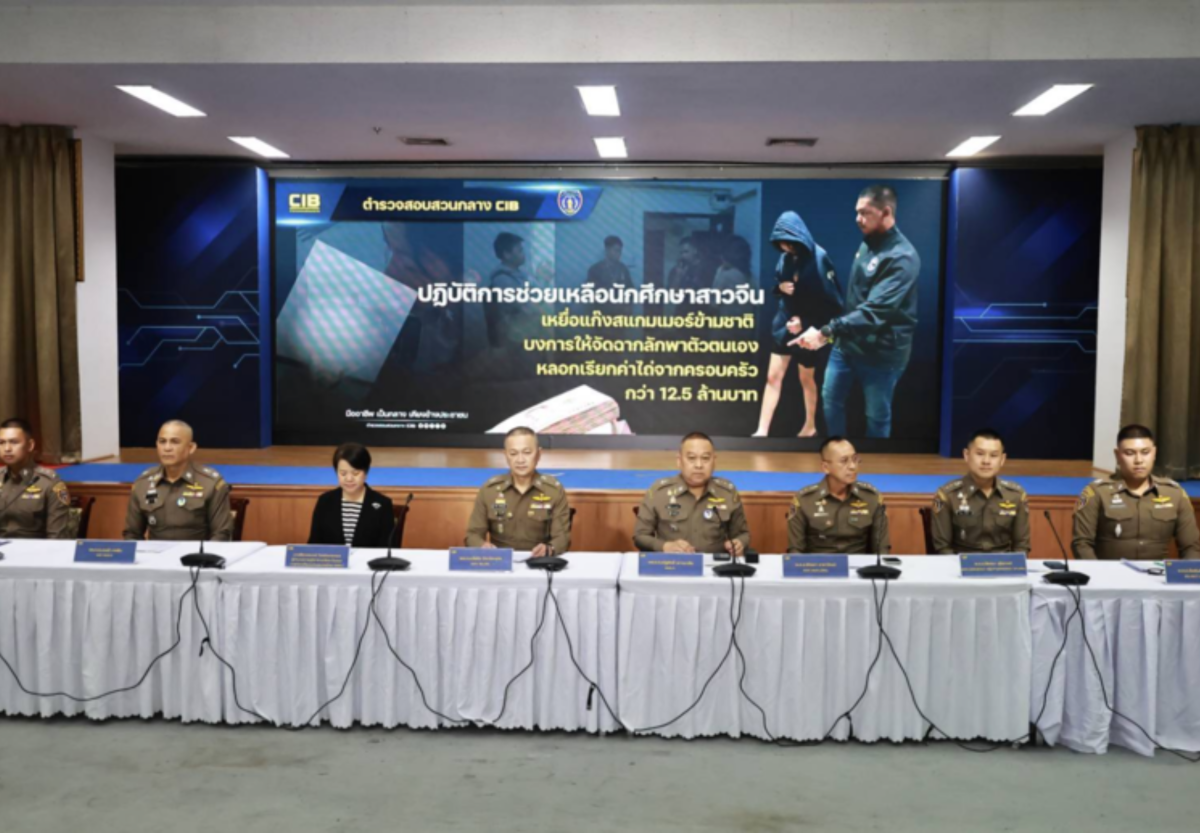
Pictures courtesy of Thaitabloid
Police later traced the student to another hotel in Bang Phli district, Samut Prakan, where she had checked in using a fake passport, allegedly supplied by the scammers. Officers located her and secured her safety.
The Royal Thai Police said the student had been subjected to psychological manipulation by criminals posing as government or law enforcement officials. Investigators described the case as a “virtual kidnapping”, a growing scam in which victims are coerced into isolating themselves and staging abductions while fraudsters extort money from relatives.
Thaitabloid reported that authorities said they will continue working closely with Hong Kong police and international law enforcement agencies to pursue those responsible and prevent similar crimes.
Join the discussion? 
Already a member? 
 Adapted by ASEAN Now Thaitabloid 4 June 2026
Recommended Comments
Create an account or sign in to comment