



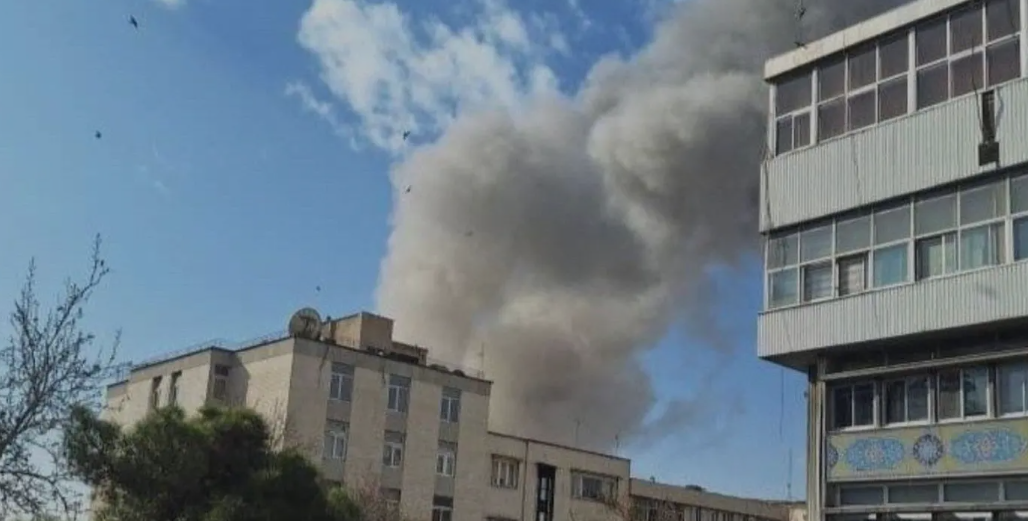

DUBAI, United Arab Emirates (AP) — President Donald Trump has appealed to the Iranian people to “take over your government” after the U.S. and Israel launched strikes on Iran.
He said: “It will be yours to take.”
THIS IS A BREAKING NEWS UPDATE. AP’s earlier story follows below.
DUBAI, United Arab Emirates (AP) — The U.S. and Israel launched an attack Saturday on Iran, with the first apparent strike happening near the offices of Supreme Leader Ayatollah Ali Khamenei.
Iranian media reported strikes nationwide, and smoke could be seen rising from the capital.
President Donald Trump said in a video posted on social media that the U.S. had begun “major combat operations in Iran.” He claimed Iran has continued to develop its nuclear program and plans to develop missiles to reach U.S.
It also wasn’t immediately clear whether the 86-year-old Khamenei was in his offices at the time. He hasn’t been seen publicly in days as tensions with the United States have grown. The attack comes as the United States has assembled a vast fleet of fighter jets and warships in the region to try to pressure Iran into a deal over its nuclear program.
Roads to Khamenei’s compound in downtown Tehran had been shut down by authorities as other blasts rang out across the capital. Neighboring Iraq closed its airspace, according to the Ministry of Transport.
Join the discussion? 
Already a member? 
 Adapted by ASEAN Now