




Carmine6
Advanced Member
-
Joined
-
Last visited
-
Mine does as well. In my case probably different signal strength accounts for most of it. I am very close to the tower at home with not much in between, and in Thailand , there is usually more distance and more dense physical structures in between me and the towers.
-
That clears up a lot. It was to arrive Tuesday California time. 7 PM here is Wed 9 AM in Thailand. Through midnight here is Wed there. I didn't note what time as it was 5 days away so I didn't really care what time they said it was arriving. So it wasn't a 5 day wait for no reason. I missed the time to get it Friday and then the banks were closed all the way to Wed. Which is still ridiculous as they shouldn't need staff working for an electronic transfer to go through. Unless they are doing some screening with Wise given they are not actually doing an international transfer but using their money in Thailand.
-
Yes, they always ask that. This time the message was: "Did we time that right?" And instead of a generic 1 to 10 rating and box to type in how they can improve, it goes to a web page that says this, except with the transaction number already filed in:
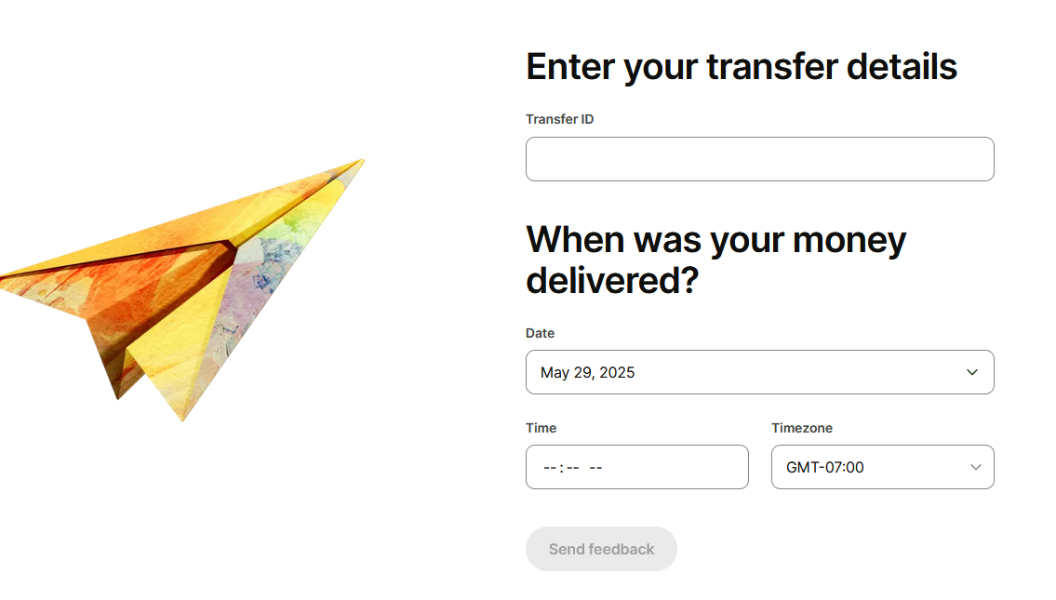
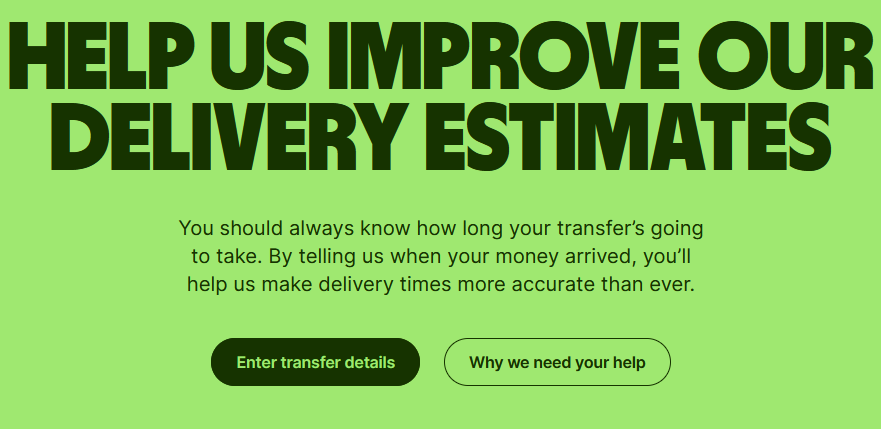
-
I'll add my recent experience. I sent USA bank account to my Bangkok bank account 33,000 baht a week ago. Wise said it would arrive after midnight here, or after 2PM BKK time the next day. That was actually almost 24 hours since I initiated the transfer maybe after 1:00 here. Arrived as expected. Today I was transferring about 19,500 baht at about 11AM Bangkok time, and it said it would arrive next Tuesday here. That's about 5 days away. I came here, and saw the threads and cancelled it. Was wondering if I would have to try another service, but thought if they're using a different method to send to other banks, maybe that would be better. Tried to send USA bank to my Kasikorn account and it said it would arrive instantly. I screenshot that and hoped it would be so. Ended up being basically instantly after I hit the button. In the case of my successful transfer last week it said the Paid Out From Banking Partner was Bangkok Bank. On the successful transfer to Kasikorn the Banking Partner is Kasikornbank. I do not know if they were using that other company for the attempted transfer to Bangkok Bank, but that wait time was ridiculous. 2PM Bangkok time the next day wouldn't be too crazy as long as it were reliable. But 5 days was not only past the exchange rate guarantee time, but just unreasonably long. When I logged on my computer to cancel I noticed there was a message on my account which was asking when the transfer last week arrived. Date and time. So they appear to be monitoring how long they are taking.
-
I travelled with a 15 inch laptop for years and about half of hotels I stay in had a big enough room safe. A fair amount of time it just barely didn't fit. So 12.4 will likely fit in most, but I mean over half, and not 80%. I have a 14 inch one now and it fits much more times. I stay generally in $60 to $80/night places, and the more expensive the more likely they are to have a large enough safe. As backup, I carry a cable lock that has a connector in the middle I loop that around something to the connector and then put that lock end of the loop into my backpack with the laptop, and then lock the zippers together. Sometimes I have done that with my suitcase, though it is rarer to find a place to wrap the cable around that works for the suitcase versus the backpack.
-
By pure chance I got rid of a Skype in number last year and signed up for Phone2 when they were advertising the lifetime account. That promo has been going on since maybe Summer last year because my Skype subscription ended in September and I had months of seeing the ad to think about it. Their numbers are NOT always 2FA compatible. I did not port my Skype number so do not know if that would have worked better. I have a credit card with Chase and added that phone number and for some reason they only accept one number at Chase and I selected that as my main number and it removed my cell phone from the account. Then I could NOT get a code from them through Phone2, but then they didn't have my cell connected to the account and I had call to get it added back on and the Phone2 deleted. I believe it also did not work with Fidelity. It has worked with some other accounts, financial and not. I also get spam text messages, though those went from maybe 1 a week to I haven't seen one in a while. They do not have number blocking, but have promised that for a while. Call quality is fine, though I do not use it to call anyone and have just tested it. The app is very basic, and they really are not adding features over time like they claimed. But for calling and texting, it is fine since there are no extra charges. I use it to text to my Google voice numbers to keep those from expiring. Also for 2FA for a few accounts like rewards accounts with Lowe's and others where they don't need my cell number.
-
I had the same issue so just did it in Thai. The province pull down worked, but district and sub district did not. Though the pull down when done in Thai has both the Thai and English. On the main page the address shows in English even though I selected things in Thai. Except that I typed the street in Thai so that shows in Thai.
-
This was relatively painless to sign up for. The only issue is the pulldowns for the district and subdistrict didn't fill when done in English. Province worked just fine, but the others wouldn't trigger in English even with just single letters. So I just did the address in Thai. But afterwards it shows the address in English for the places that were pulldowns. The street in in Thai since that is manually typed. It seems to be a 2 step process. Set up what is probably a user account. That login info came almost instantly. Then go back to your Profile and add any addresses that you're responsible for. I think this cuts out massive amounts of logins since the old system required identifying as the owner, manager, tenant, etc. So I think a property manager had to register each place with a separate login. At minimum, if they managed, rented, and owned different locations, those would be separate logins. A renter now seems to be able to keep the same account, then add any new places they rent, and can delete the old. Same for owners, who may also be renters or own more than one place. Just add any addresses regardless of who you are relative to that address. I could be wrong about that, but I recall the registration being address specific, rather than person/entity specific before. They didn't ask for the title document for my condo, only the house book and id/passport. They should probably add a check box for each address where you specify that you are the landlord, property manager, renter, etc.

