



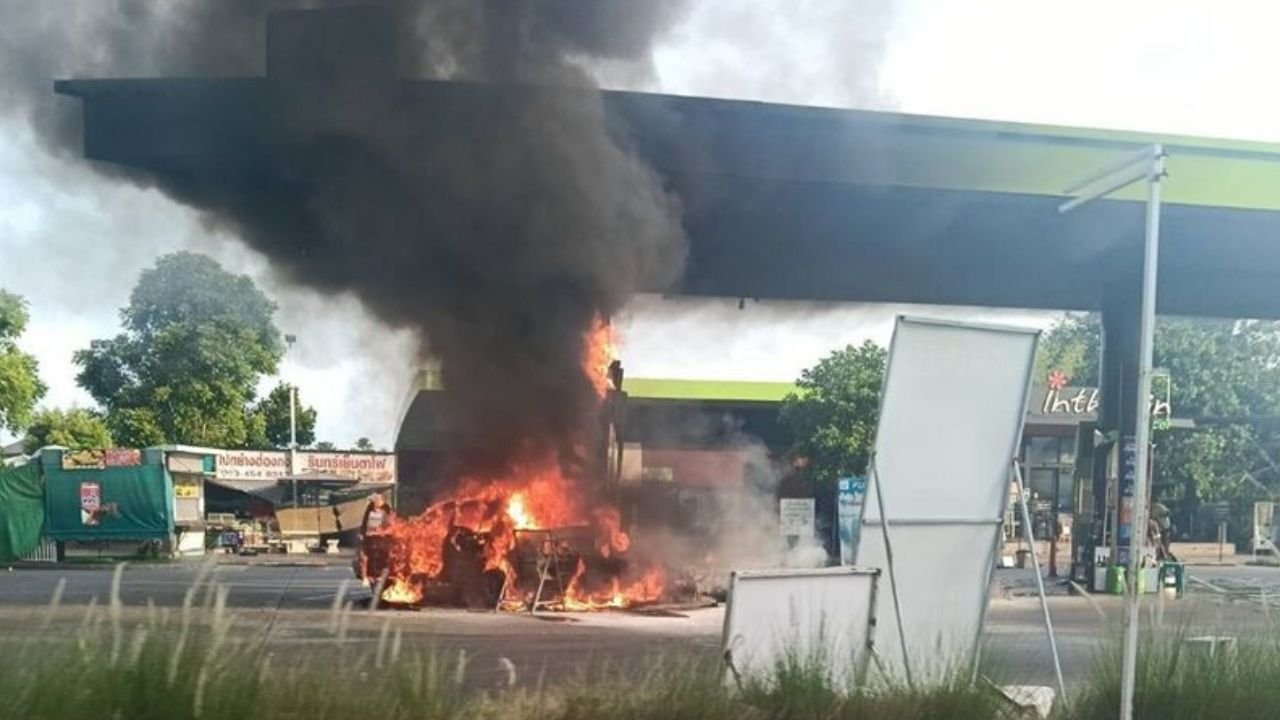

An elderly driver collided with fuel pumps at a Bangchak petrol station in Bangkok's Bang Khun Thian district this morning, sparking a fire that destroyed his car and damaged the station's equipment. Remarkably, there were no injuries. The incident occurred around 7:14 am at Rama II Soi 94, prompting swift action from local firefighters who contained the blaze in approximately 30 minutes.
Get today's headlines by email 
Firefighters from Bang Bon Fire and Rescue Station used foam to manage the flames, while staff and patrons evacuated the premises quickly. The sedan involved was completely destroyed, and two fuel dispensers suffered damage. The driver, 71-year-old Sophon, explained that he was attempting to refuel and check his tyres when the accident happened.
Sophon recounted that after inflating a tyre, he struggled to locate a valve cap and may have accidentally shifted gears. Consequently, the vehicle lunged forward into an air pump. Panicked, Sophon attempted to reverse the car, but it got stuck, leading to a collision with a fuel dispenser when he applied the accelerator again.
According to a station employee, the driver was seen repeatedly maneuvering the vehicle before the crash. The sequence of these actions led to the initial fire, which alarmed those present but resulted in no injuries.
Join the discussion? 
Already a member? 
 Adapted by ASEAN Now · The Thaiger · 06 Mar 2026
Recommended Comments
Create an account or sign in to comment