



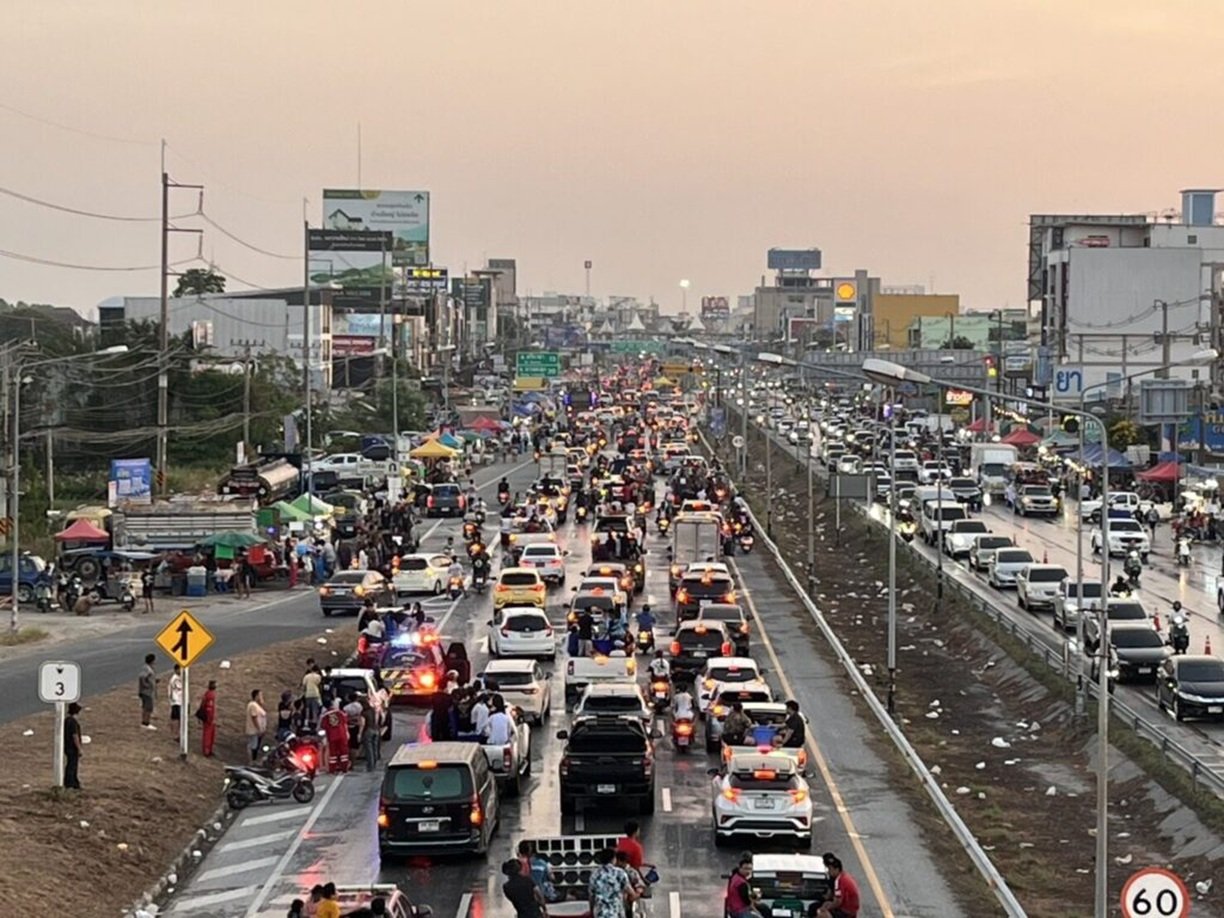

Heavy traffic congestion occurred in Bang Saen Thursday evening as crowds gathered for Wan Lai Songkran celebrations. Roads leading to the beach, particularly Sukhumvit Road and Khao Lam Road, experienced severe delays as tourists arrived in pickup trucks carrying water for festivities. The influx caused extended traffic queues and disruptions.
Get today's headlines by email 
Authorities from Saensuk station intervened to manage the congestion and ensure that emergency vehicles could access critical areas like Burapha University Hospital. As a preventive measure, some roads to the beach were closed, redirecting vehicle traffic to alternative routes to mitigate safety risks and avoid past issues where emergency services were obstructed.
Despite rerouting, many festival-goers chose to walk to the beach, leading to crowded conditions near local restaurants. This year's Wan Lai festival, occurring over 16–17 April, highlights traditional sand pagoda contests with government, private, and community entries expected to build around 100 structures on 17 April.
Join the discussion? 
Already a member? 
 Adapted by ASEAN Now · Khaosod · 17 Apr 2026
Recommended Comments
Create an account or sign in to comment