



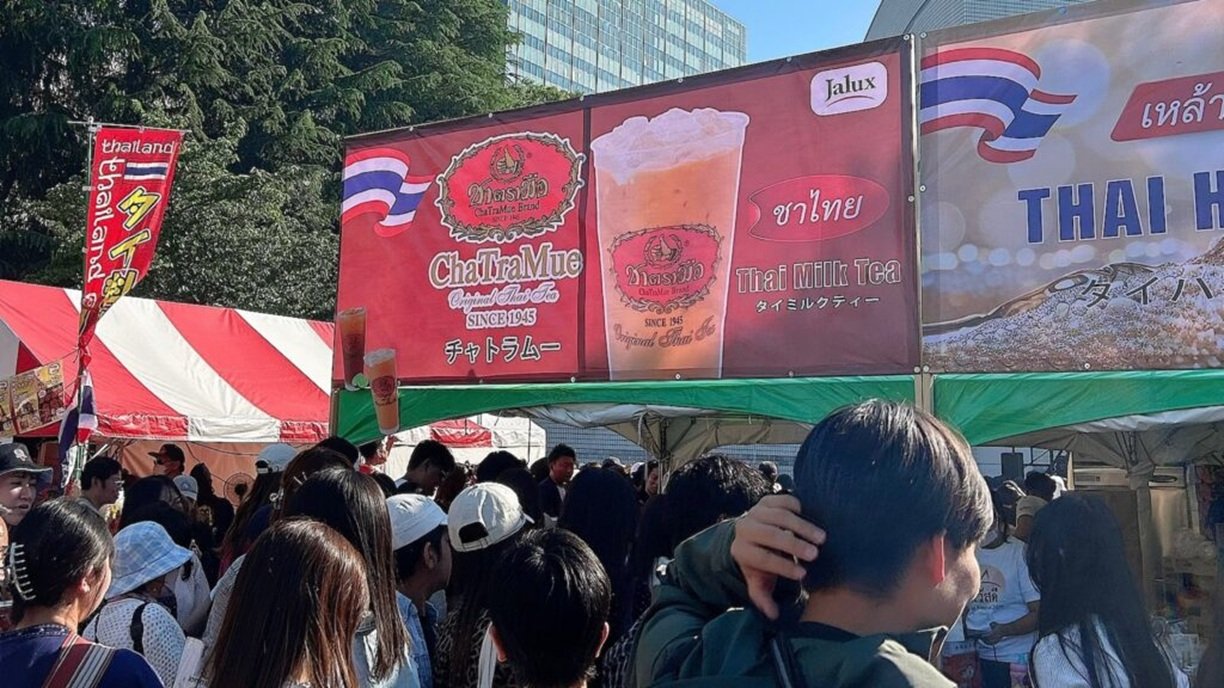

Thai tea emerged as a top attraction at the Thai Festival in Tokyo, with attendees waiting up to 40 minutes for a cup. The event, held at Yoyogi Park from May 9-10, is one of the largest Thai festivals outside of Thailand and annually attracts over 300,000 visitors.
Get today's headlines by email 
This year, the festival's theme was "Creative Life and Creative Heartbeat," featuring a variety of Thai cultural experiences such as food, performances, Muay Thai demonstrations, concerts, and fan meetings with Thai artists. Among these, ChaTraMue's Thai milk tea booth gained significant attention on Japanese social media, highlighting the overwhelming queues.
The festival aims to foster cultural exchange and boost Thailand’s creative industries and national branding in Japan. Social media buzz suggests significant interest in Thai culture and products, reflecting the festival's success in promoting Thailand beyond its borders.
Looking forward, the popularity of events like this could lead to increased cultural tourism and stronger bilateral relations between Thailand and Japan. Organizers hope to continue this momentum in future festivals, potentially expanding the array of Thai cultural experiences on display.
Join the discussion? 
Already a member? 
 Adapted by ASEAN Now · Khaosod · 11 May 2026
Recommended Comments
Create an account or sign in to comment