




NanLaew
Advanced Member
-
Joined
-
Last visited
Everything posted by NanLaew
-
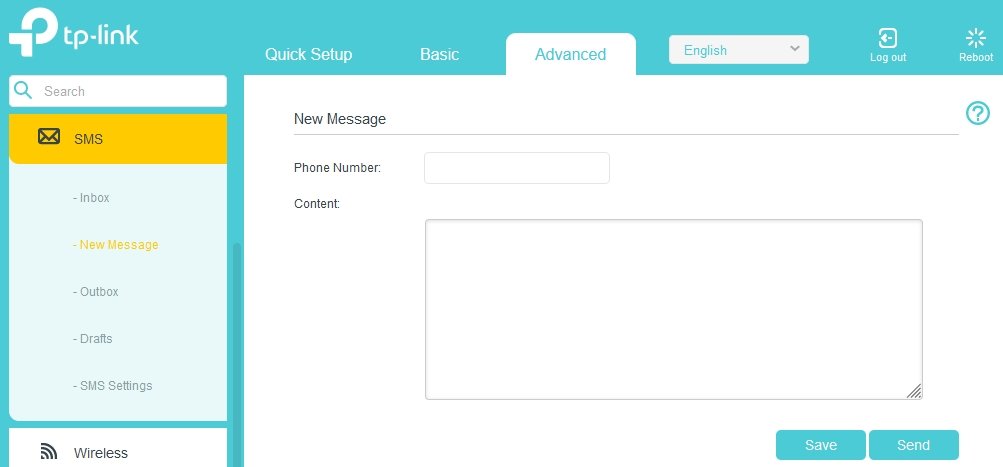
The 1-year DTAC data SIM (bought on Lazada from Simnet Agentplus) in my 4G modem/router has just expired. I read in other threads that some have managed to top-up and extend for another 12-months after expiration, but that may have been unique to AIS? I checked the SMS messages and there was no offer to renew before the expiration and since then, only the short-term day/week add-on data package offers. On another tack, I did a quick 50-baht top-up to see if that worked but I was unable to apply one of the packages and the balance was gone soon after. If I type the data package code into the Phone Number box in the modem/router's SMS New Message menu and hit Send, does that do the trick? Thanks.
-
Thanks for the information. I will only turn it on when I am expecting 2FA and the like. I live here so my AIS data package is what I use. Again, thanks for coming back and confirming that it can be done while out of the US. It does seem to be the likely reason why others struck out. Thanks, all very helpful and reassuring.
-
@DFPhuket said earlier that activating it wasn't possible here or in Doha and was only possible once it registered on a US network. When you say you set it all up from Thailand, I am assuming the ordering process and receiving the eSIM was all online but that also included 'installing' and activating the eSIM while in Thailand? I am not arguing your experience, just looking for some clarity. Thanks. Specifically SIM or eSIM? Thanks.
-
No, no need @BenStark. I'm happy knowing I am now inside your head. It's quite roomy in here.
-
Thanks for that follow up, much appreciated. Yes, getting a UltraMobile SIM on eBay and getting a friend to activate and send to me was an option I explored earlier. The Nokia G60 isn't marketed in the US, so my guess is it wouldn't come up as any sort of listed device. However, it is a fully eSIM compliant handset and that technology isn't unique to the handset manufacturer. I understand that it's a QR-code driven/activated set up.
-
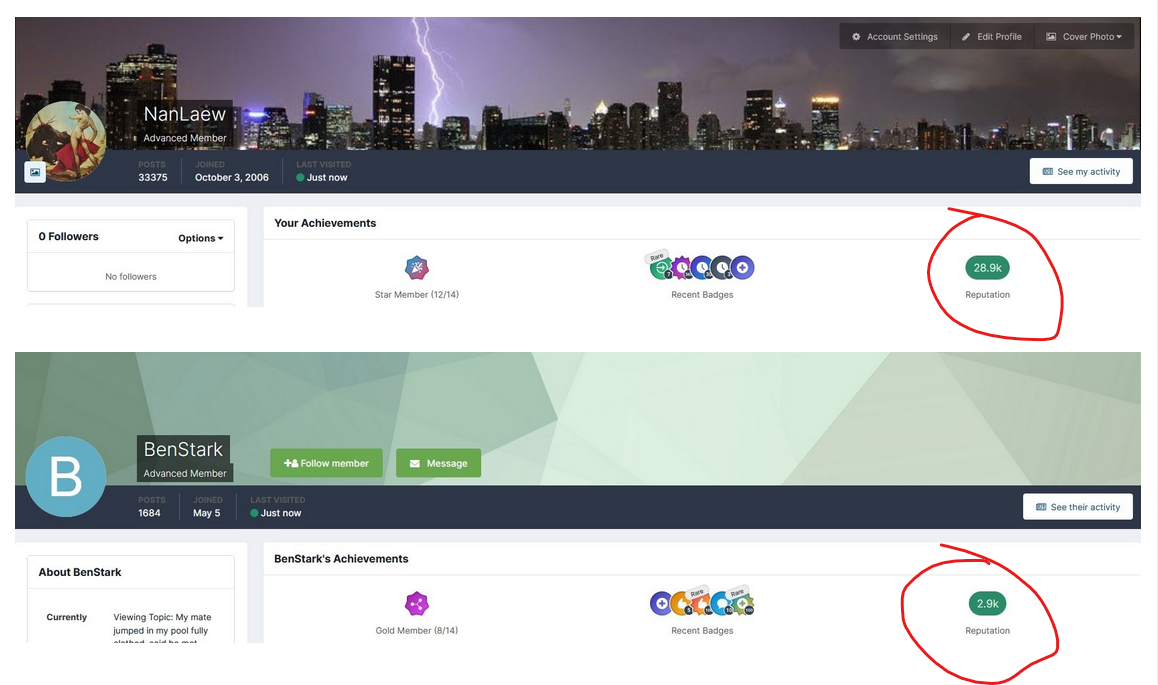
But unlike you @BenStark, I wasn't looking at the shiny badges, I was looking at the "Reputation" count on the right-hand side. If you need help @BenStark, I can repost with those bits circled. In the meantime, I hope your New Year is a fun-filled as your Christmas was. I really do. PS. Here ya go anyway.
-
Typical limp-wristed Aussie response. A Scotsman would have rammed his hand down the guy's throat, grabbed a hold of is arse and pulled him outside in.
-
I hope you have subsequently drained and cleaned the pool.
-
Sounds like a plan. But, from the OP...
-
Then you've obviously never tried Pizza Hut's Sushi crust offering.

-
Thanks. Did you set these up in the US before heading overseas? Thanks.
-
I use Danish blue cheese instead of cheddar. You'll thank me for it.

-
Then... So no, no you don't love pizza. Pineapple chunks on a bloody pizza?!
-
There's no denying you know your android box stuff but that's just about all you know. Merry Christmas @BenStark, You've been more help than you will ever, ever know.
-
Do you work for Mecool? Firesticks can be run on an extender HDMI cable if back-of-the-set signal is rubbish. I'm not watching it in the shed (there's a PC in there + DTAC 4G wifi). This is in the bedroom, where the 3BB 5GHz Wi-Fi router is about 6 foot away from the telly. Signal strength will never be an issue around this place. Anyway, appreciate the reference to lazada and the 2000 baht-and-up Mecools. On the list of options. Thanks.
-
Thanks for that. I could probably buy a new, entry-level smart TV for the price of that, especially with the Christmas specials on. What's with this certification? I watch Netflix on my ancient desktop in the shed and that's far from certified. I am a not totally ignorant of the web of things and I imagine there is a lot of rubbish and false advertising out there, but this 'certification' doesn't quite ring the same as 'compatible'. Not arguing, just clarifying the jargon.
-
From 1500 baht and up on lazada. Was yours locally purchased?
-
I see them on lazada for 2500 baht and up. Is that where you got yours? I mean from an online Thai reseller?
-
My Mecool search revealed devices costing 75 quid from the UK. How about the boxes on lazada for 1000 baht and up that are Netflix compatible and show users photographs with Netflix on the onscreen menus? I haven't got any box from 3BB, nothing but their modem/router.
-
No worries Nick. Merry Christmas.
-
Plenty of YouTubes and self-help out there but looking for a robust and easy solution for up here in Isaan. I have a couple of flat screen TVs that predate the SMART era and are limited to the regular AV interfaces with no built-in internet or Bluetooth support. Therefore, I guess I am looking at the firestick or android box solutions. Plenty options on lazada, including different size memory and the like but just looking for something that will need minimal setting up and virtually idiot-proof. Not a great watcher of premium sports or the like but I have a Netflix account that gets plenty use in my shed or the SMART telly in the lounge. These 'dumb' TV's are in the bedrooms. The home has 3BB's fiber-driven 5Ghz Wi-Fi so that part is all sorted. Thanks in advance.
-
You mean there are other countries out there where you don't need money to live???!!!
-
Are you The Grinch?
-
DILLIGAF Talk to a Mod if you think they're abusing their own fair use rules.
-
Obviously, sell up and relocate.







