



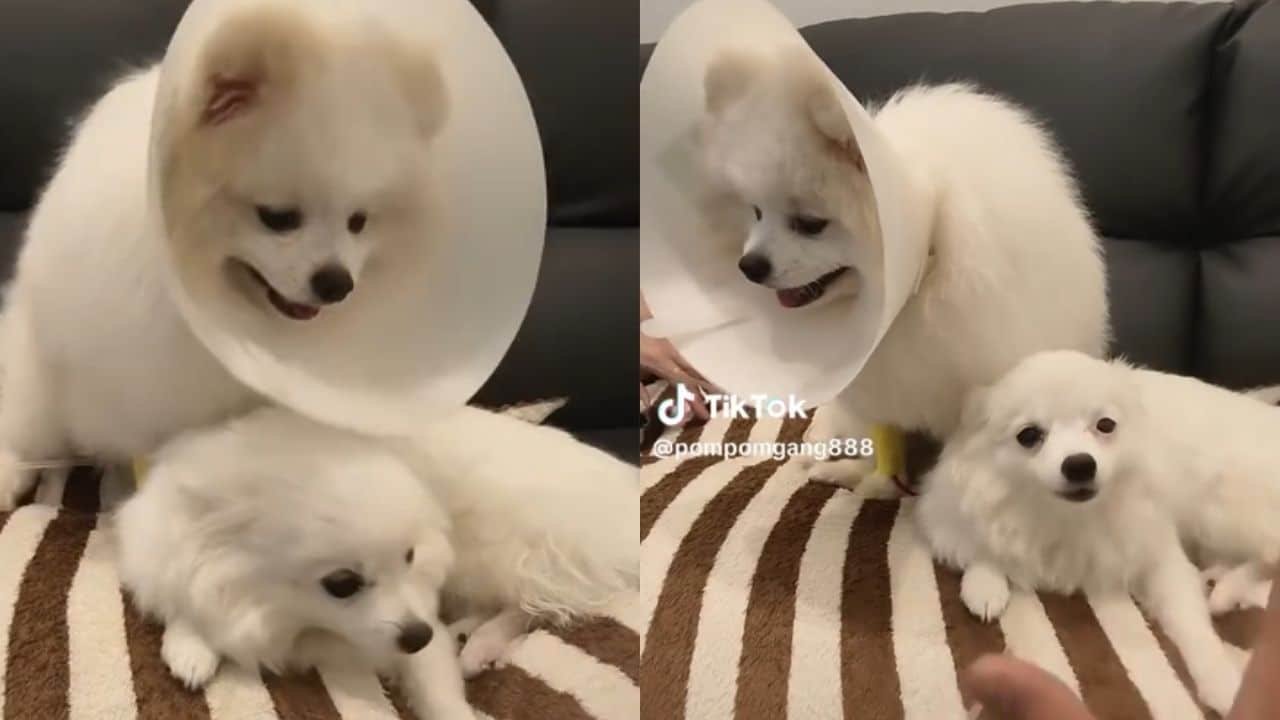

Two Pomeranians in Thailand required surgery after swallowing a gold necklace worth over 140,000 baht. The incident occurred when Natthaporn Rukkachart, the dogs’ owner, found that his pets had chewed and ingested parts of the necklace overnight. Prompt veterinary intervention led to successful surgeries for both dogs, who are now recuperating.
Get today's headlines by email 
The owner, Natthaporn, initially shared the unsettling situation on TikTok, where he detailed how he had removed and placed his 210,000 baht necklace on a chair. His girlfriend's discovery of the dogs, a seven-month-old named Shabu and an eight-month-old named Yujin, chewing on the jewellery led to swift action.
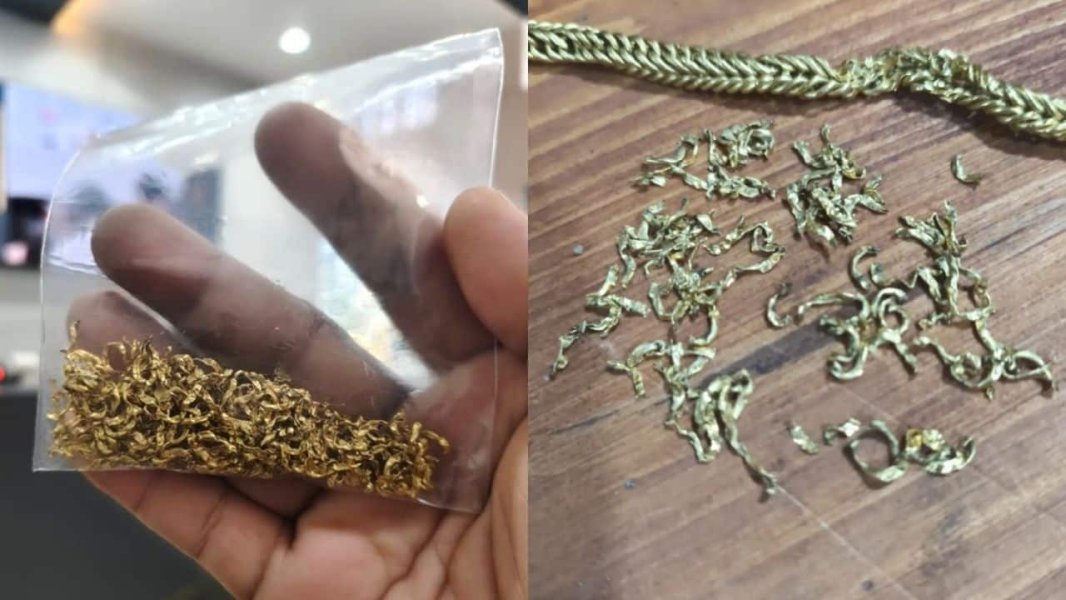
Upon examination, X-rays revealed gold fragments in both dogs’ stomachs. With potential health risks looming, veterinarians performed surgeries to safely extract the pieces. Although the procedures were successful, Yujin experienced some post-operative fatigue.
The dogs remain under surveillance at a veterinary hospital. Natthaporn's TikTok updates confirm their stable conditions and highlight his advice for pet owners to safeguard valuable items from curious pets.
Following the incident, Channel 8 reported that the couple sold the rescued and remaining parts of the necklace to a gold shop, though the financial outcome remains undisclosed.
Join the discussion? 
Already a member? 
 Adapted by ASEAN Now · The Thaiger · 08 May 2026
Recommended Comments
Create an account or sign in to comment