



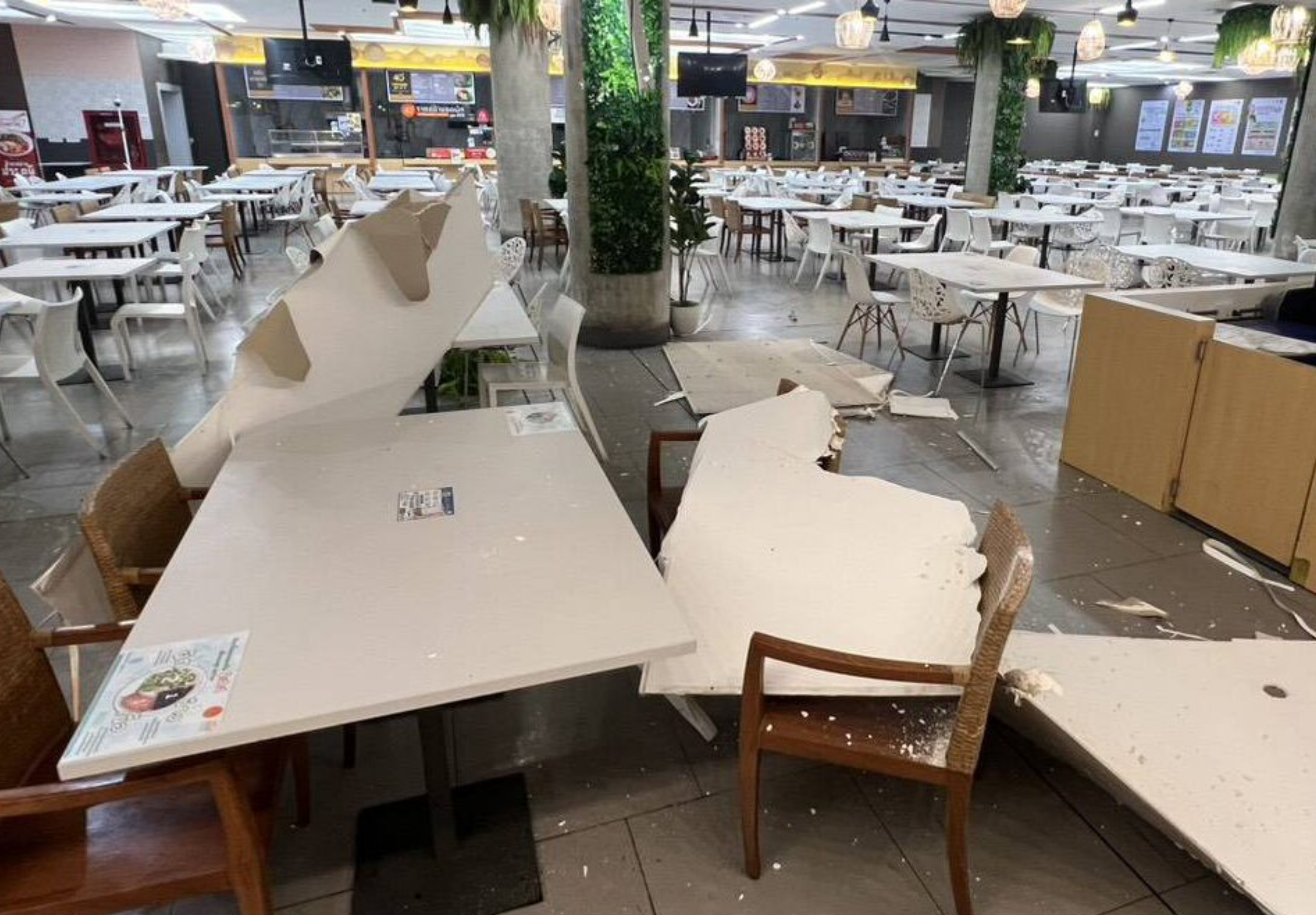

A section of ceiling at the Parliament building's B2 cafeteria collapsed on 13 September, damaging tables and chairs below. Nobody was injured because the area was not in use.
The collapse occurred in the dining area on basement level two, where the fallen ceiling came down onto furniture. The impact left dining tables and chairs damaged.
Collapse during weekend
The incident narrowly avoided what could have been a major accident, according to the report. On normal working days, the B2 area is heavily used by civil servants, parliamentary employees and other staff.
MPs, senators and people attending parliamentary meetings also use the cafeteria as a place to rest and have lunch. Had the ceiling fallen during regular working hours, the report said, many people could have been injured.
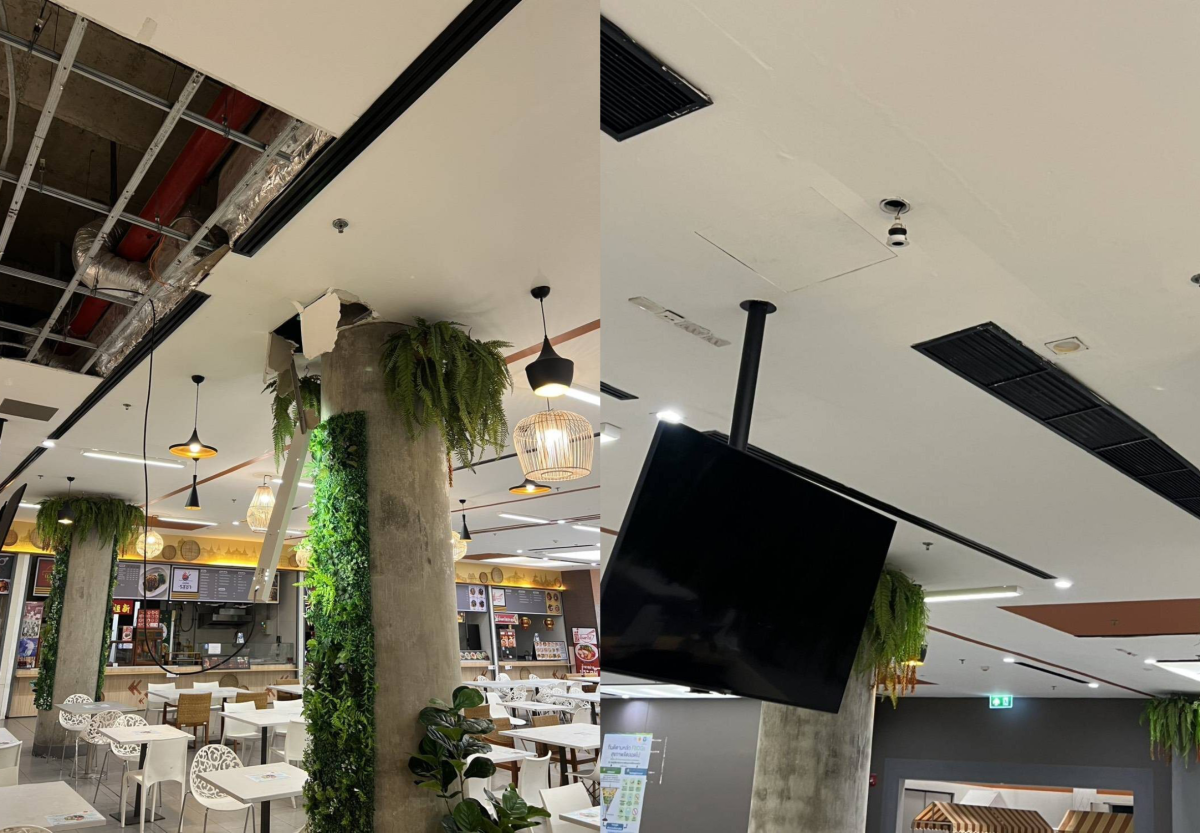
Officials and the Parliament building's engineering team inspected the damage and the affected area after the collapse. They are working to establish whether the cause was a structural problem, moisture, or deterioration of materials.
Checks before reopening
Authorities cordoned off the affected section temporarily for repairs and safety checks. A detailed inspection of the wider building is also planned to help prevent a repeat that could cause injuries or property damage.
The checks were carried out ahead of the building's expected use on 14 September.
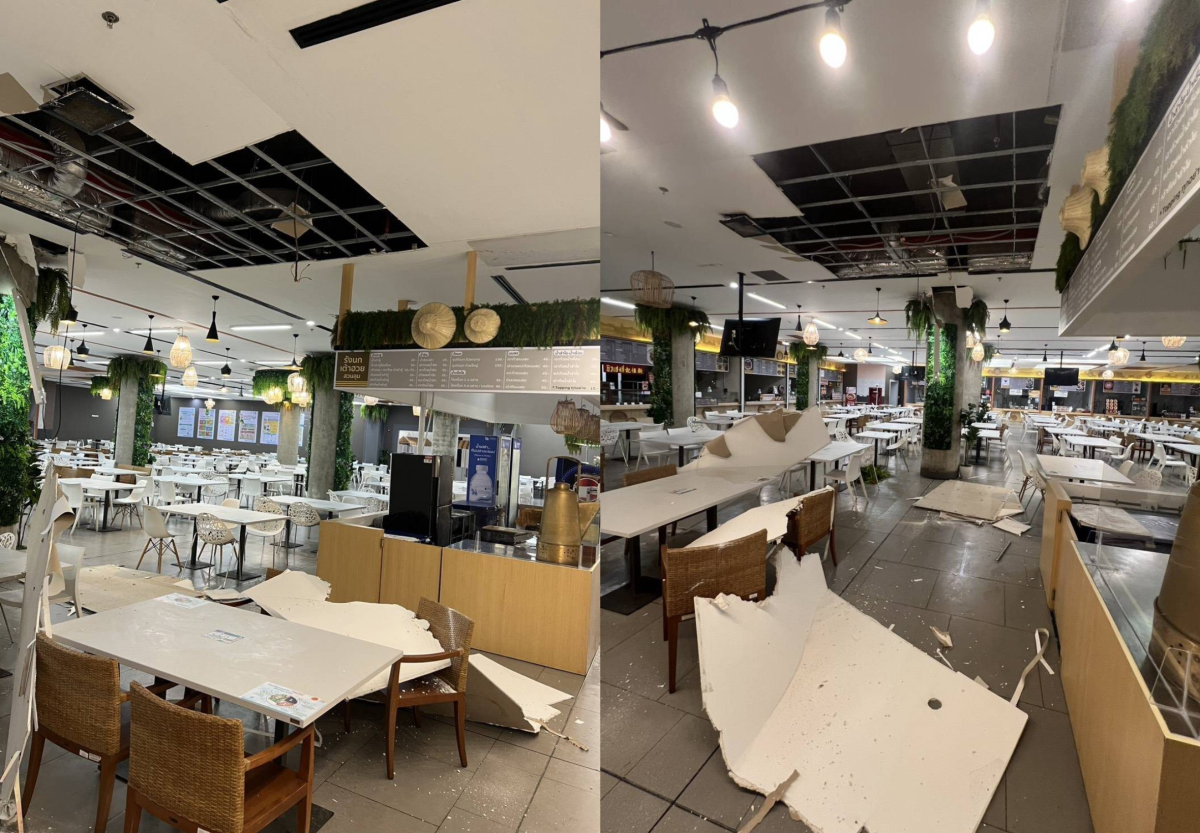
Pictures courtesy of Khaosod
Join the discussion? 

14 September 2026
Recommended Comments
Create an account or sign in to comment