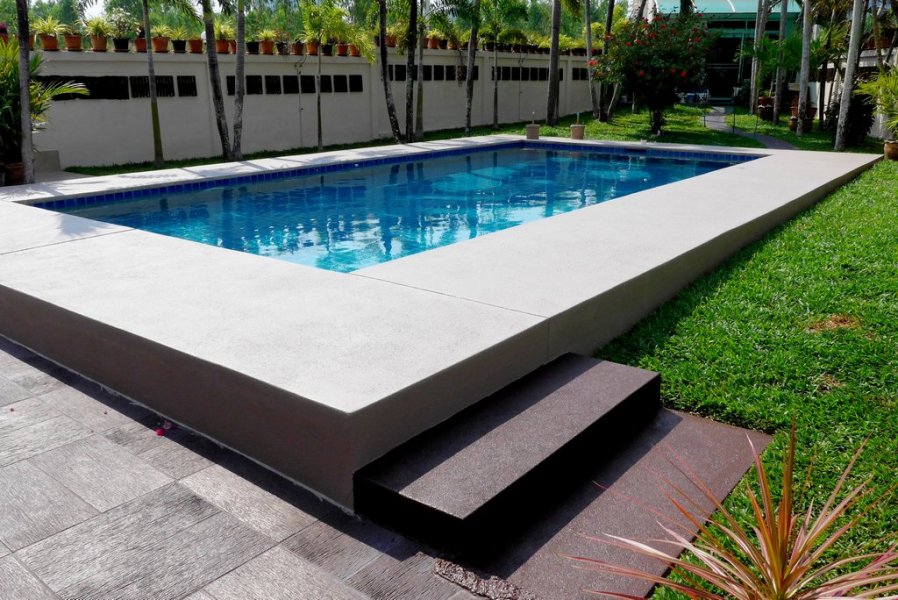
-
Repairing Sandwash
- Repairing Sandwash
I gave mine 3 coats of TOA roof paint in the last 12 years no stones coming off- controlling leaf miners
anyone had any success, my last lot of cantaloupe melons every leaf was infected.- Menu disappeared
My Menu has always been on the top right (3 lines)- Rats
They have been at my car again, whats the best bait to put in a rat trap cage- Birds in your garden
- UK Giffgaff sim
Yes every 6 months- UK Giffgaff sim
Anyone having trouble their balance, looked on the site to check my balance should have been around 15 pounds it was ZERO. Thought it might be my phone, so put the sim in a none smartphone and turned it off. Put 15 pounds credit on it, next time I looked on the site it had gone down to 13.40. On the Giffgaff forum other people have the same problem.- Did you notice Shopee.co.th prices differ for Thais and Farangs?
Thanks never thought of that, just downloaded the app & do as you suggested- Worst Joke Ever 2026
https://www.youtube.com/watch?v=TlvqRxvMGko&list=PL0ZLIrqKjX7yzXznLxKrDIT1RAkV__RrA 200 videos- UK credit card
Shopping on Shopee & Lazada I always use COD. Now thinking of using my UK credit card has anyone had any problems using their credit card from their own country on these sites. Thanks- How to reduce echo in rooms / house
Pictures on the walls- Are the test strips worth buying?
This is what I use may seem expensive but I only use 1 a week sometimes every 2 weeks, depend on the rainfall. https://www.lazada.co.th/products/i2059998093-s6719156203.html?urlFlag=true&mp=1- Are the test strips worth buying?
Check the reviews on Lazada, some are not very good.- From December 16, you no longer have ANY PRIVACY !
Take a look at this - Repairing Sandwash
sometime
Advanced Member
-
Joined
-
Last visited
Account
Navigation
Search
Configure browser push notifications
Chrome (Android)
- Tap the lock icon next to the address bar.
- Tap Permissions → Notifications.
- Adjust your preference.
Chrome (Desktop)
- Click the padlock icon in the address bar.
- Select Site settings.
- Find Notifications and adjust your preference.
Safari (iOS 16.4+)
- Ensure the site is installed via Add to Home Screen.
- Open Settings App → Notifications.
- Find your app name and adjust your preference.
Safari (macOS)
- Go to Safari → Preferences.
- Click the Websites tab.
- Select Notifications in the sidebar.
- Find this website and adjust your preference.
Edge (Android)
- Tap the lock icon next to the address bar.
- Tap Permissions.
- Find Notifications and adjust your preference.
Edge (Desktop)
- Click the padlock icon in the address bar.
- Click Permissions for this site.
- Find Notifications and adjust your preference.
Firefox (Android)
- Go to Settings → Site permissions.
- Tap Notifications.
- Find this site in the list and adjust your preference.
Firefox (Desktop)
- Open Firefox Settings.
- Search for Notifications.
- Find this site in the list and adjust your preference.