Lite Beer
Advanced Member
-
Joined
-
Last visited
-
The picture on the friendly games looks really good No catch-up or repeats but I assume there will be once EPL starts. All to do with licencing.
-
They also have some pre season games and The USA tournament. It looks like you can subscribe on the 3BB internet app at a discount. But after hours getting to work on the HBO app I am rather reluctant to change anything. The erevediicii on Sport 1 Chanel looks really good picture.
-
He could if it actually worked.
-
Hey Teacher. Leave them kids alone.
-
90 Days only is rather hit and miss. It works for some and not for others. Not worked for me for 2 years.
-
Still talking rubbish. You'll get there eventually.
-
Really? And you know this as a fact.❓
-
There is no six months minimum. Passport has to be valid for length of stay
-
90 day online not been working for ages for me. A shame as it is a good idea in theory if it actually worked.
-
I don't think you ate asking about VOA. Probably a Visa exempt entry. Two different things.
-
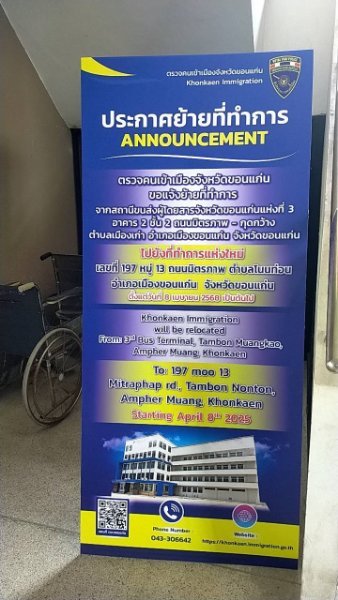
At least it's better than Nong Kai or Korat where we used to have to go.
-
A shame that it no longer works as it was a good idea.It is free to report so what are you actually losing? Nothing.Because it is. Why do you think I used an agent?