



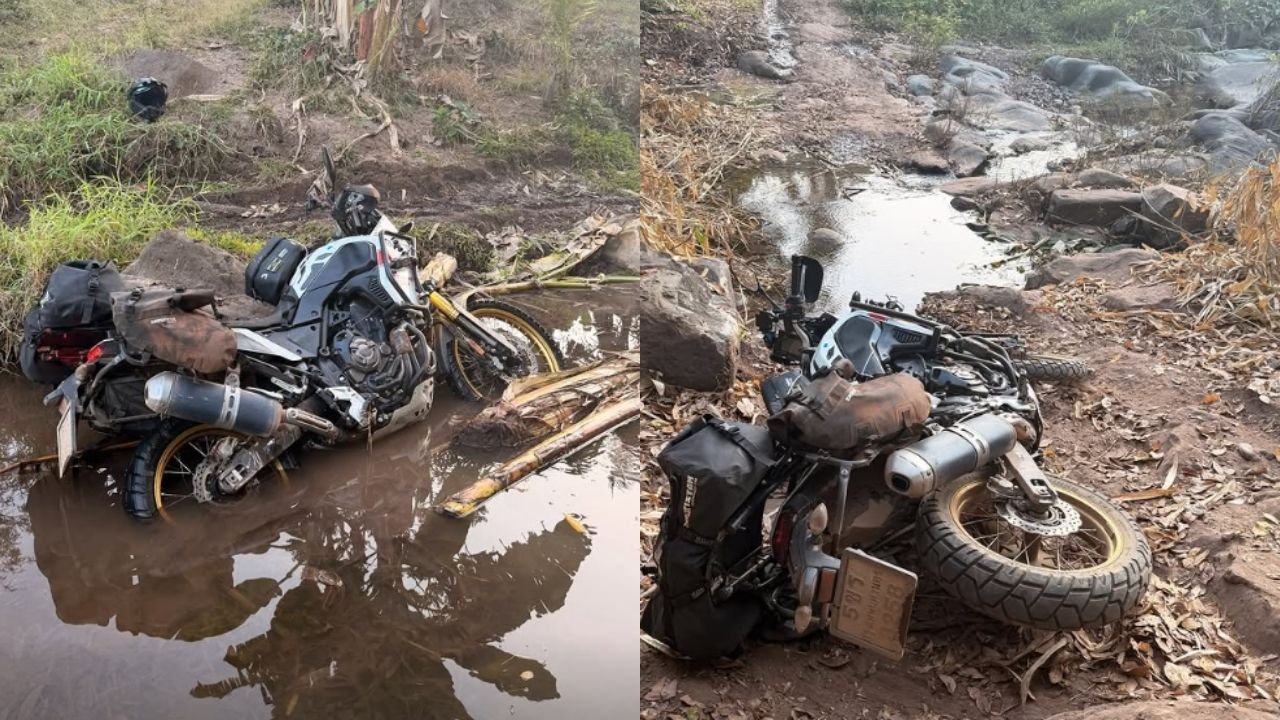

A Canadian man, Ibrahim Laamiri, is accused of stealing 20,000 baht from a motorcycle rental shop in Samut Prakan, Thailand, after allegedly refusing to pay for damages to a rented Yamaha Tenere 700. The motorcycle was rented from January 13 to February 20, with Laamiri paying a 20,000 baht deposit. Upon return, the motorcycle had extensive damage, with repair costs estimated at 141,165 baht.
Get today's headlines by email 
Despite being contacted for payment, Laamiri denied responsibility and arranged to meet at the shop on March 4. During the meeting, the owner offered a discount on repairs, reducing the bill to 68,115 baht, but Laamiri still refused to pay. Attempts to involve police as mediators were unsuccessful, as officers advised both parties to meet at the local police station, which Laamiri declined.
The owner claimed that during a staged call with police, Laamiri stole 20,000 baht from the counter. CCTV footage allegedly captured him taking the money and some documents before fleeing. The shop owner filed a complaint at Samrong Nuea Police Station, urging police to issue an arrest warrant to prevent Laamiri from leaving the country, but received no updates.
Laamiri has since posted videos on Instagram, allegedly showing him taking the cash from the shop, but remains unlocated. The case has drawn attention to concerns over rental agreements and dispute resolutions involving foreign nationals.
Join the discussion? 
Already a member? 
 Adapted by ASEAN Now · The Thaiger · 25 Mar 2026