



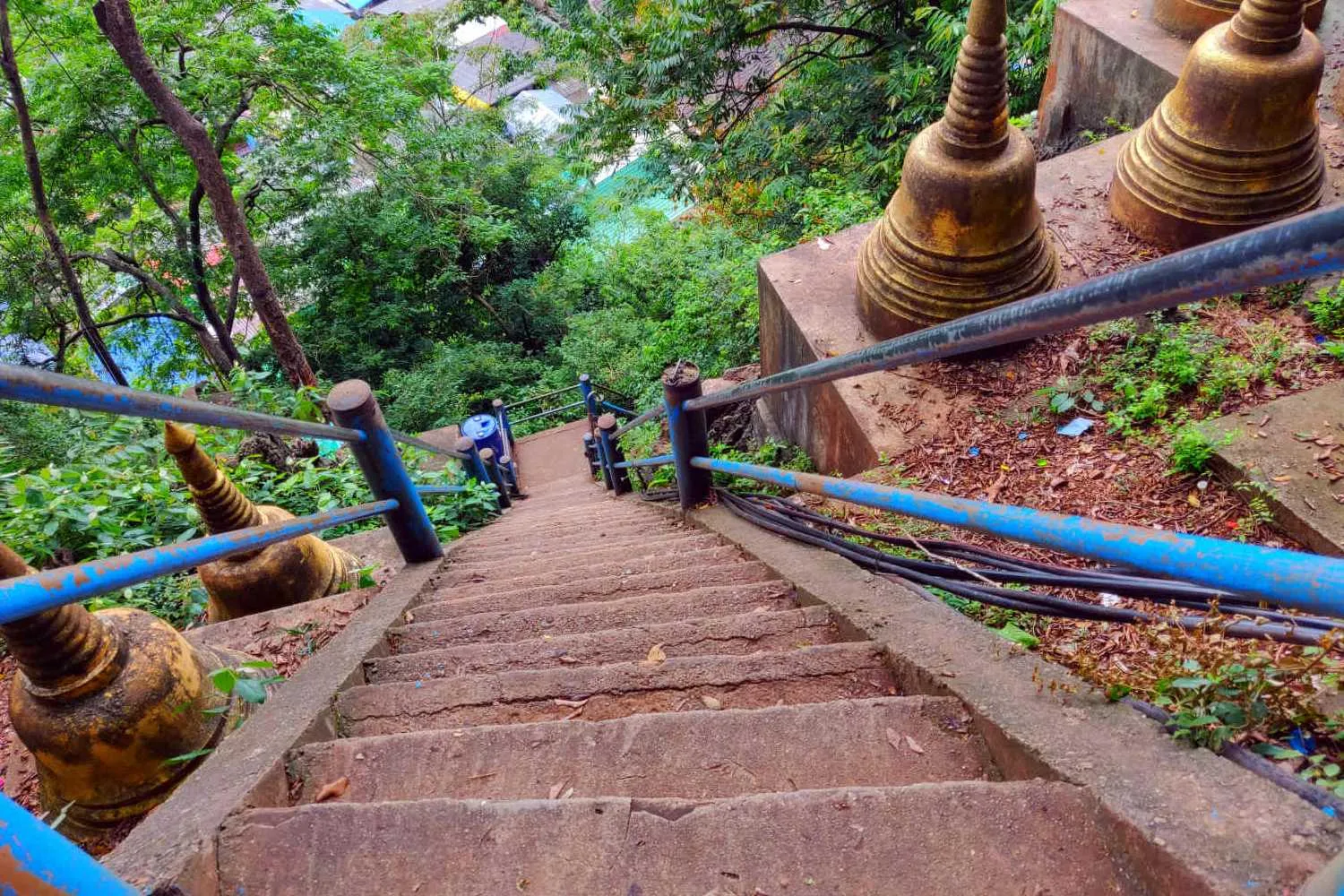

A Canadian tourist tragically died from heart failure while climbing the challenging 1,260-step route at Krabi's Tiger Cave Temple in Thailand. This marks the second fatal incident there in just three days. The man collapsed near the 1,100th step, where his wife and others attempted to resuscitate him unsuccessfully before rescue teams arrived.
Get today's headlines by email 
Tiger Cave Temple, a well-known spiritual landmark in Krabi, is famous for its rigorous climb. The deceased's wife, Supanya Srisuthanyawong, reported that her husband had shown signs of dizziness prior to collapsing. This recent death follows other concerning incidents, including a 68-year-old Thai man who died just days earlier, and other recent emergencies on the ascent.
The incidents have fueled online calls within Thailand for heightened safety measures at the temple. Suggestions from social media users emphasize the installation of a cable car, restricting access for older visitors, and introducing health checks for those attempting the climb. The challenging nature of the steps, coupled with the hot weather, increases the risk of medical emergencies, raising safety concerns among visitors and locals.
As authorities address these concerns, the focus is on implementing potential measures to prevent further accidents. Temple officials and local authorities may consider the proposed safety improvements to ensure the wellbeing of future tourists.
Join the discussion? 
Already a member? 
 Adapted by ASEAN Now · The Nation · 30 Mar 2026