



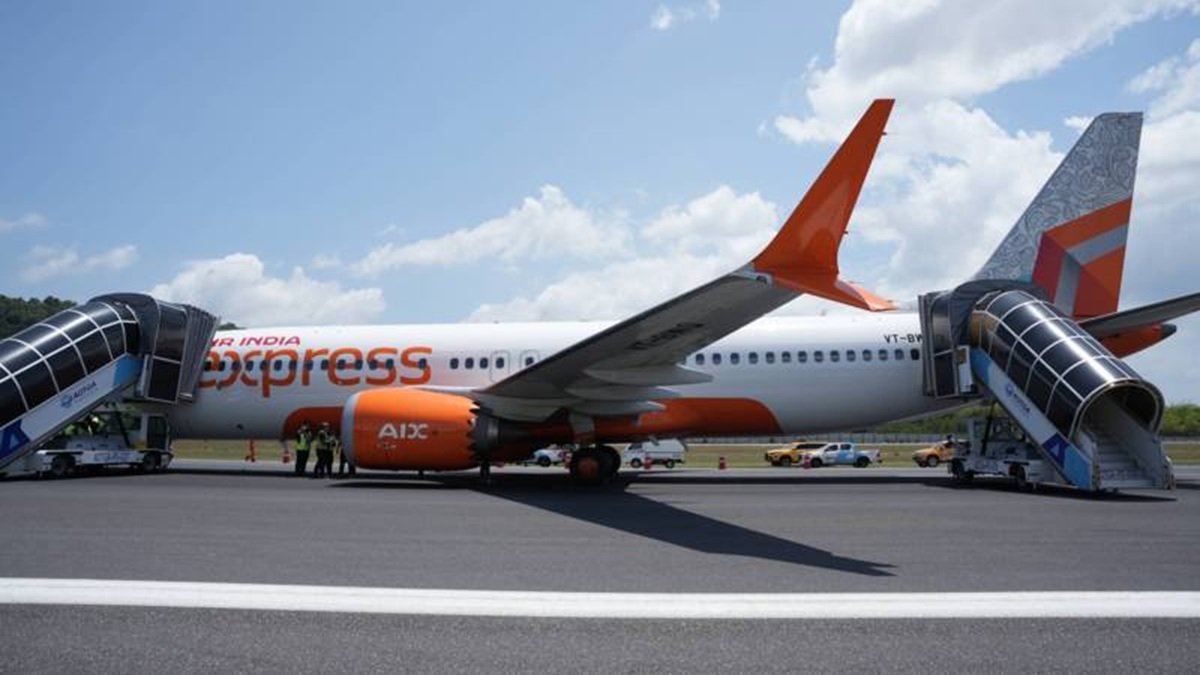

Phuket's airport runway reopened on Tuesday evening following a closure due to an Air India Express flight experiencing a nose wheel issue during landing. The incident prompted the immediate evacuation of passengers and delayed several flights for hours.
Get today's headlines by email 
This event adds to ongoing challenges faced by Air India Express and its parent company, Air India. Phuket is a major hub with hundreds of flights daily from regions like the Middle East, Europe, and Asia. Earlier, Flight AXB938 from Hyderabad suffered damage to its landing gear upon touchdown.
An Air India Express spokesperson confirmed the nose wheel issue, stating that standard protocols were followed, and passengers were safely deplaned. Post-incident, new nose wheels were installed, and an investigation was announced. Images depicting missing wheels and skid marks have circulated, illustrating the severity of the incident.
Air India Express operates over 100 aircraft and has had previous regulatory issues. Last year, India's aviation authority reprimanded the airline for not timely replacing engine parts on an Airbus A320 and falsifying compliance records. From January to November of the same year, the airline reported 95 technical defects, ranking second highest among Indian airlines.
Parent company Air India has also faced scrutiny, including after a fatal crash in Ahmedabad last June, reported Thai PBS.
Join the discussion? 
Already a member? 
 Adapted by ASEAN Now · Thai PBS · 12 Mar 2026