Skip to content
View in the app

A better way to browse. Learn more.

Thailand News and Discussion Forum | ASEANNOW

A full-screen app on your home screen with push notifications, badges and more.

To install this app on iOS and iPadOS
  1. Tap the Share icon in Safari
  2. Scroll the menu and tap Add to Home Screen.
  3. Tap Add in the top-right corner.
To install this app on Android
  1. Tap the 3-dot menu (⋮) in the top-right corner of the browser.
  2. Tap Add to Home screen or Install app.
  3. Confirm by tapping Install.

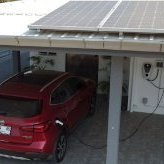
Can Vehicle 2 Load power your home?

Featured Replies

I actually made this video in response to some comments I got on another forum for EV owners, but I thought it might be of interest here.


  • Author

@KhunLA - the video wasn't meant to be a joke. I would be interested to know why you thought it was funny.

14 minutes ago, Bandersnatch said:

@KhunLA - the video wasn't meant to be a joke. I would be interested to know why you thought it was funny.

Title vs photo.   Is good know it's an option when grid goes down.   Although, again, bit of chuckle, something you don't need to worry about.


Good to know if I miscalculate my e-motorcycle, the wife can come save me with the ZS EV, if we get one.   Still knocking that around in my head.  Did notice on new MG site, they show that option. 


image.png.780c47413a549fdf61124dd37568a82d.png

Create an account or sign in to comment

Recently Browsing 0

  • No registered users viewing this page.

Account

Navigation

Search

Search

Configure browser push notifications

Chrome (Android)
  1. Tap the lock icon next to the address bar.
  2. Tap Permissions → Notifications.
  3. Adjust your preference.
Chrome (Desktop)
  1. Click the padlock icon in the address bar.
  2. Select Site settings.
  3. Find Notifications and adjust your preference.