



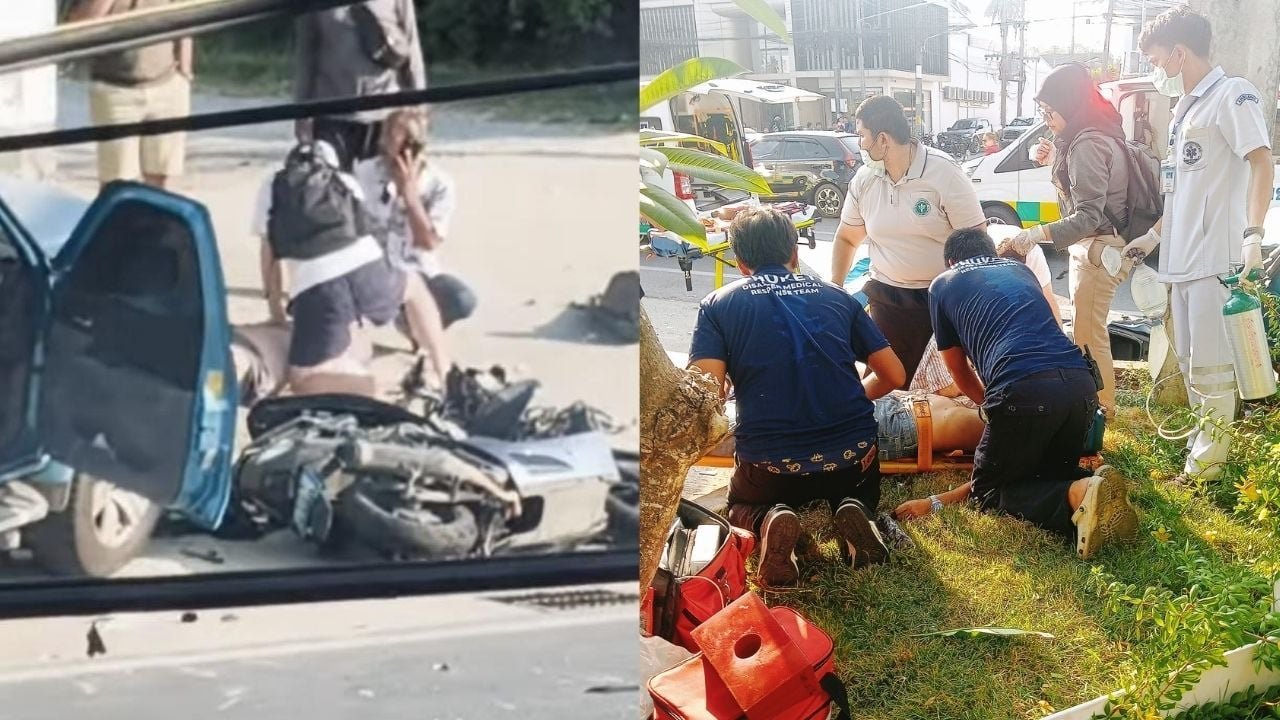

A tragic traffic accident occurred in Chalong, Phuket, where a foreign woman crashed a pickup truck into two motorcycles, resulting in the death of a Thai man and injuring another rider on March 25. The incident, which happened around 5pm, was captured in a video now circulating on Thai social media. The pickup, driven by the foreign woman, swerved into the opposite lane, colliding with the motorcycles before crashing into an electricity pole.
Get today's headlines by email 
The identities of those involved have not yet been disclosed. A foreign man in the pickup was seen assisting the female driver out of the vehicle post-crash, leading to a roadside argument. Witnesses stopped to offer aid and contacted rescue services and the police.
Local authorities have yet to determine the crash's cause. The male motorcyclist was declared dead at the scene, while another suffered a broken leg. This incident has sparked online discussions, emphasizing concerns about justice for the victims. There is apprehension that foreign suspects might attempt to avoid legal consequences by paying off proceedings, or leaving the country before resolution.
In response, some social media users are urging government agencies to implement stricter measures to curb reckless driving by foreigners in Phuket, citing previous incidents involving non-local drivers, reported The Thaiger.
Join the discussion? 
Already a member? 
 Adapted by ASEAN Now · The Thaiger · 25 Mar 2026